Test Case (Step with import)
QA Touch allows you to import test cases in bulk along with detailed test steps using Excel/CSV files. This helps in quickly creating structured and executable test cases.
Preparing the Excel Sheet
- Download the Sample Test Case Template from QA Touch
- Supported file formats: .csv and .xls
Formatting Guideliness:
-
Ensure the following fields are always filled:
a. Module Name b. Test Case Title
Test Steps Format
Include step-level details In single cell
| Step | Step Description | Expected Result |
|---|---|---|
| 1 | Enter Username | Username accepted |
| 2 | Enter Password | Password accepted |
| 3 | Click Login | User logged in |
- Each row represents one test case
- Multiple steps should be defined in a single cell (Step 1, Step 2, Step 3…)
- Ensure steps are in correct order to maintain execution flow
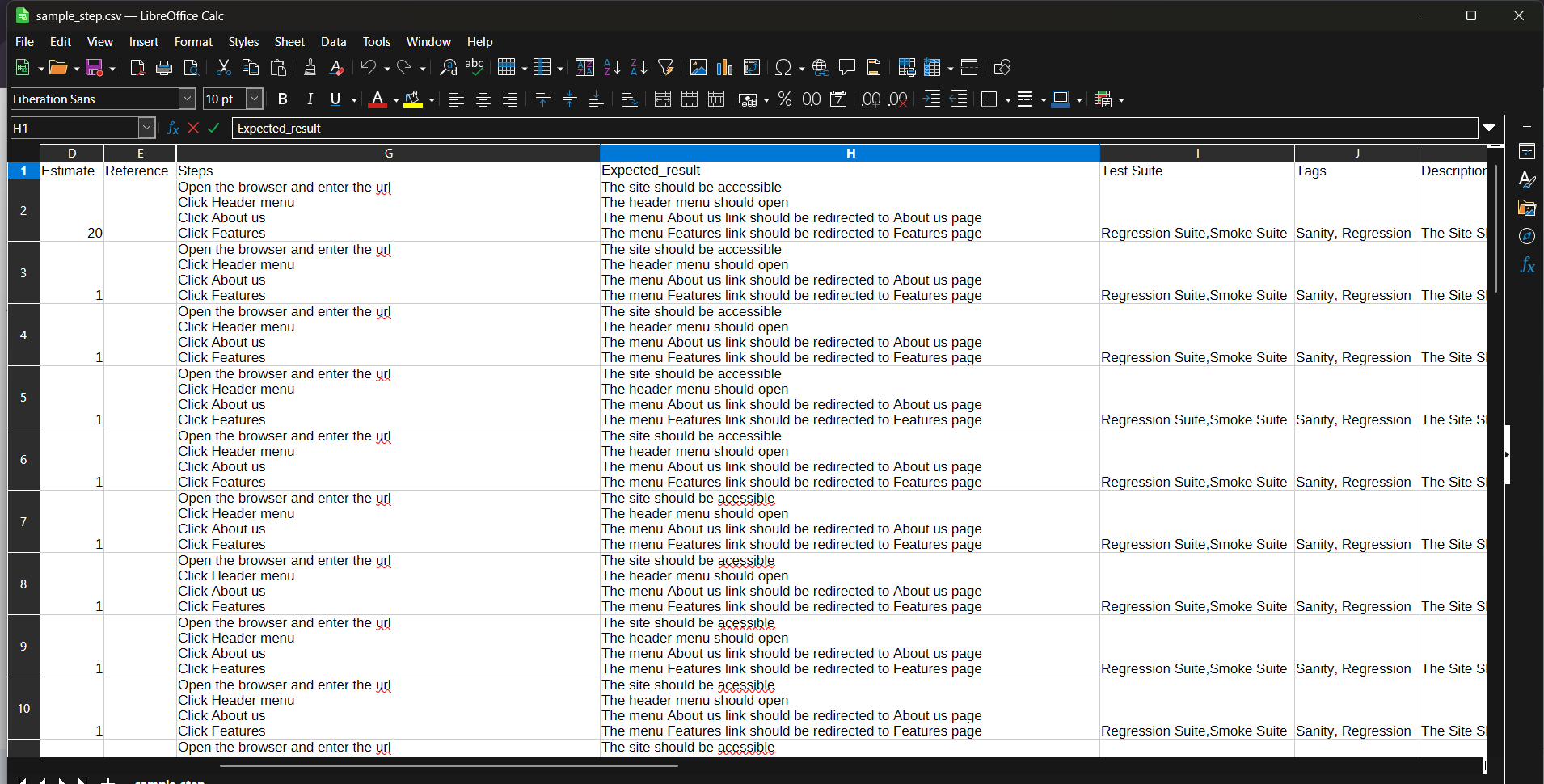
How to Import Test Cases with Steps
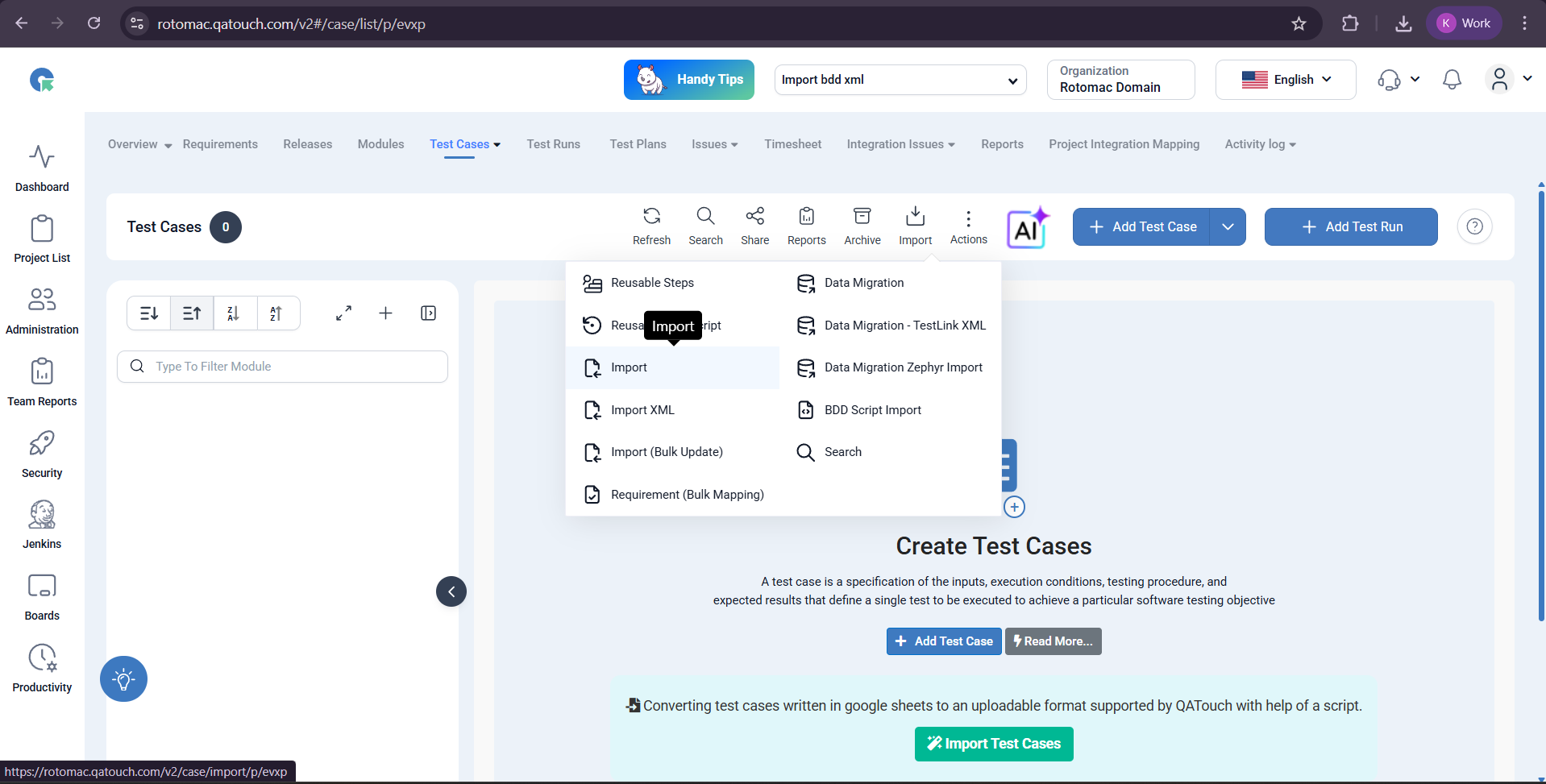
- Navigate to Test Case List page
- Click on Import
- Select Test Case Template (with Steps)
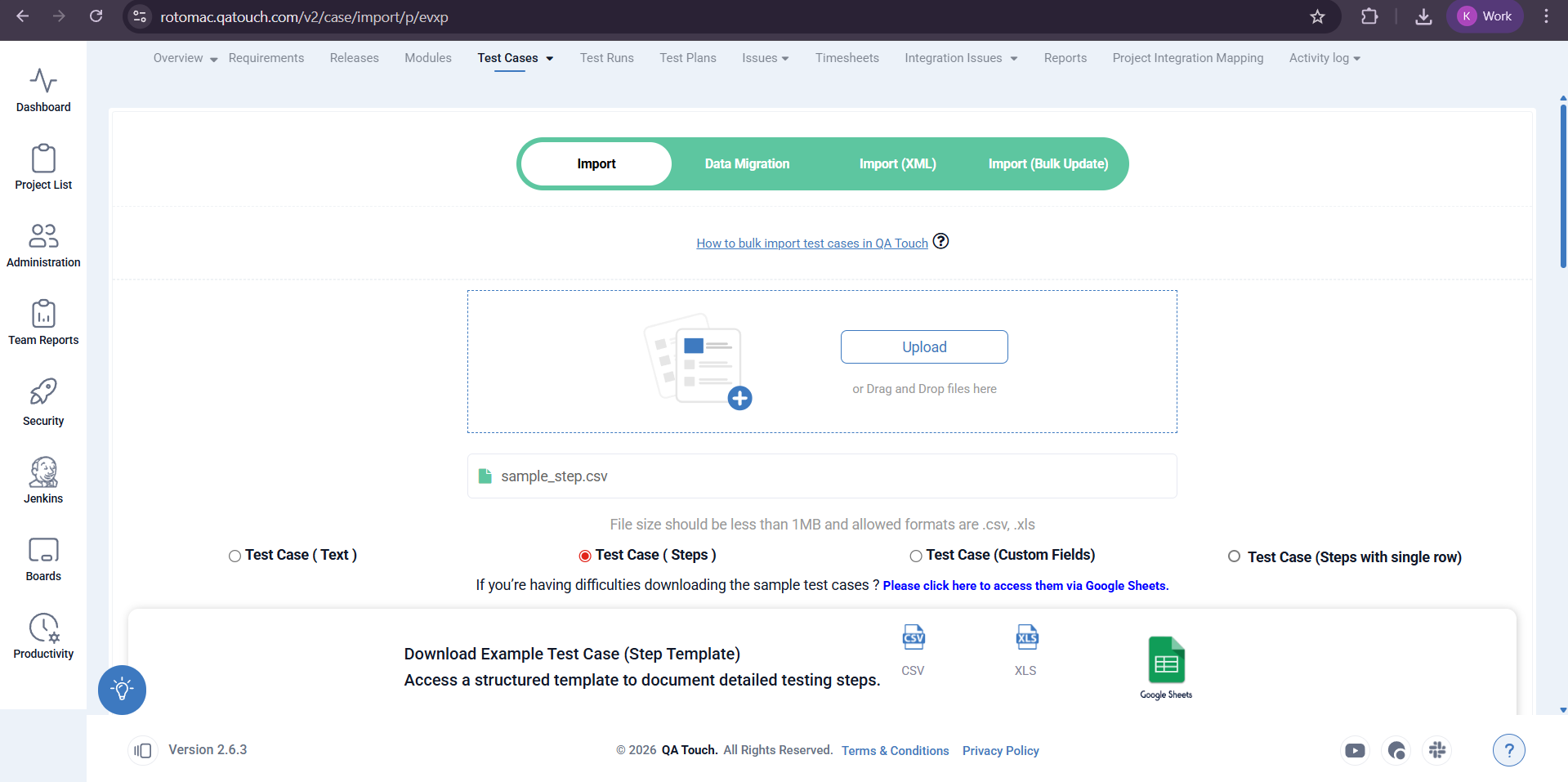
- Upload your file (
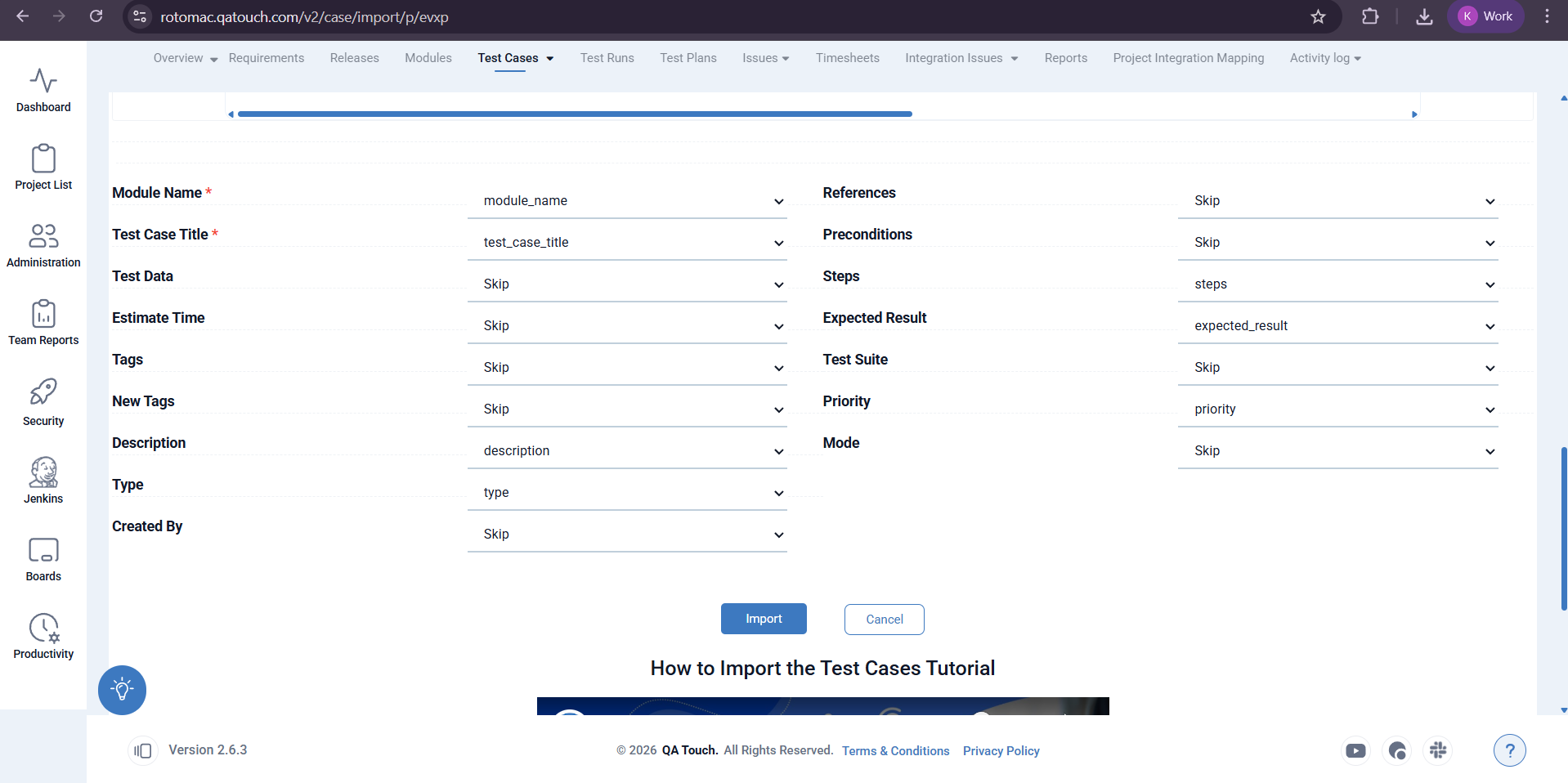
.csv/.xlsx) - Map fields:
- *Map Module Name and Test Case Title (mandatory)
- *Map step-related fields:
- *Step Description
- *Expected Result
- Click on Import