Asana Integration Guide
In this article
The day is finally here. After months of undeterred work, we are pleased to announce to our community that QA Touch is now integrated with Asana.
Asana helps you organize complex work across teams to drive business outcomes.
QA Touch offers seamless integration with Asana, presenting the best way to keep all the bugs posted in Asana Work Management.
We have an array of other integrations YouTrack, GitHub, GitLab, Bitbucket, and Trello.
Asana can be blended with QA Touch in a short period, by following the three steps below:
How To Generate Asana API Key.
Asana QA Touch Global Configuration.
Mapping Asana Project To QA Touch Project.
How to Generate API Key in Asana?
You can generate the personal access token (PAT) containing your security credentials for Asana. Much like an API key, generating a PAT allows you to access the Asana REST API upon successful authentication. Asana API tokens contain your security credentials.
You can generate a personal access token from the Asana developer console.
Please click here
https://app.asana.com/0/my-apps
(0r)
Personal Access Tokens
Click your Asana profile photo from the top bar.
Select My Settings…
Open the Apps tab.
Click Manage Developer Apps.
Click + New Access Token.
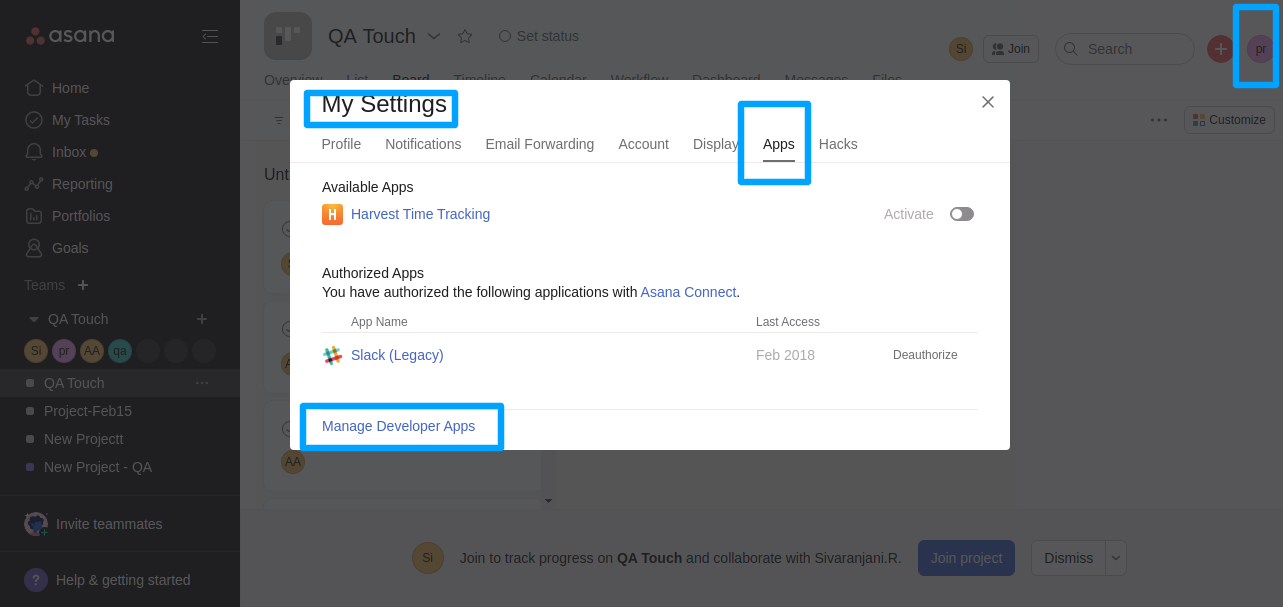
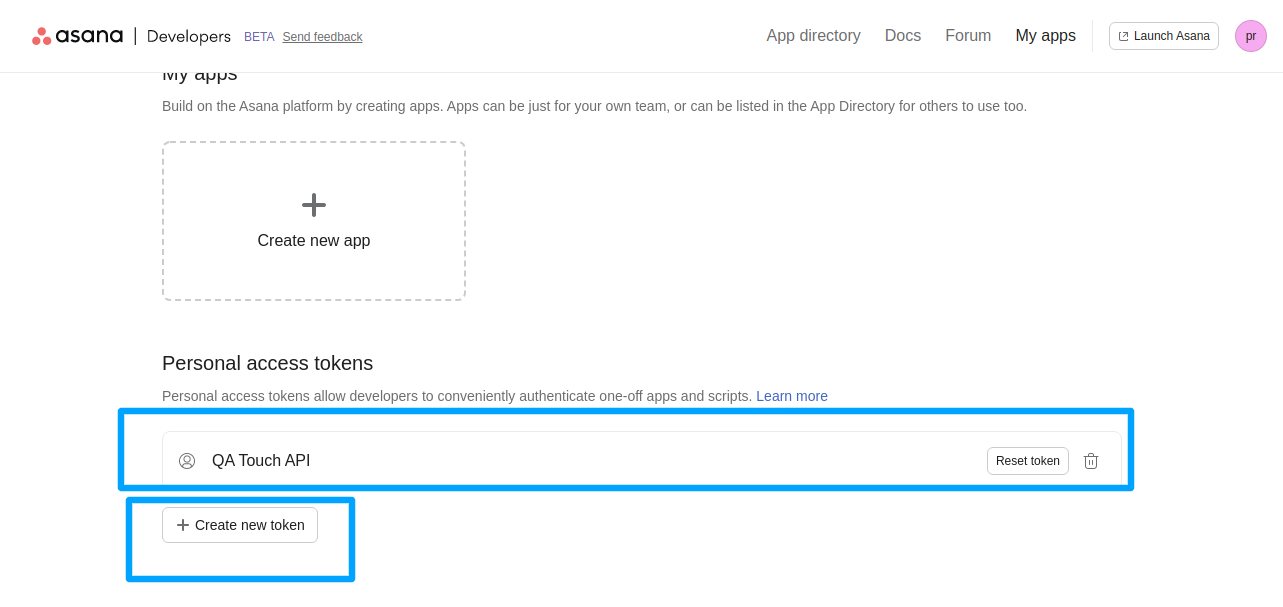
Step 1: Generate a personal access token from the Asana developer console.
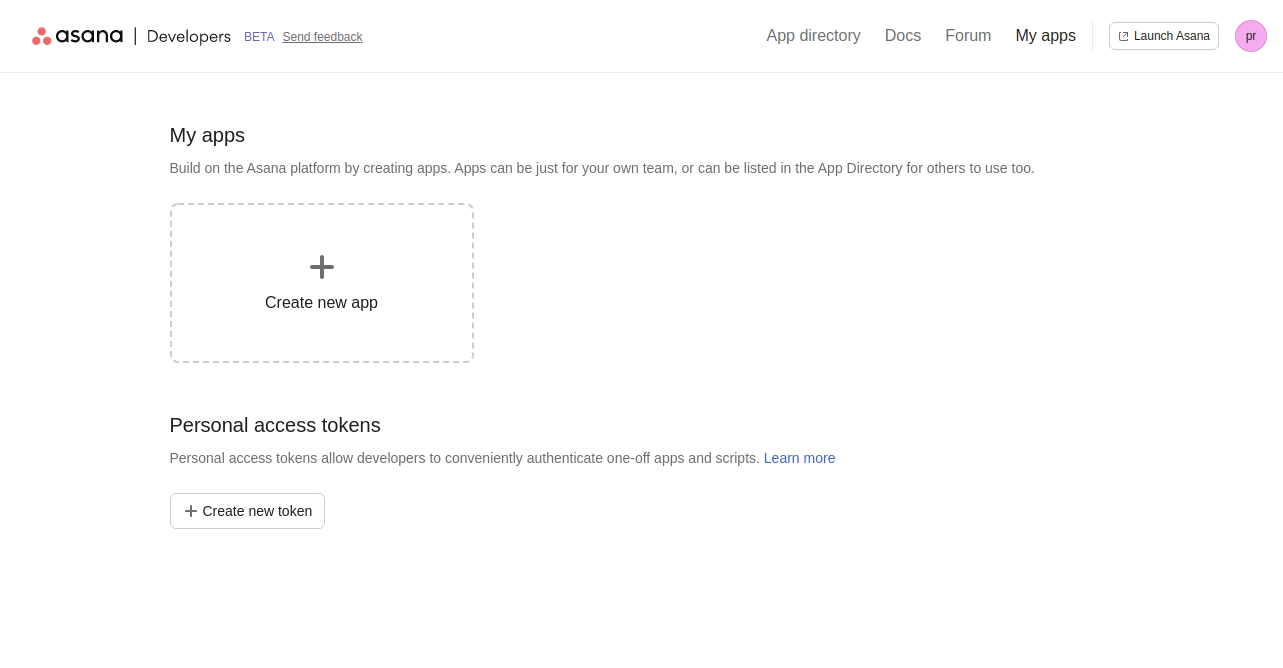
Please click the “Create new token”, a popup will be displayed
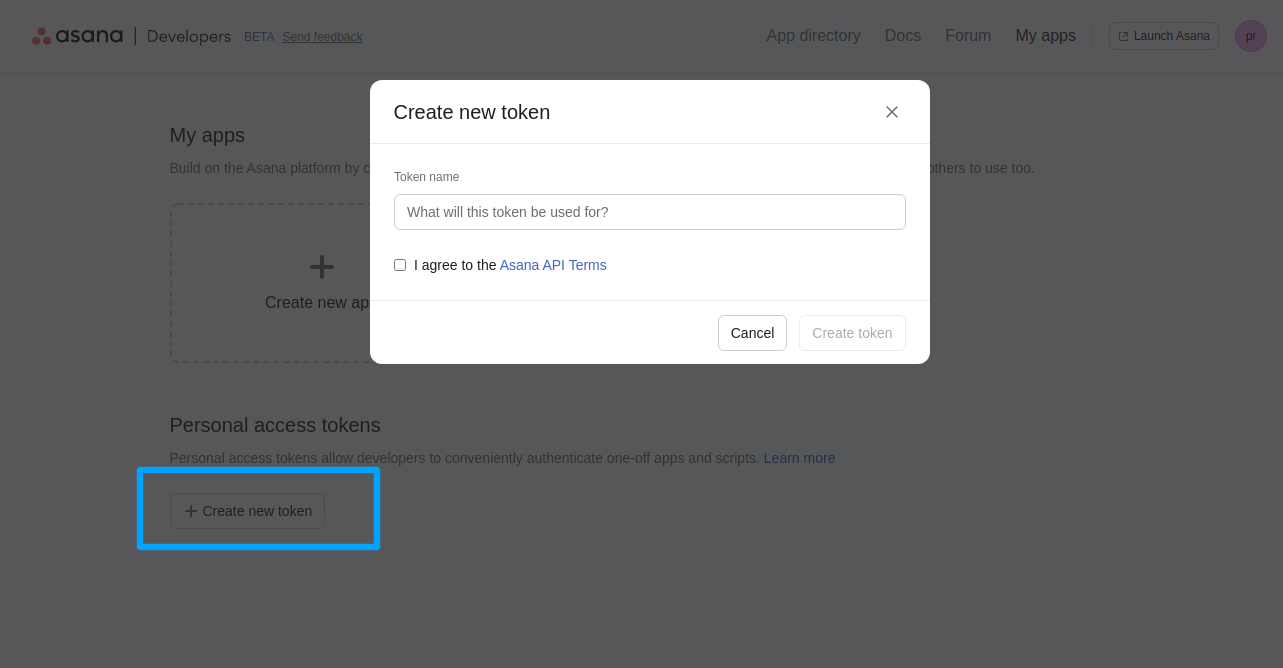
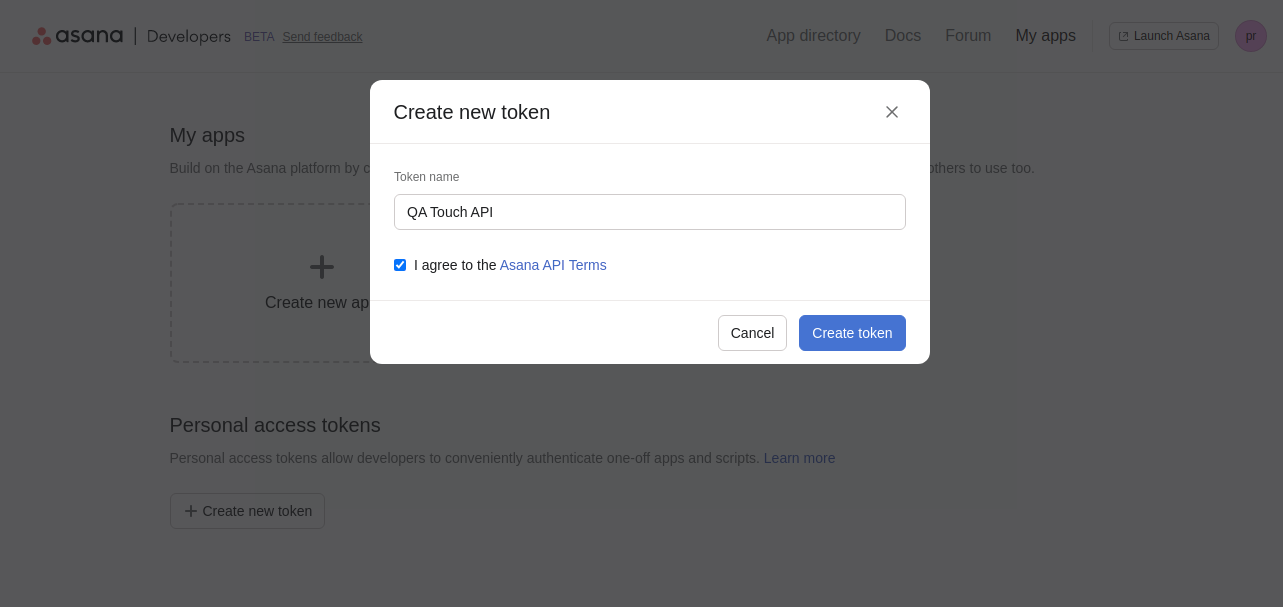
Step 2: After the token generated list of Asana PAT list of token items
Asana QA Touch Global Configuration
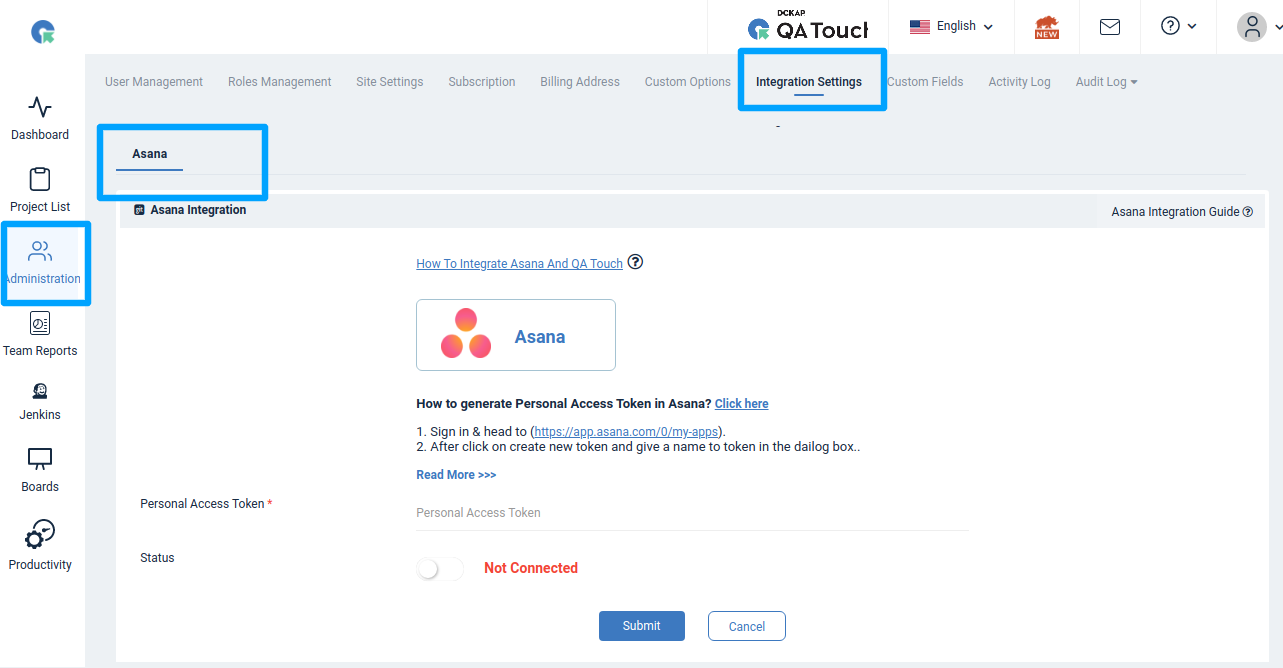
This settings configuration can be done by reaching out to the integration page. To reach the Integration page, go to Administration in the left navigation panel and click Integration Settings.

After logging in Administration -> Integration Settings -> Asana Tab
Asana Global Configuration
Here’s the step-by-step guide one should be following for a successful and seamless Asana integration with QA Touch:
- Login to QA Touch as an Administrator
- Click the Administration → Integration Settings
- Enter generated API Key.
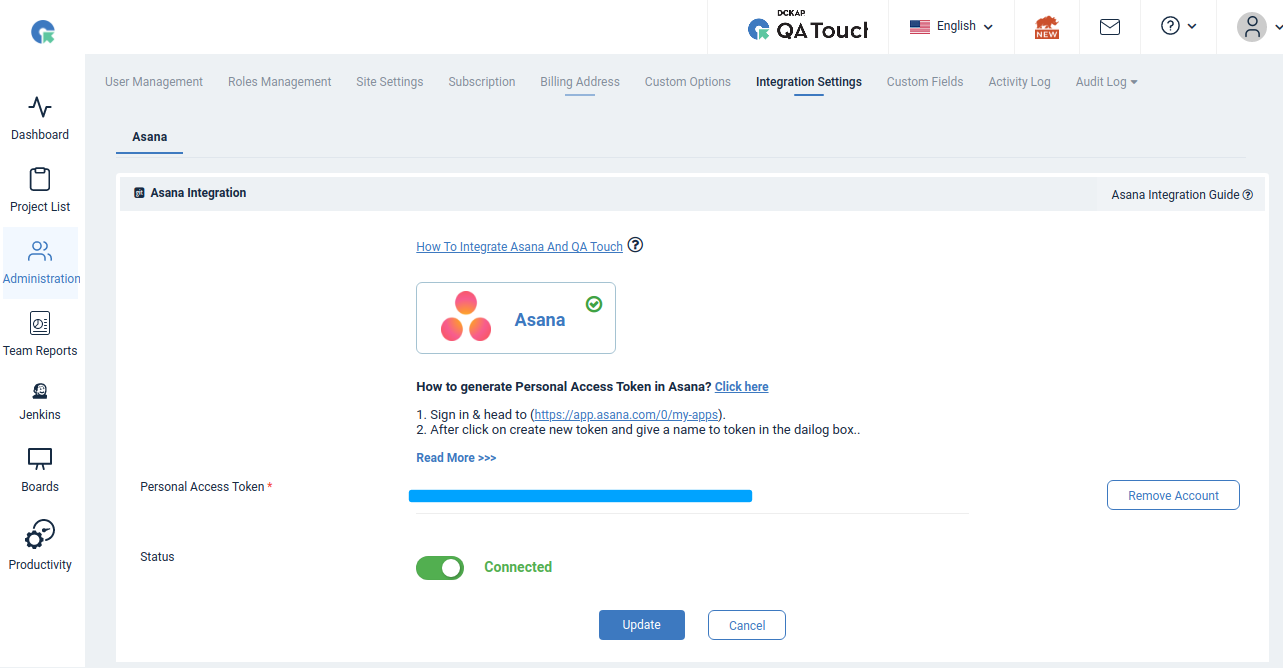
- Click Update.
- After successful configuration, the status becomes connected as shown in the below snapshot
Mapping Asana to Project
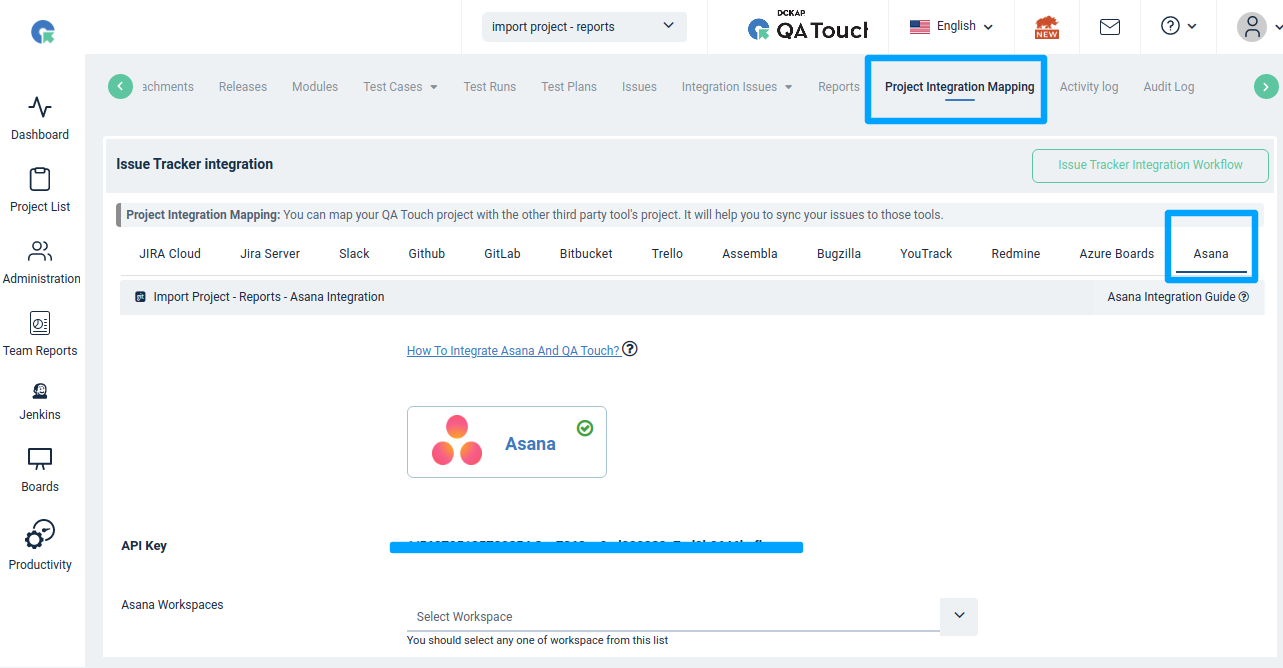
Map the respective repository to the QA touch Project with bugs which are added in the repository.
- Click on Projects → Project Integration Mapping.
- Select an Asana Workspace and click submit to Map
Have a look at the below screenshot for your reference.
Posting Issue in QA Touch
Go to any test run & result page, and click the Add Issue button.
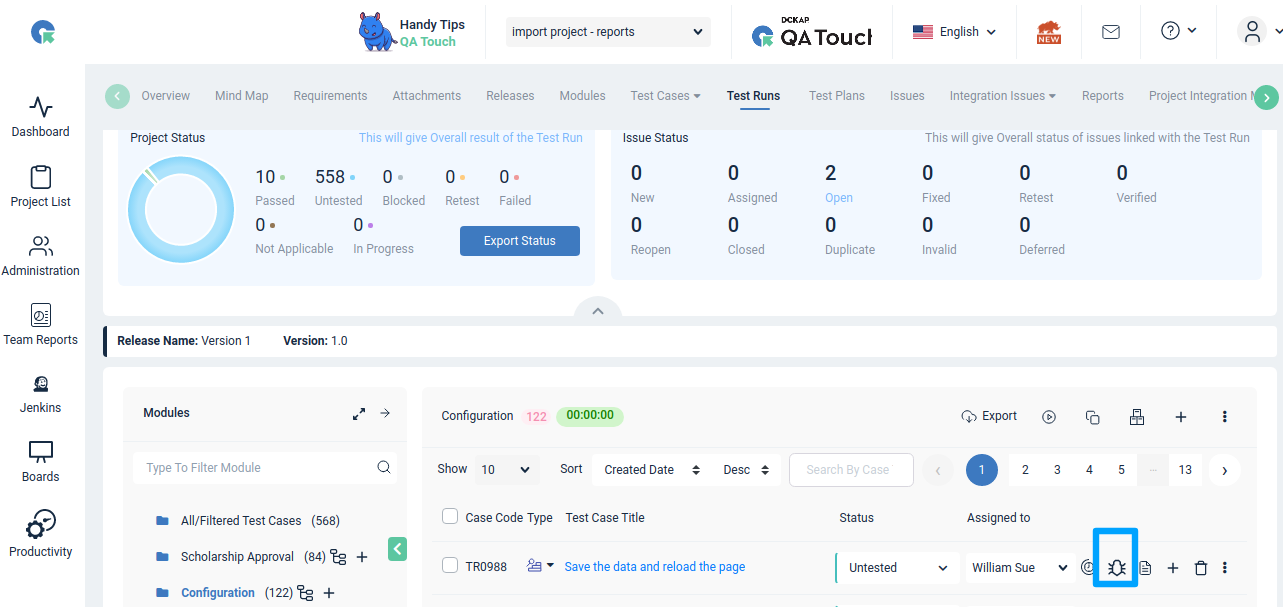
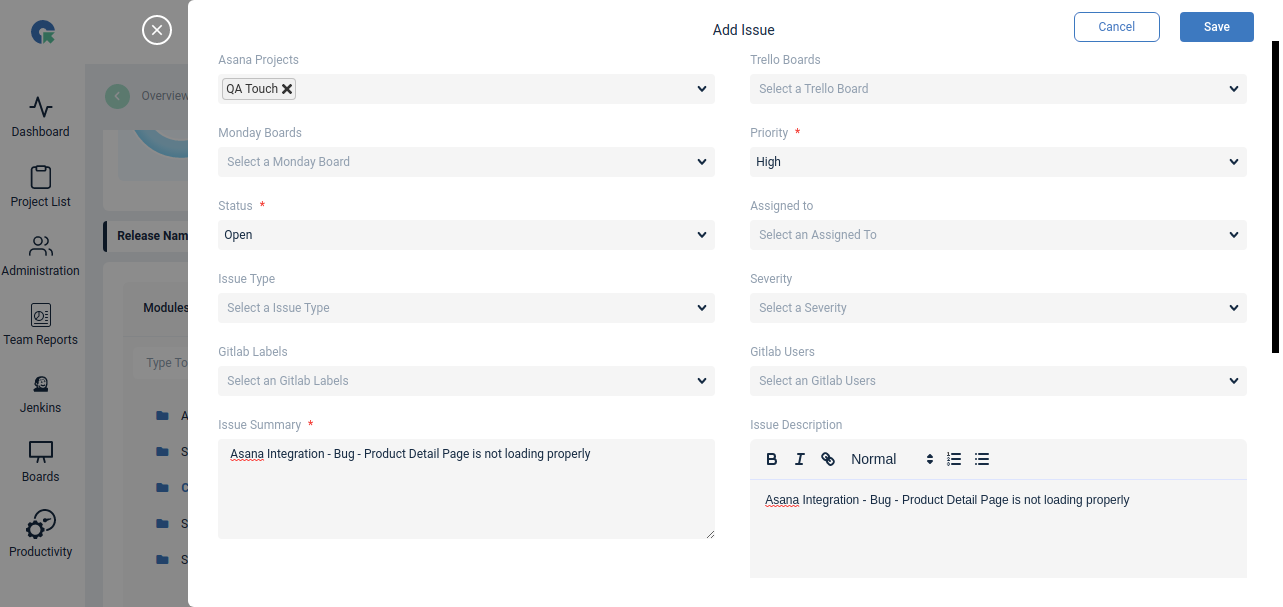
List of Asana Projects available. Select any of the projects
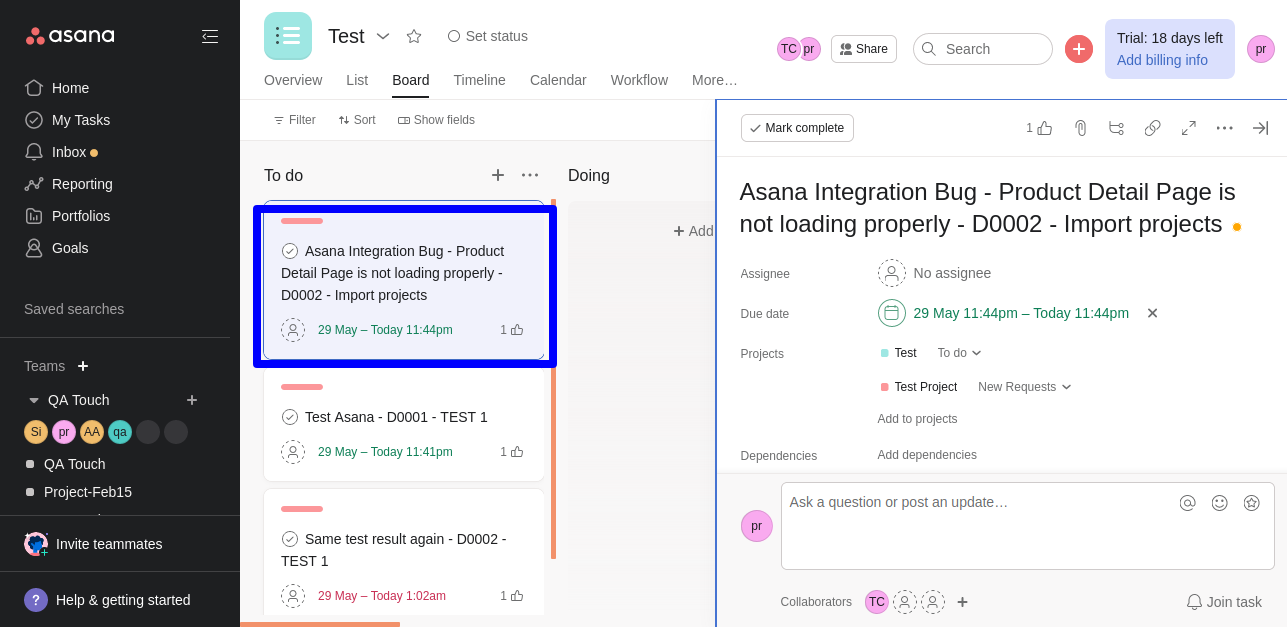
Snapshot of Messages Posted in Asana by QA Touch
A screengrab of the same is shared below on how messages are posted in Asana by QA Touch.
We hope this blog helped you understand the process of how integration should be done between Asana Integration and QA Touch.
This integration is just the beginning of a lot more platforms with which we plan to collaborate in the near future to make testing accessible for all.
Register here and be the master of your application testing.