Audit Log
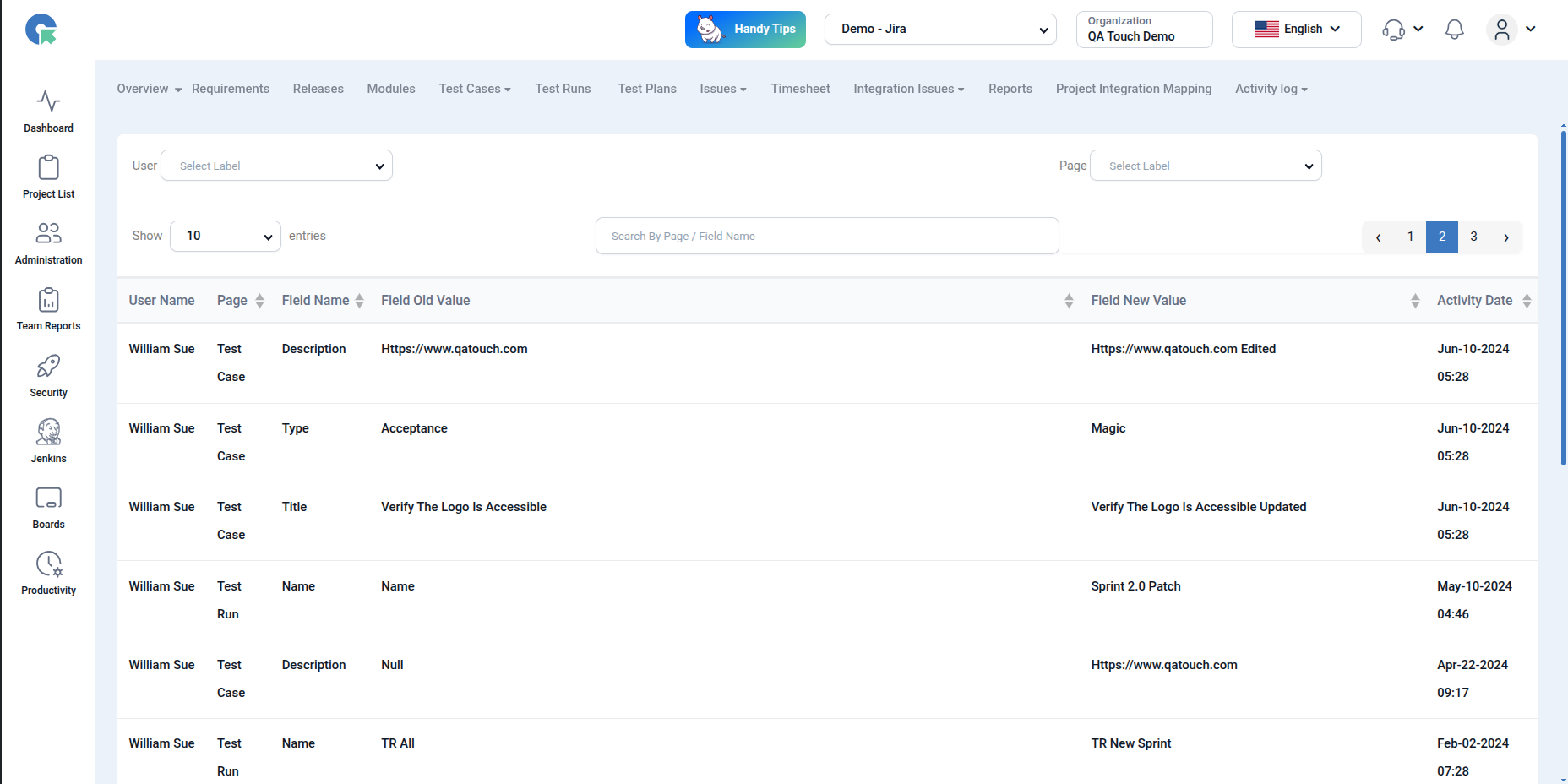
The Audit Log in QA Touch provides a detailed history of all field-level changes made within the application. It helps track what was changed, who made the change, and when it occurred—ensuring complete transparency and traceability.
What is Audit Log?
Audit Log captures:
- Field-level changes (before and after values)
- User who made the change
- Module/Page where the change occurred
- Exact timestamp of the update
This is especially useful for debugging, compliance, and tracking modifications over time.
Use Cases
- Identify who changed a test case field
- Track historical updates to test runs
- Verify data integrity during releases
- Audit modifications for compliance or review
How to Use Audit Log
- Navigate to the Project -> Audit Log section
- View the records displayed in a tabular format
- Each row contains:
- User Name
- Page (Module) (e.g., Test Case, Test Run, Issues)
- Field Name (e.g., Title, Description, Type)
- Field Old Value
- Field New Value
- Activity Date
Filtering Audit Logs
Use the filters at the top to refine results:
- User → View changes made by a specific user
- Page → Filter logs by module (Test Case, Issues, Test Run, Requirements)
This allows you to quickly narrow down specific changes without scanning all records.