AI Cursor
QA Touch MCP Server
Connect AI assistants directly with QA Touch to manage projects, test cases, test runs, defects, requirements, releases, and QA workflows through the Model Context Protocol (MCP).
What is QA Touch MCP?
QA Touch MCP Server enables AI assistants such as Claude Desktop and other MCP-compatible clients to securely interact with your QA Touch workspace.
With natural language commands, users can:
- Create and manage projects
- Generate and maintain test cases
- Execute and update test runs
- Manage defects and requirements
- Search QA assets instantly
- Generate QA reports and insights

what is Cursor AI?
Cursor AI is an AI-native code editor designed to accelerate software development by integrating advanced large language models directly into the programming environment.
Key Features
Project Management
- List all projects
- Create new projects
- Count available projects
Test Case Management
- Create structured test cases
- Generate bulk test cases
- Create exploratory test cases
- Create text-template test cases
- Search and manage test cases
Module Management
- Create modules
- Search modules
- Count modules
Release Management
- Create releases and milestones
- Search releases
- Count releases
Requirement Management
- Create requirement documents
- Create requirements
- Search requirements
- Count requirements
Defect Management
- Create defects
- Search defects
- List defect statuses
- List severities
- List issue types
- List environments
Test Run Management
- View test runs
- View execution results
- View execution history
- Update execution status
- Batch update test results
Global Search
Search across:
- Test Cases
- Modules
- Requirements
- Defects
- Releases
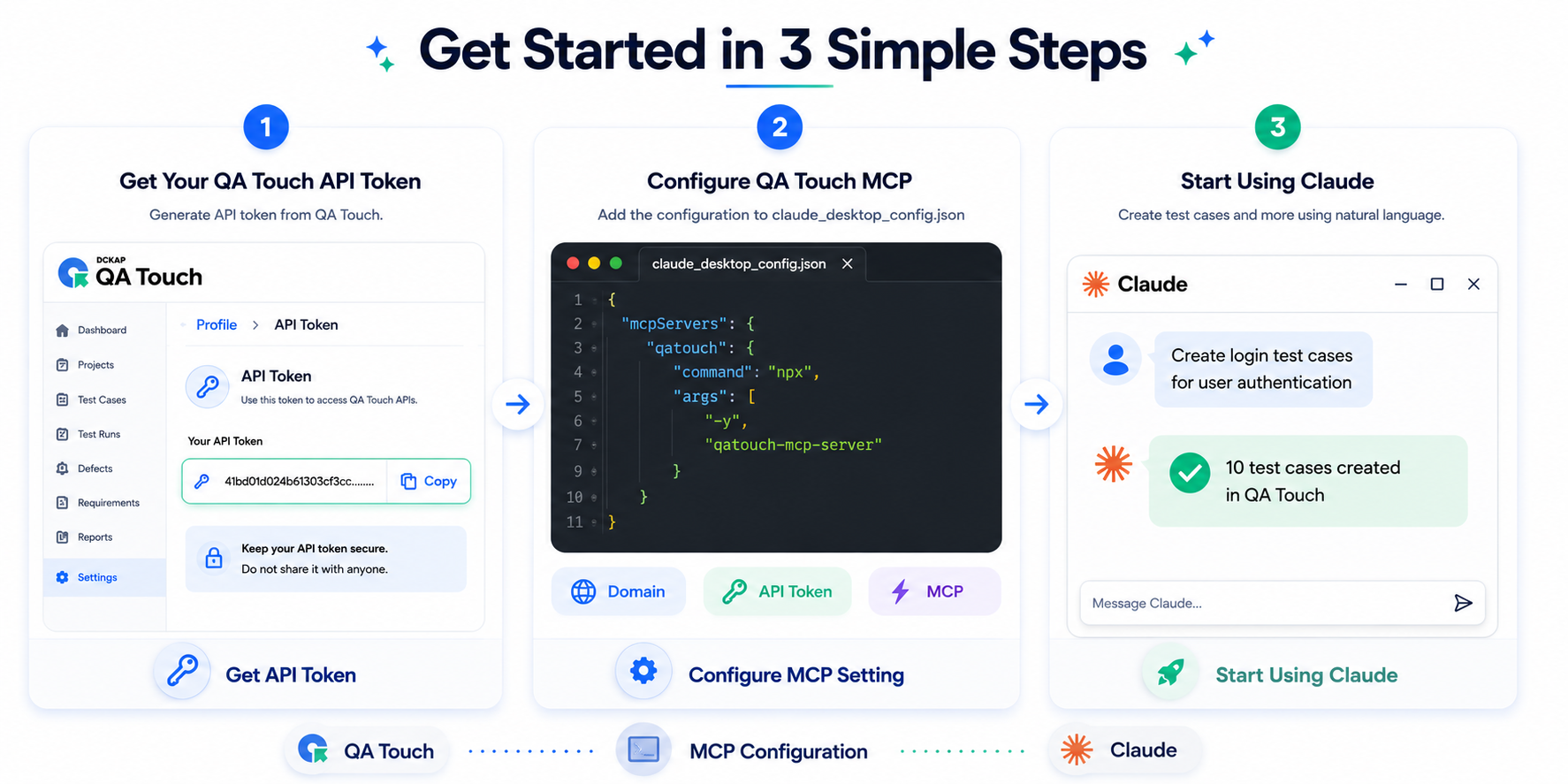
Installation
Option 1: Run with NPX
npx -y qatouch-mcp-serverOption 2: Install Globally
npm install -g qatouch-mcp-server

qatouch-mcp-server
Prerequisites
Before running the MCP server, ensure you have:
| Requirement | Version |
|---|---|
| Node.js | 18+ |
| npm | Latest |
| QA Touch Domain | Required |
| QA Touch API Token | Required |
Environment Variables
Configure the following variables:
QATOUCH_DOMAIN=yourdomain
QATOUCH_API_TOKEN=yourtoken
Example:
QATOUCH_DOMAIN=demo
QATOUCH_API_TOKEN=xxxxxxxxxxxxxxxx
Cursor AI Editor Setup
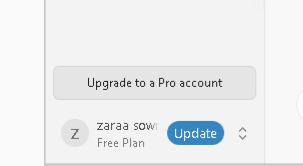
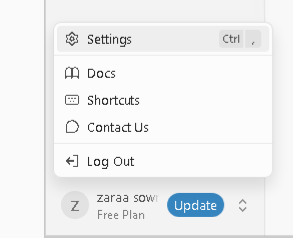
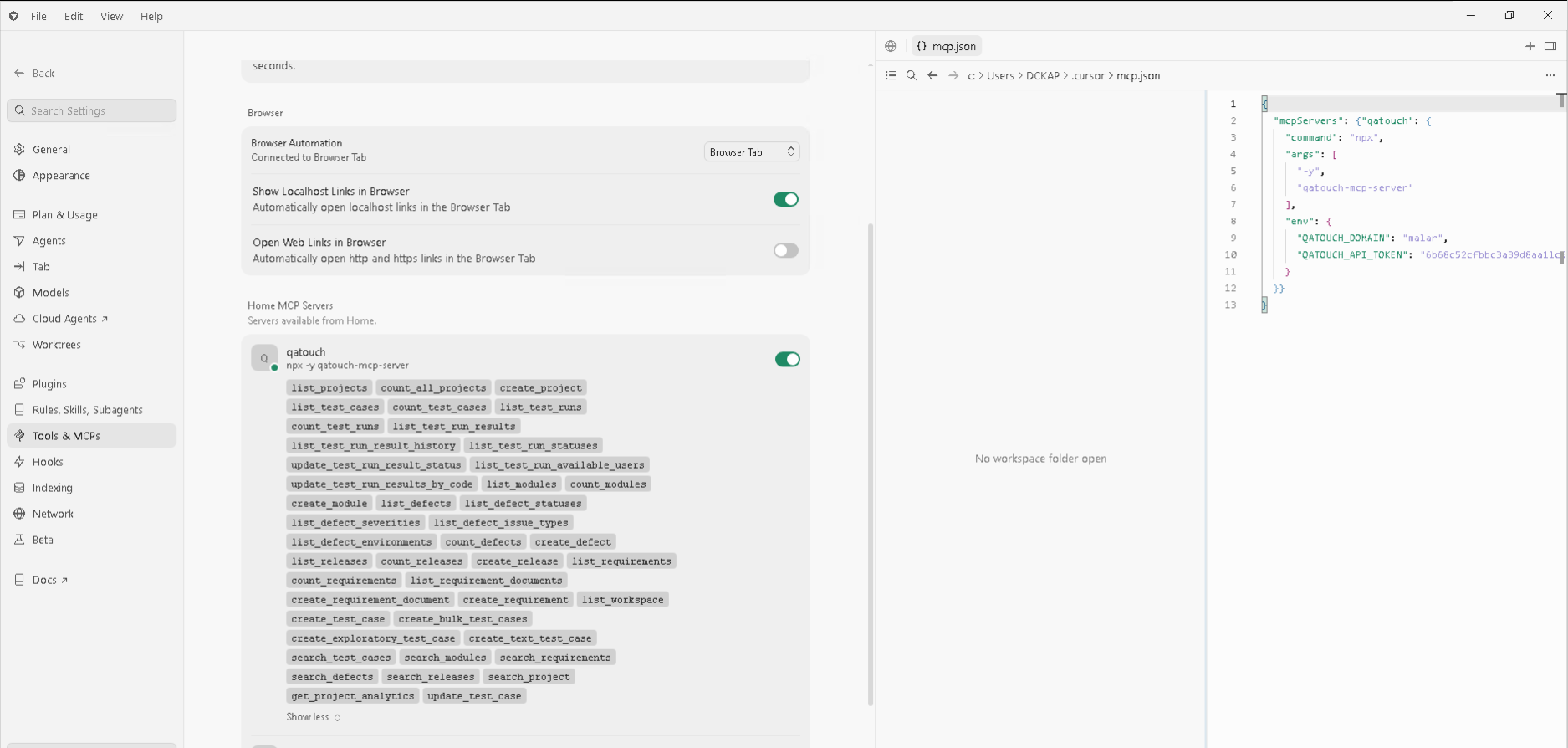
Step 1 : Click bottom Profile name Step 2 : Click Setting menu Step 3 : Sidebar Select “Tools & MCP” click the menu Step 4 : Home Tab and Home MCP Server => New MCP Server
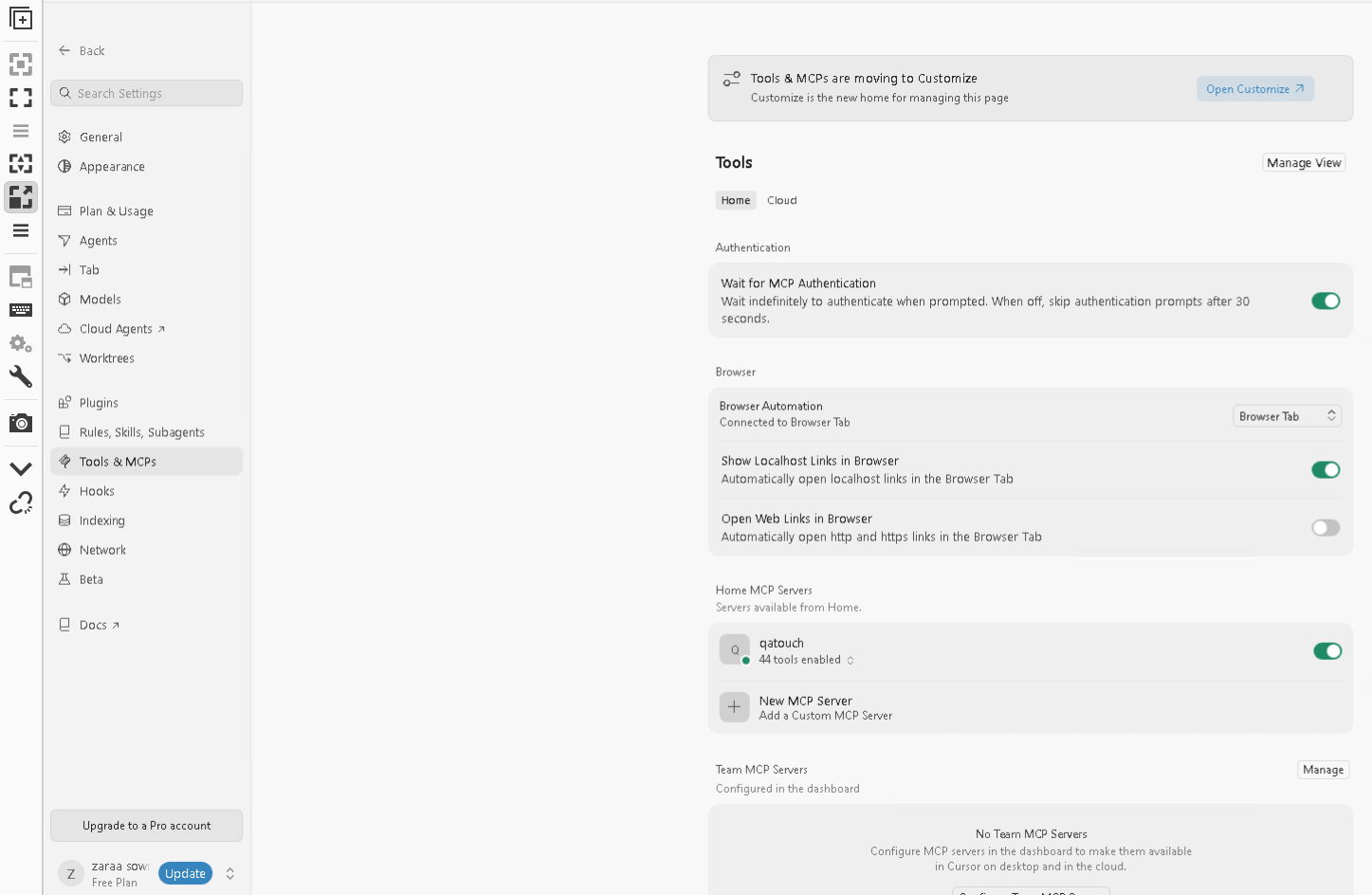
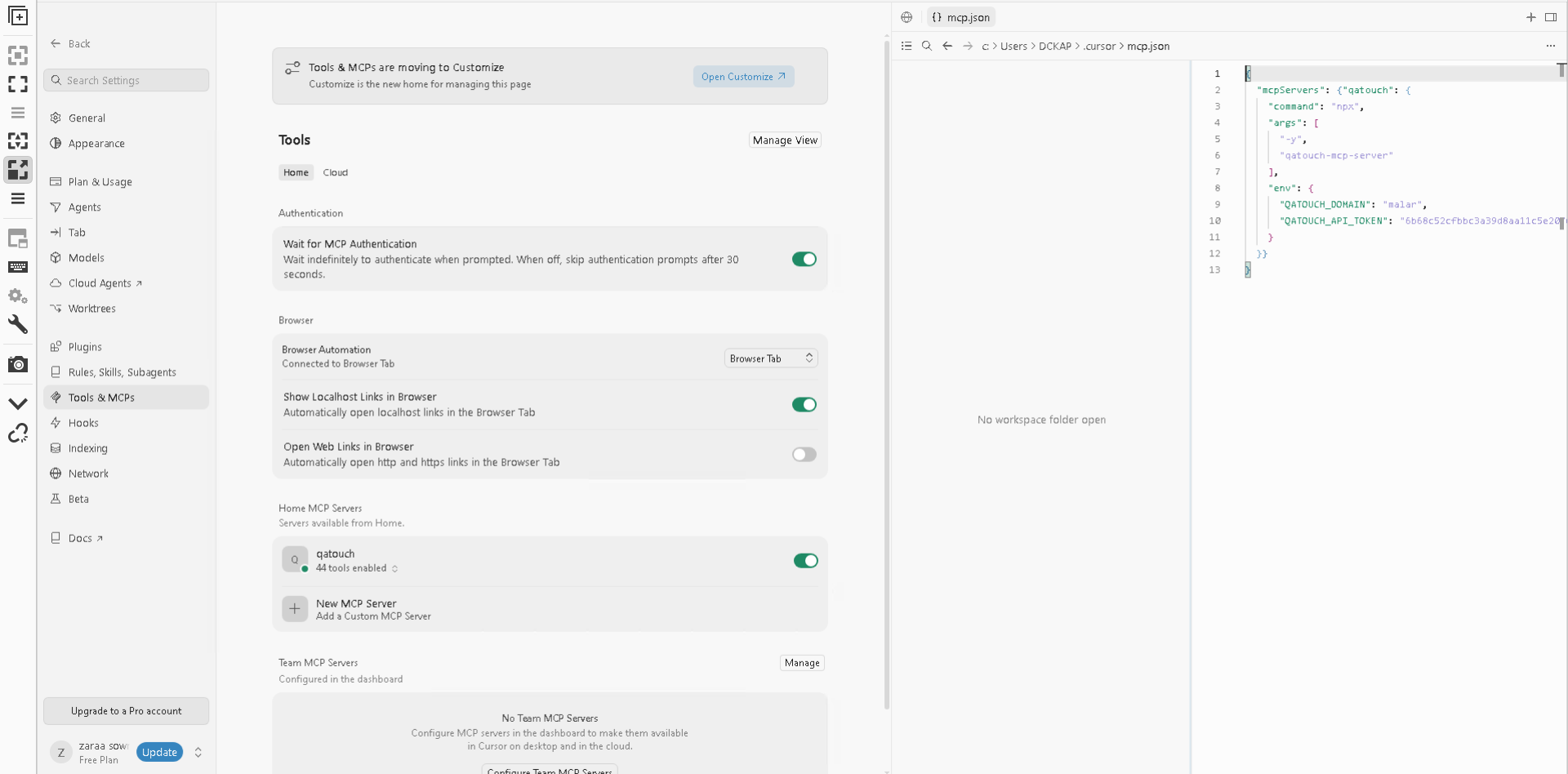
Configuration Example
{
  "mcpServers": {
    "qatouch": {
      "command": "npx",
      "args": [
        "-y",
        "qatouch-mcp-server"
      ],
      "env": {
        "QATOUCH_DOMAIN": "yourdomain",
        "QATOUCH_API_TOKEN": "yourtoken"
      }
    }
  }
}
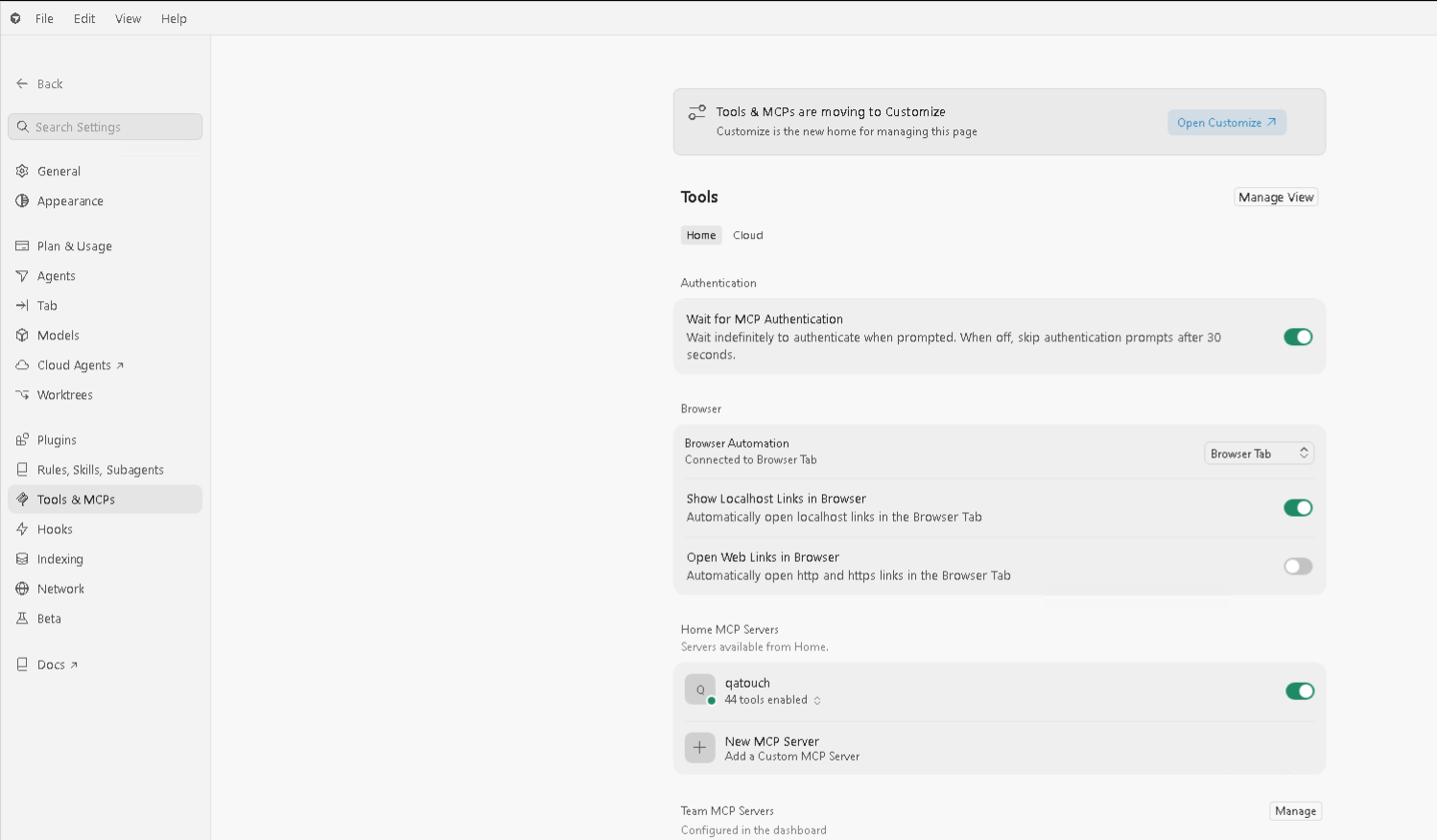
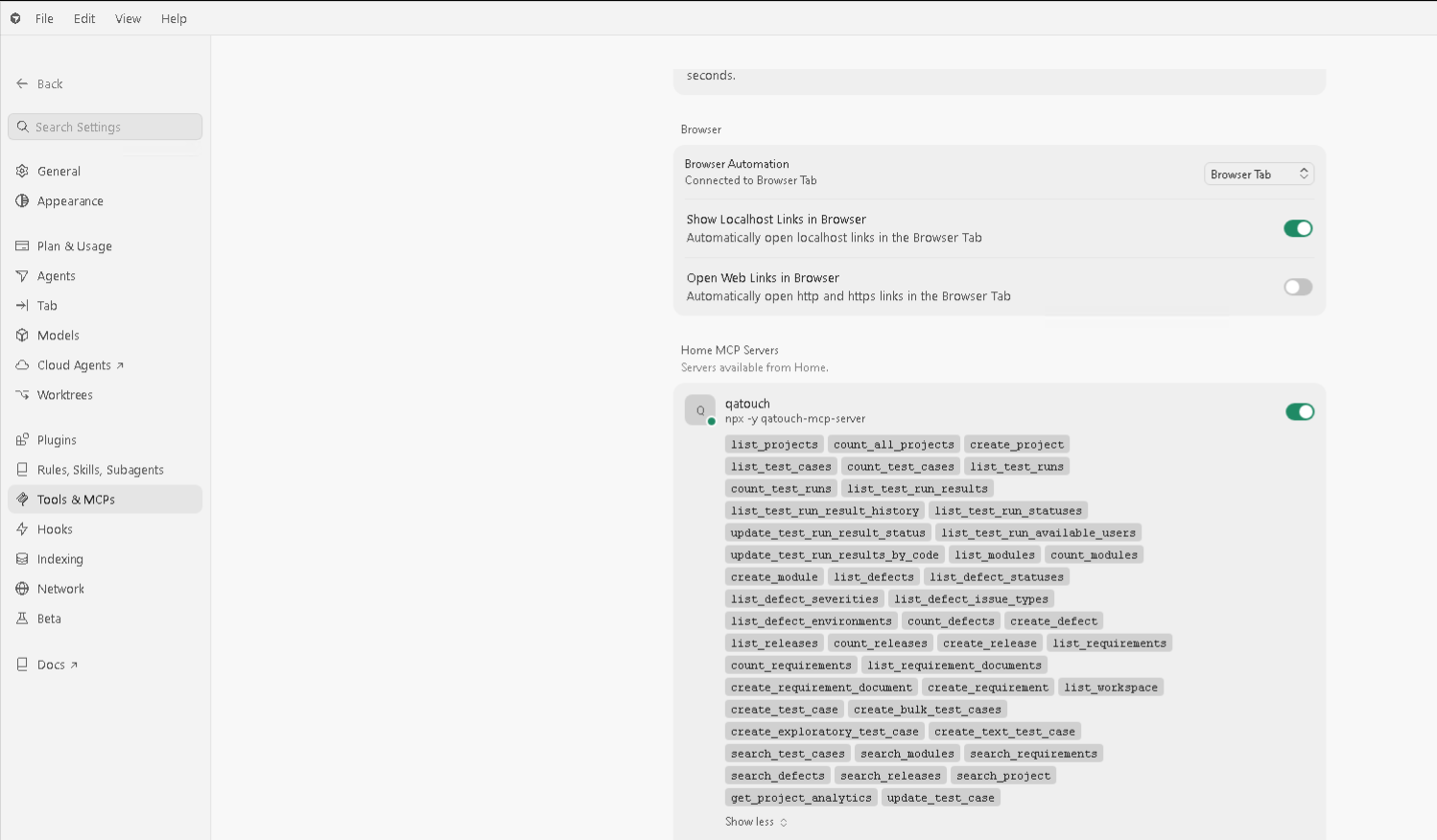
Example Prompts
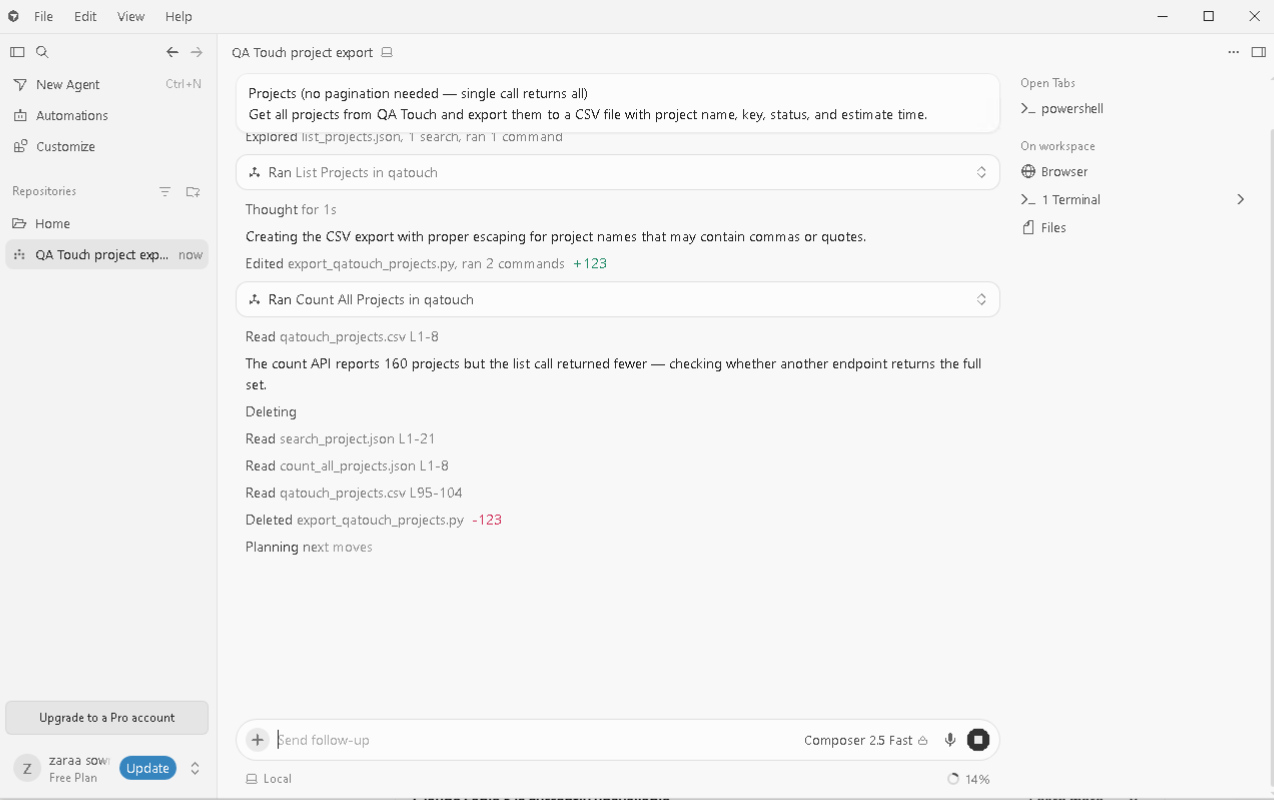
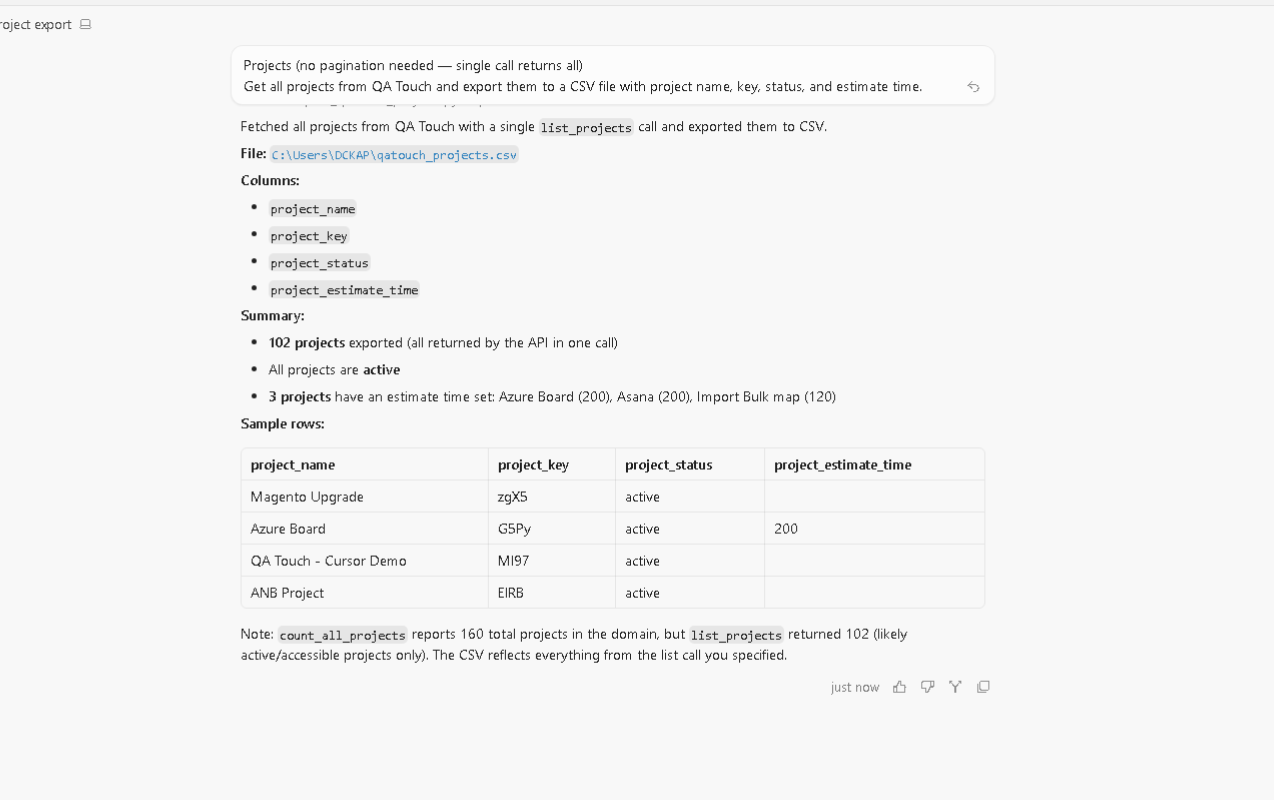
Example 1 - Get all projects from QA Touch and export them to a csv file with project name, project key,status and estimate time
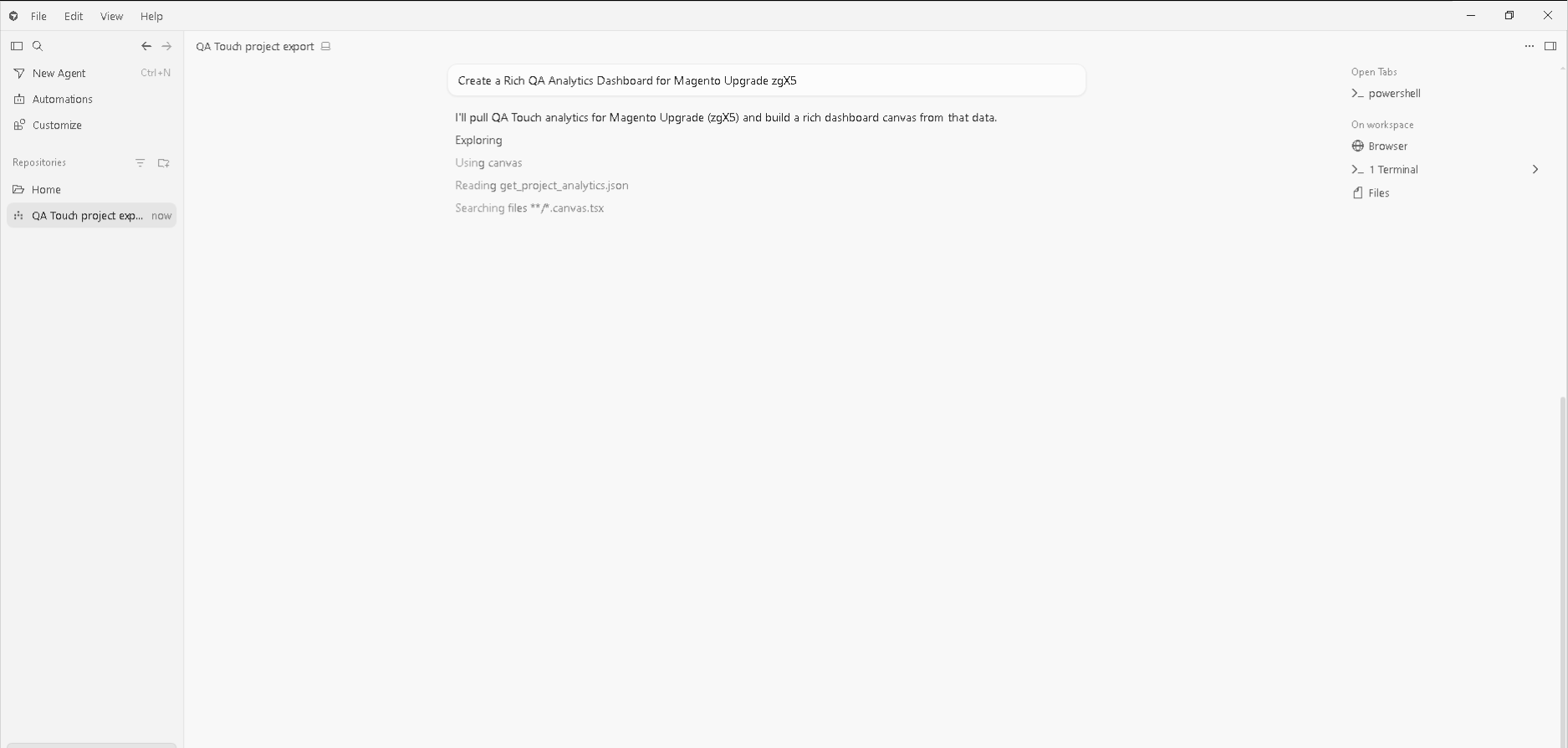
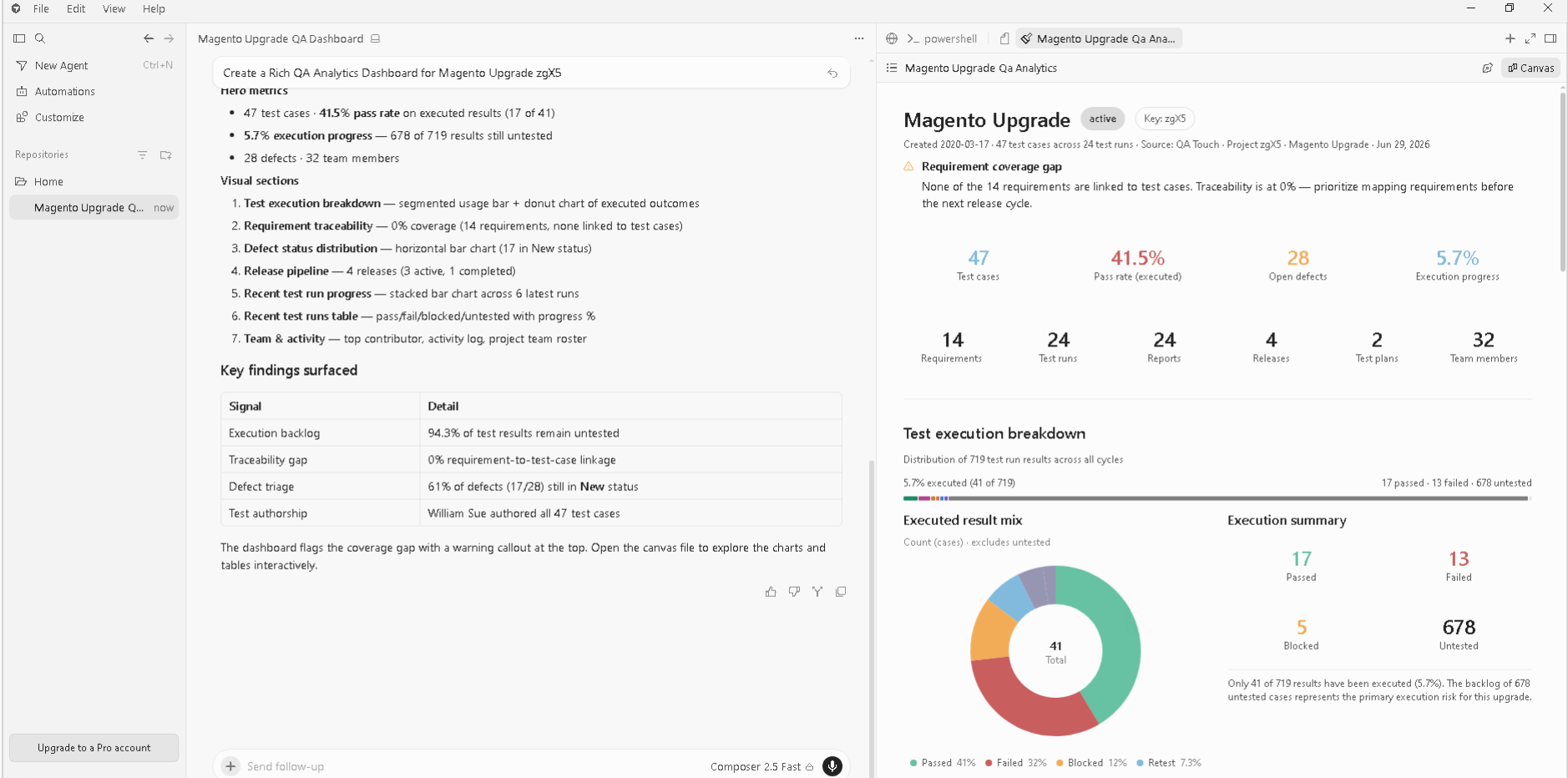
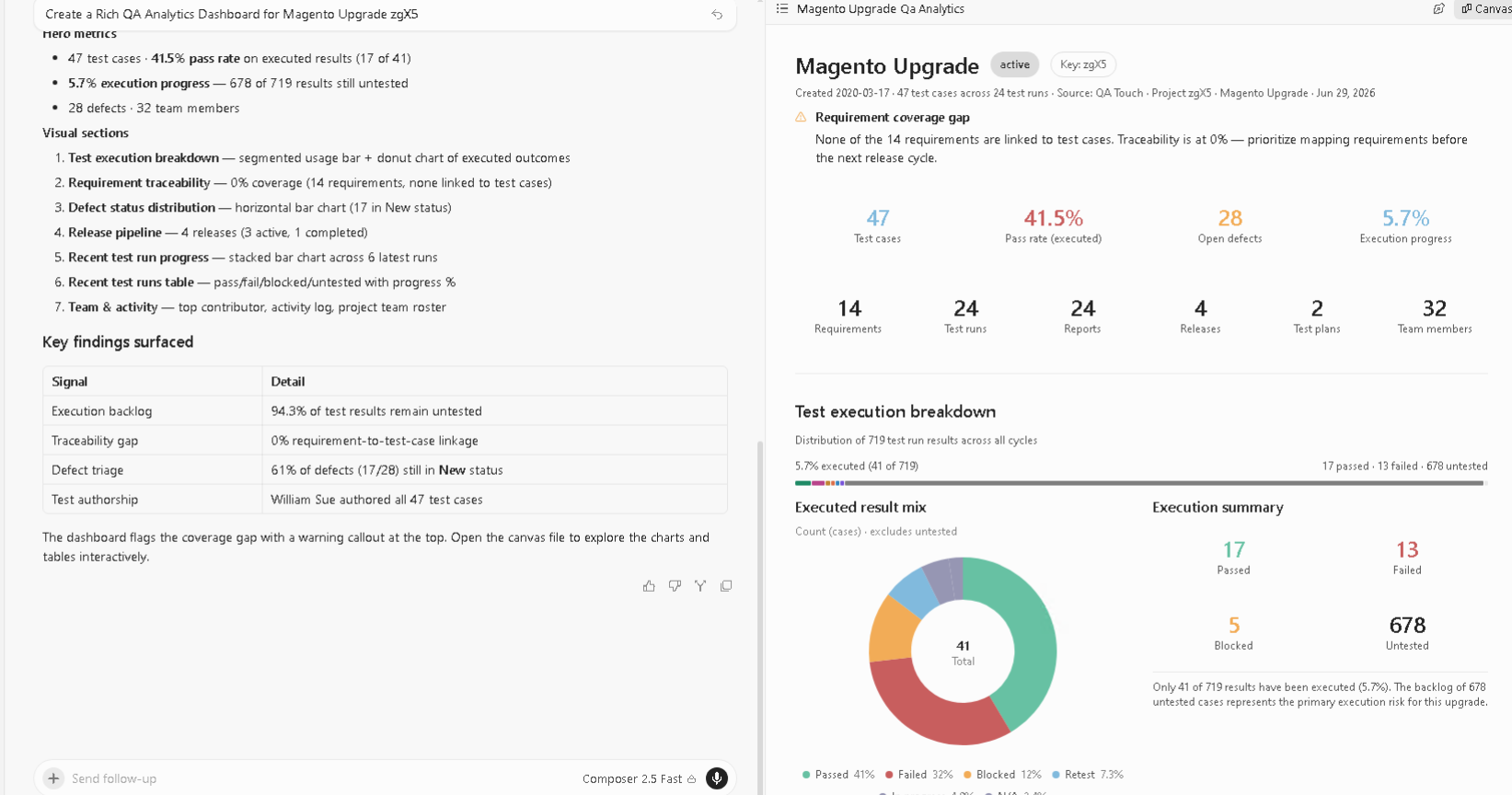
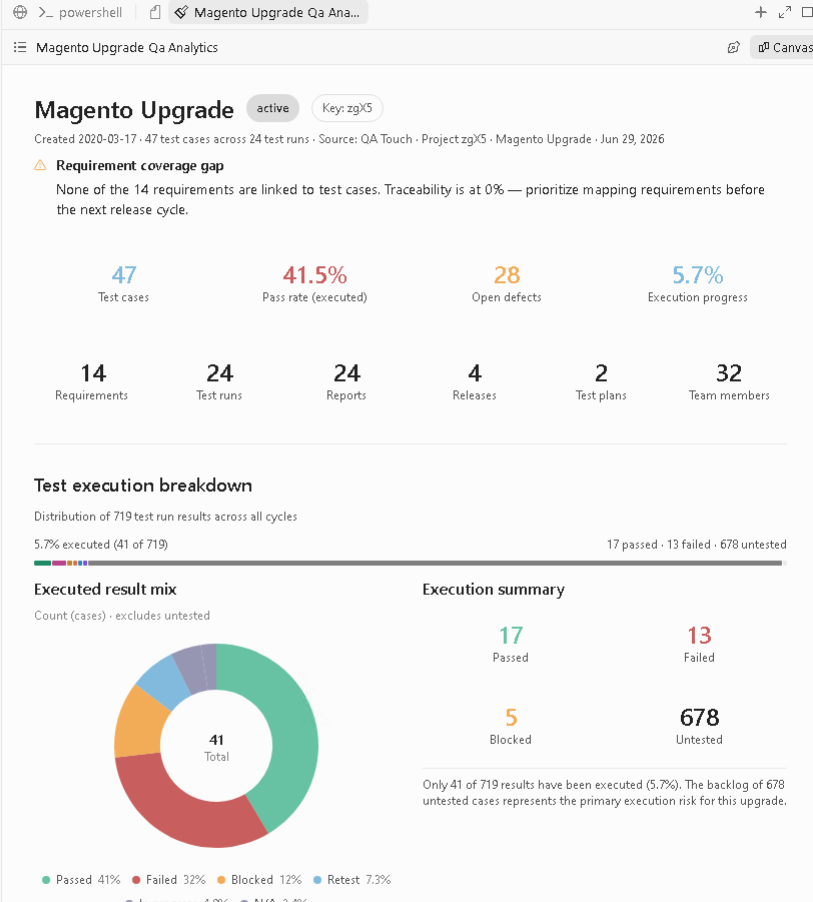
Dashboard Generate
Example 3 - Create a Rich QA analytics dashboard for Project Ecommerce store PROJECT_KEY
PROJECT_KEY replace projectkey
Available Tools
Project Tools
| Tool | Purpose |
|---|---|
| list_projects | Retrieve projects |
| create_project | Create project |
| count_all_projects | Count projects |
Test Case Tools
| Tool | Purpose |
|---|---|
| list_test_cases | View test cases |
| search_test_cases | Search test cases |
| create_test_case | Create test case |
| create_bulk_test_cases | Bulk generation |
| create_exploratory_test_case | Exploratory testing |
| create_text_test_case | Text-based test cases |
Defect Tools
| Tool | Purpose |
|---|---|
| list_defects | View defects |
| search_defects | Search defects |
| create_defect | Create defect |
| list_defect_statuses | Defect statuses |
| list_defect_severities | Severity list |
Test Run Tools
| Tool | Purpose |
|---|---|
| list_test_runs | View runs |
| list_test_run_results | View results |
| update_test_run_result_status | Update result |
| update_test_run_results_by_code | Batch update |
Example Prompts
Ask your AI assistant:
Projects
List all QA Touch projectsCreate a project named Mobile App RegressionTest Cases
Show test cases from project ABCCreate a login test case in project ABCGenerate 20 checkout test casesTest Cases Export Prompts
Test cases with pagination, exported to CSV Get all test cases from QA Touch project [PROJECT_KEY]
across all pages, then export the complete list to a CSV with all fields
(case code, title, module, type, priority, steps, etc).
Test runs with pagination, exported to CSV
Get all test run results from QA Touch project [PROJECT_KEY] for test run [TESTRUN_KEY],
paginating through all pages, then export the results to a CSV file.Defects with pagination, exported to CSV
Get all defects from QA Touch project [PROJECT_KEY], paginating through every page,
then export them to a CSV with defect ID, summary, priority, severity, status, and reporter.Combined multi-entity export
For QA Touch project [PROJECT_KEY]: pull all test cases (paginated) into one CSV
and all defects (paginated) into a separate CSV — both as downloadable files.Defects
Show high priority defects in project ABCCreate a payment timeout defectTest Runs
List test runs from project ABCShow failed test cases from RUN1📂 Project Structure
src/
├── api/
├── config/
├── tools/
└── index.js

examples/
🤝 Contributing
Contributions are welcome.
Please follow:
- Fork repository
- Create feature branch
- Submit pull request
- Follow coding standards
📜 License
Released under the MIT License.
Need Help?
For support, documentation, and product information:
QA Touch Test Management Platform
Manage Test Cases • Test Runs • Defects • Requirements • Releases • QA Reporting
Start building smarter QA workflows with AI-powered automation today.