Playwright Claude Skill Test Capture
QA Touch Playwright MCP Claude Skill: Capture Browser Actions as Test Cases
The QA Touch (playwright-qatouch-capture-case) is a Claude Skill that records real user interactions on a website and automatically converts them into QA Touch import-ready test cases. The Playwright Capture Case Skill runs in Claude Desktop with Playwright MCP and the QA Touch MCP Server configured. You start a recording session in Claude, perform your workflow in the browser, and stop the recording. The output is a CSV file of QA Touch test cases that you can import into QA Touch and use to create and execute a Test Run.
At a Glance: QA Touch Playwright Capture Case Skill
| What it does | Records real user interactions on a website and converts them into QA Touch import-ready test cases |
| Required tools | Claude Desktop, the Playwright Capture Case Skill, Playwright MCP, and the QA Touch MCP Server (with your QA Touch domain and API token) |
| Output | A CSV file of QA Touch test cases with Test Case Title, Precondition, Test Data, Test Steps, Expected Results, Type, and Module |
| Main workflow | START → Open Website → Perform Actions → STOP → QA Touch Test Cases |
| After capture | Import the test cases into a QA Touch project, then create and execute a Test Run from Claude |
How to Install the QA Touch Playwright Skill in Claude
To install the Playwright Capture Case Skill, download the skill package from the qatouch-claude-skills GitHub repository and upload it in Claude under Customize → Skills.
Step 1: Download the Playwright Capture Case Skill
Go to the qatouch-claude-skills repository on GitHub and download the playwright-qatouch-capture-case skill.
⬇ Download Skill GitHub Repository
playwright-qatouch-capture-case.skill
Step 2: Upload the Claude Skill
Open Claude and go to:
Customize → Skills → Add → Upload SkillUpload the downloaded skill package and enable it. The Playwright Capture Case Skill is now available in Claude.
How to Configure QA Touch MCP and Playwright MCP in Claude Desktop
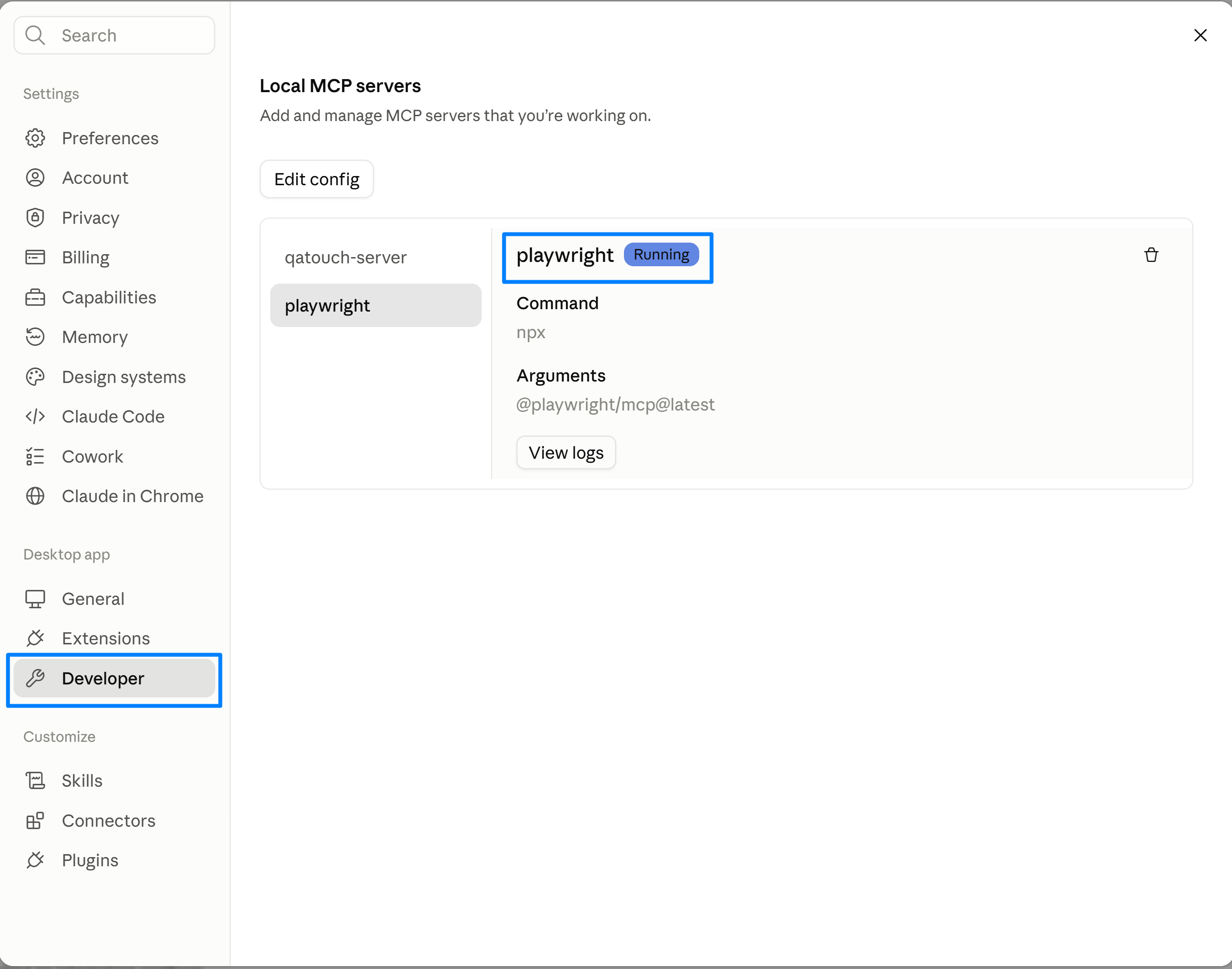
Before using the Playwright Capture Case Skill, add both the QA Touch MCP Server and Playwright MCP to the claude_desktop_config.json file, replace the placeholder values with your QA Touch credentials, and restart Claude Desktop.
Step 1: Add the MCP Server Configuration
Open the claude_desktop_config.json file.
Add the following configuration under mcpServers:
{
  "mcpServers": {
    "qatouch-server": {
      "command": "npx",
      "args": [
        "-y",
        "qatouch-mcp-server"
      ],
      "env": {
        "QATOUCH_DOMAIN": "YOUR_DOMAIN",
        "QATOUCH_API_TOKEN": "YOUR_API_TOKEN"
      }
    },
    "playwright": {
      "command": "npx",
      "args": [
        "@playwright/mcp@latest"
      ]
    }
  }
}
Step 2: Add Your QA Touch Domain and API Token
Replace:
YOUR_DOMAINwith your QA Touch domain.YOUR_API_TOKENwith your QA Touch API token.
Step 3: Restart Claude Desktop
Save the configuration and restart Claude Desktop.
How to Capture Browser Actions as Test Cases Using Playwright MCP
To capture test cases, start the Playwright Capture Case Skill with a website URL and START, perform your workflow on the website, and type STOP in Claude. The Playwright Capture Case Skill then converts the recorded actions into QA Touch test cases.
Step 1: Start the Playwright Capture Case Skill
In Claude, enter:
/playwright-qatouch-capture-case <URL> STARTFor example:
/playwright-qatouch-capture-case https://www.saucedemo.com/ START
or
/playwright-qatouch-capture-case https://opensource-demo.orangehrmlive.com/web/index.php/auth/login START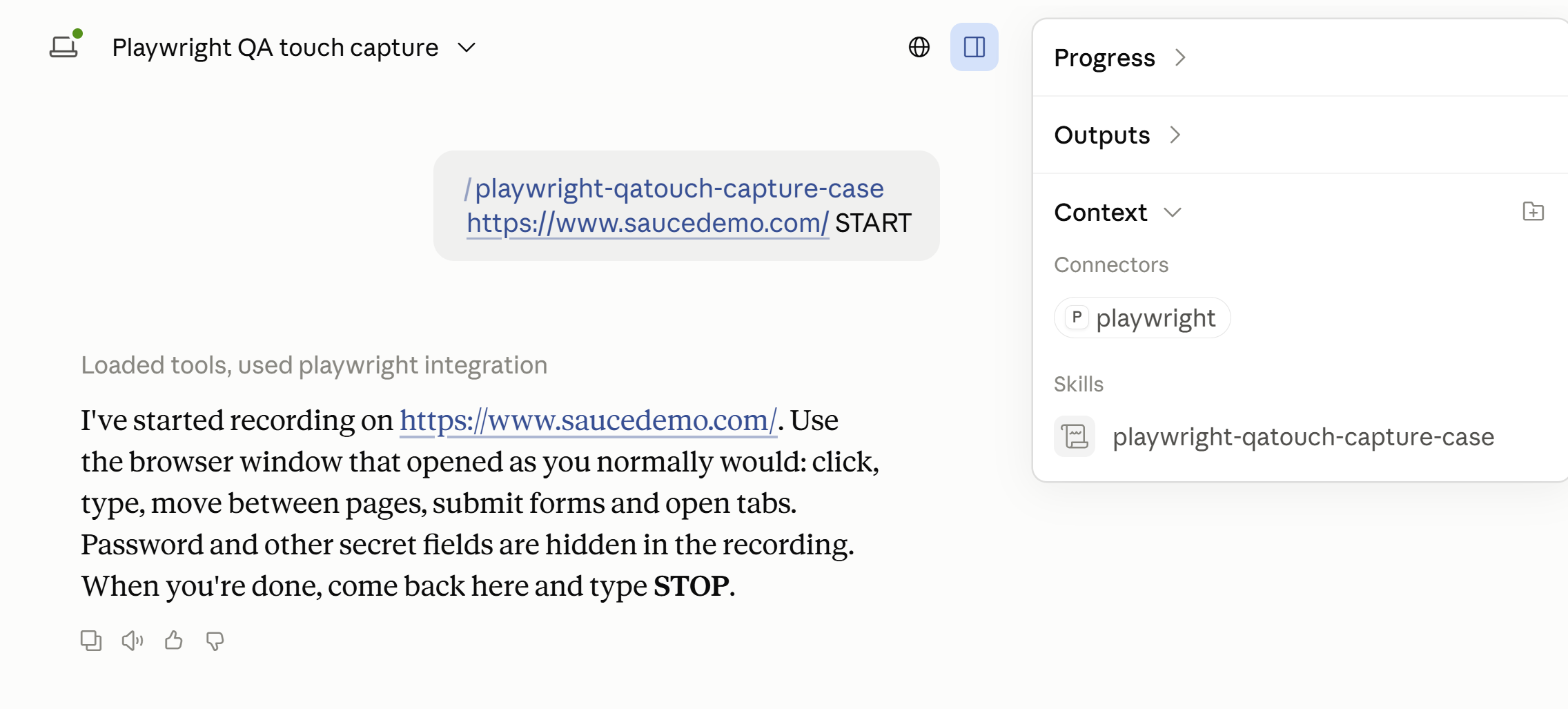
The Playwright Capture Case Skill opens the provided website in a browser and starts recording your actions.
Step 2: Perform Your Browser Actions
Interact with the website normally and complete the workflow you want to convert into test cases.
The Playwright Capture Case Skill records the actions performed during the active recording session.
Step 3: Stop the Recording
Once you complete the workflow, return to Claude and type:
STOPThe Playwright Capture Case Skill stops the recording and processes the captured actions.
How Does the Playwright Capture Case Skill Generate QA Touch Test Cases?
After you stop the recording, the Playwright Capture Case Skill automatically converts the recorded workflow into QA Touch import-ready test cases and provides them as a CSV file.
What Information Is Included in the Generated Test Cases?
The generated QA Touch test cases include the relevant test case details such as:
- Test Case Title
- Precondition
- Test Data
- Test Steps
- Expected Results
- Type
- Module
The test cases are provided as a CSV file, ready to import into QA Touch.
Playwright Test Case Capture Workflow
START → Open Website → Perform Actions → STOP → QA Touch Test CasesHow to Import Generated Test Cases into QA Touch
To import the generated test cases into QA Touch, enter an import prompt in Claude with your QA Touch project name and project key.
In Claude, enter:
Import these test cases into QA Touch project - PROJECT_NAME PROJECT_KEYHow to Create and Execute a Test Run in QA Touch
After importing the test cases, you can ask Claude to create a Test Run with those test cases and then execute the Test Run. The status is updated automatically in QA Touch.
Step 1: Create the Test Run
Create a Test Run with these test cases and name it as "September Regression Test Run name"Create a Test Run with these test cases and name it as “September Regression Test Run name”
Create a New Test Run and include the module which is required, and assign it to the respective person.
Step 2: Verify and Execute the Test Run
Verify the Test Run has been created in QA Touch in the respective project. Then execute the Test Run — status will be updated automatically in QA Touch.
Example: Creating and Executing a Test Run from Claude
Example flow:
- Prompt:
Create a Test run with all test cases and name it as "September Run" under release "Sprint 1" and Assign them to user "Emma jones"Result: “September Run” (run key41Ek9) is created in the project, assigned to Emma Jones, including every test case. - Prompt:
execute all test case and update the result as Passed in QA TouchResult — all 3 test cases in “September Run” pass, and QA Touch shows each as Passed
| Case | Title | Result |
|---|---|---|
| TR0001 | Verify the Register page loads with all required registration fields | Passed, 5 of 5 steps |
| TR0002 | Verify user can login successfully with valid credentials | Passed, 4 of 4 steps; landed on /dashboard/index |
| TR0003 | Verify user can navigate to the Admin module from the main menu | Passed, 5 of 5 steps; landed on /admin/viewSystemUsers |
Frequently Asked Questions
What is QA Touch Playwright MCP?
QA Touch Playwright MCP refers to using the QA Touch MCP Server and Playwright MCP together in Claude Desktop with the Playwright Capture Case Skill. This setup lets you record browser actions on a website and convert them into QA Touch test cases.
What is the Playwright Capture Case Skill?
The Playwright Capture Case Skill (playwright-qatouch-capture-case) is a Claude Skill from QA Touch that records real user interactions on a website and automatically converts them into QA Touch import-ready test cases.
What is required to use the Playwright Capture Case Skill with Claude?
You need Claude Desktop, the Playwright Capture Case Skill uploaded and enabled in Claude, and both the QA Touch MCP Server and Playwright MCP configured in claude_desktop_config.json with your QA Touch domain and API token.
How does the QA Touch Playwright Skill generate test cases?
You run /playwright-qatouch-capture-case <URL> START, perform your workflow on the website, and type STOP. The Playwright Capture Case Skill processes the captured actions and converts the recorded workflow into QA Touch test cases.
What information is included in generated test cases?
Generated QA Touch test cases include details such as Test Case Title, Precondition, Test Data, Test Steps, Expected Results, Type, and Module.
In what format are the generated test cases provided?
The generated test cases are provided as a CSV file, ready to import into QA Touch.
Can captured browser actions be imported into QA Touch?
Yes. After the test cases are generated, enter Import these test cases into QA Touch project - PROJECT_NAME PROJECT_KEY in Claude to import them into your QA Touch project.
Can I create and execute a Test Run from Claude?
Yes. You can prompt Claude to create a Test Run with the imported test cases, including a Test Run name, release, and assigned user, and then execute the Test Run. The status is updated automatically in QA Touch.