Activity Log
The Activity Log in QA Touch provides a complete history of user actions across the application. It helps track changes, monitor team activity, and maintain transparency in project workflows.
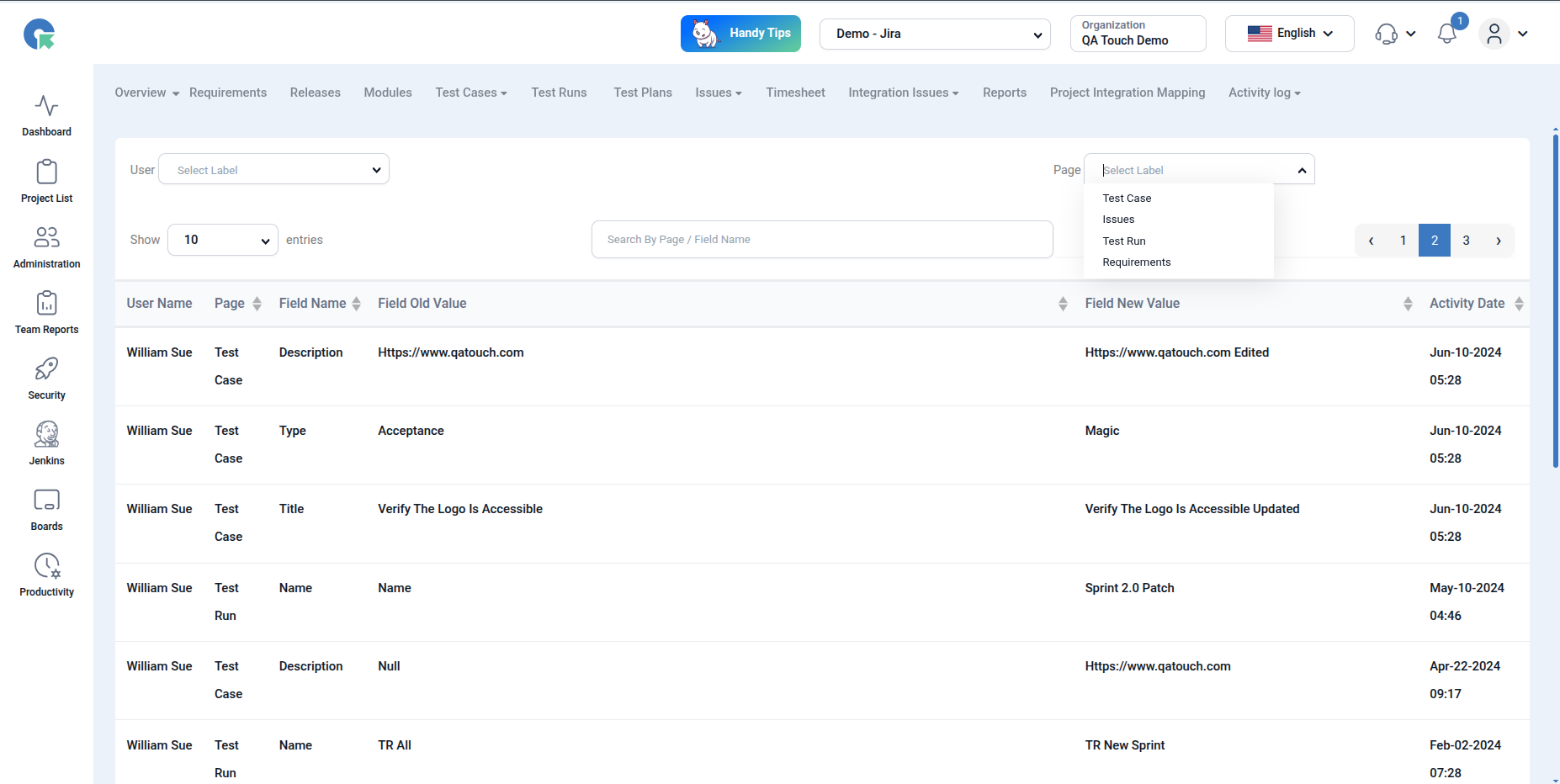
What is Activity Log?
The Activity Log records:
- User actions (Create, Edit, Delete, Generate, etc.)
- Module where the action occurred (Test Run, Test Case, Report, etc.)
- Timestamp of each activity
- User details (Name & Email)
How to Use Activity Log
- Navigate to Project-> Activity Log from the top menu
- View the list of activities in a tabular format
- Each row displays:
- User Name
- User Email
- Module
- Title (Affected Item)
- Action Performed
- Activity Date
Filtering Activity Logs
Use the filters at the top to refine results:
- User → Filter actions by specific users
- Module → View logs for a specific module (e.g., Test Run, Report)
- Action → Filter by action type (Create, Edit, Generate, etc.)
This helps you quickly find relevant activity without scrolling through all logs.