Automation Configuration & API Keys Details
a.Using Env Config for Automation Integration
The Env Config Variable section helps you quickly integrate your automation framework (like Playwright) with QA Touch by providing ready-to-use environment variables.
This allows you to push test execution results directly to QA Touch without complex setup.
1. Copy Env Variables
From the Test Run page, copy the provided variables:
- QATOUCH_DOMAIN
- QATOUCH_API_TOKEN
- QATOUCH_PROJECT_KEY
- QATOUCH_TESTRUN_ID
2. Create .env File in Your Project
Add the copied values into your .env file:
.png)
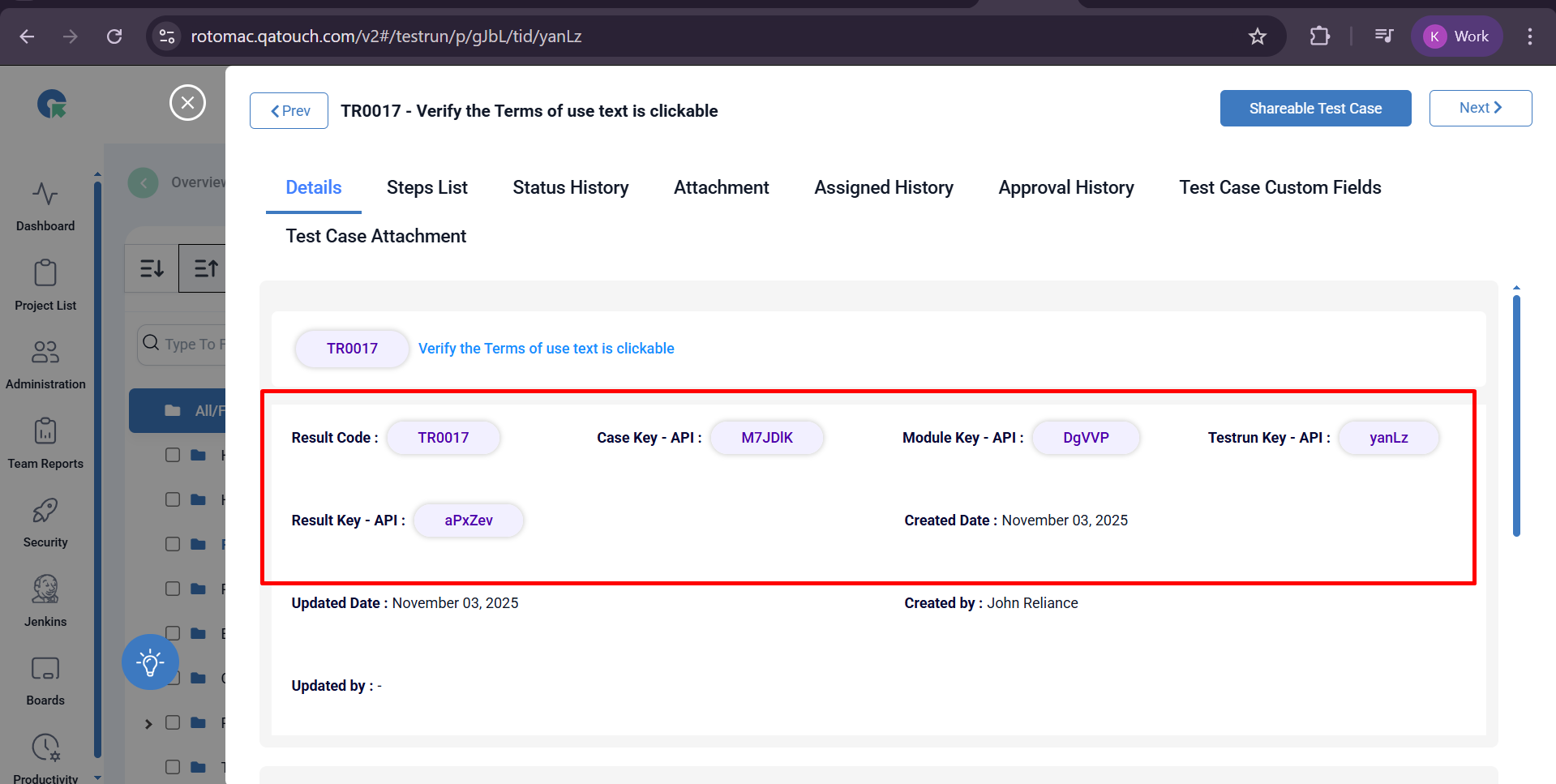
b. View API Details in Test Result Overlay
The Test Result Overlay provides quick access to important API identifiers required for automation and integration purposes.
These details help you map and sync test results between QA Touch and your automation framework.