Team Reports
Team reports enable you to generate reports on activities and data across the projects. QA Touch has a range of Team reports
-
Activity Summary: Summary of Activities performed by selected user(s) across all the projects in given time span including (Releases, Test cases, Test Runs, Issues)
-
Test Runs Summary
Result Summary: summary of Test results in Test runs assigned to the selected users(s)
Assigned Summary: Statistics of Test runs created by or assigned to the selected user(s)
-
Issue Summary: Summary of Issues created by or assigned to the selected user(s) across projects.
-
Project Summary: Summary of Release, Requirements, Test cases, Test runs, Test results, Issues, Users in selected project(s)
-
Module Summary: Summary of the number of Test cases in modules under the selected project(s)
Team reports can be generated: By Users By Projects
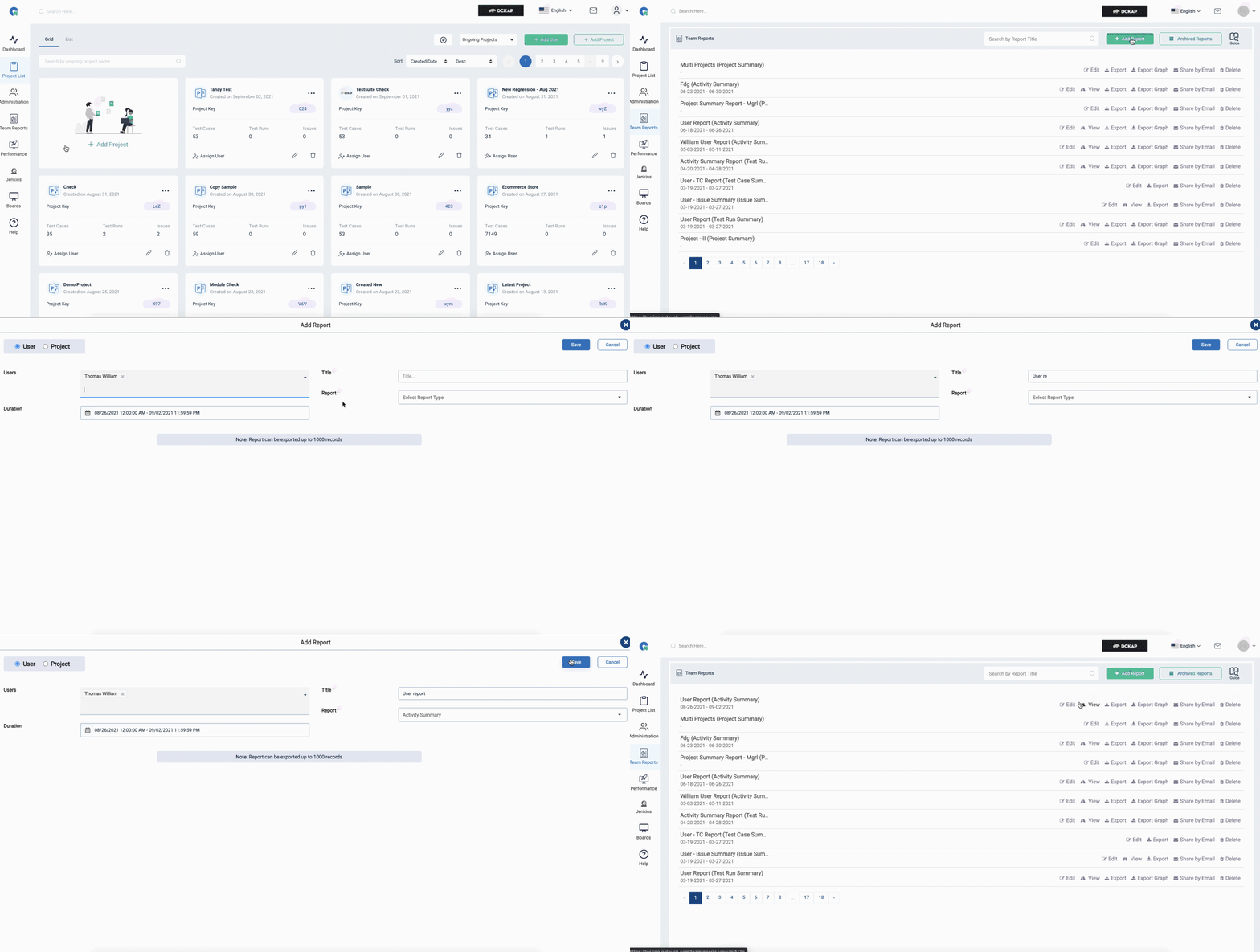
Add Report
- To Goto Team Reports page, Click on Team Reports in the side menu
- Click on ”+ Add report” Button
- Select the major type User or Project
- Choose the User(s) or Project(s) to generate a report (Note: leaving the field empty will be considered ad all users or projects by default)
- Enter the Report Title
- Select the Report Type
- Click Save Button
Share Report
QA Touch provides a suite of options to share test cases
- Export(CSV)
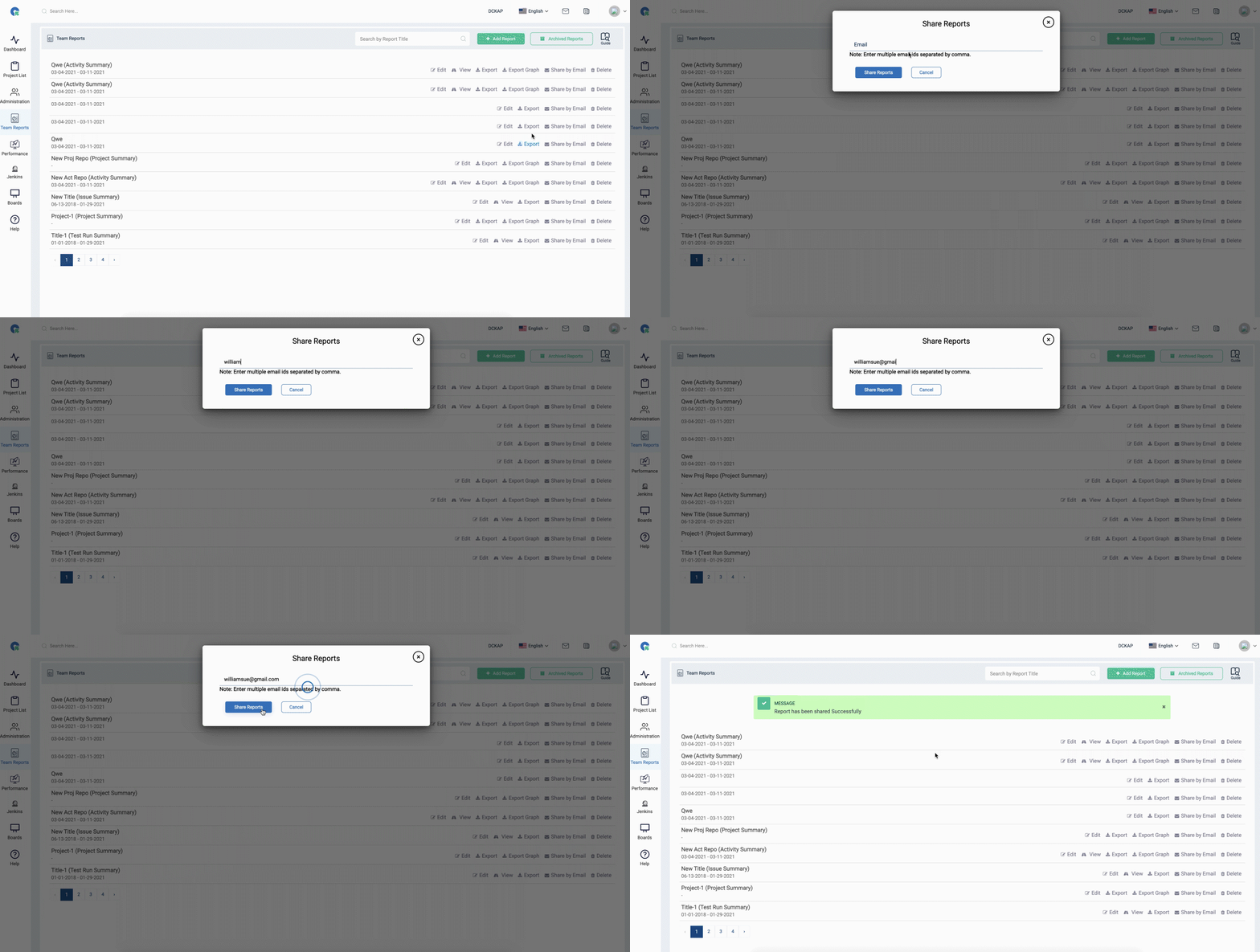
- Share by Email
Share By Email
- Click on “Share by Email” Option in Reports list
- To share with members of the project. Choose the member
- To Share with Other Enter their Email Ids separated by a comma
- Click Share