Zoho Sprints Integration Guide
In this article
The day is finally here. After months of undeterred work, we are pleased to announce to our community that QA Touch is now integrated with Zoho Sprints.
Zoho Sprints is an agile project management tool in the cloud, crafted specifically for Scrum teams. It enables teams to plan, track, and manage projects effectively by leveraging Agile and Scrum methodologies.
QA Touch offers seamless integration with Zoho Sprints, presenting the best way to keep all the bugs posted in Zoho Sprints. We have a plethora of other integrations like YouTrack, GitHub, GitLab, Bitbucket, and Trello.
Step 1: QA Touch Global Configuration
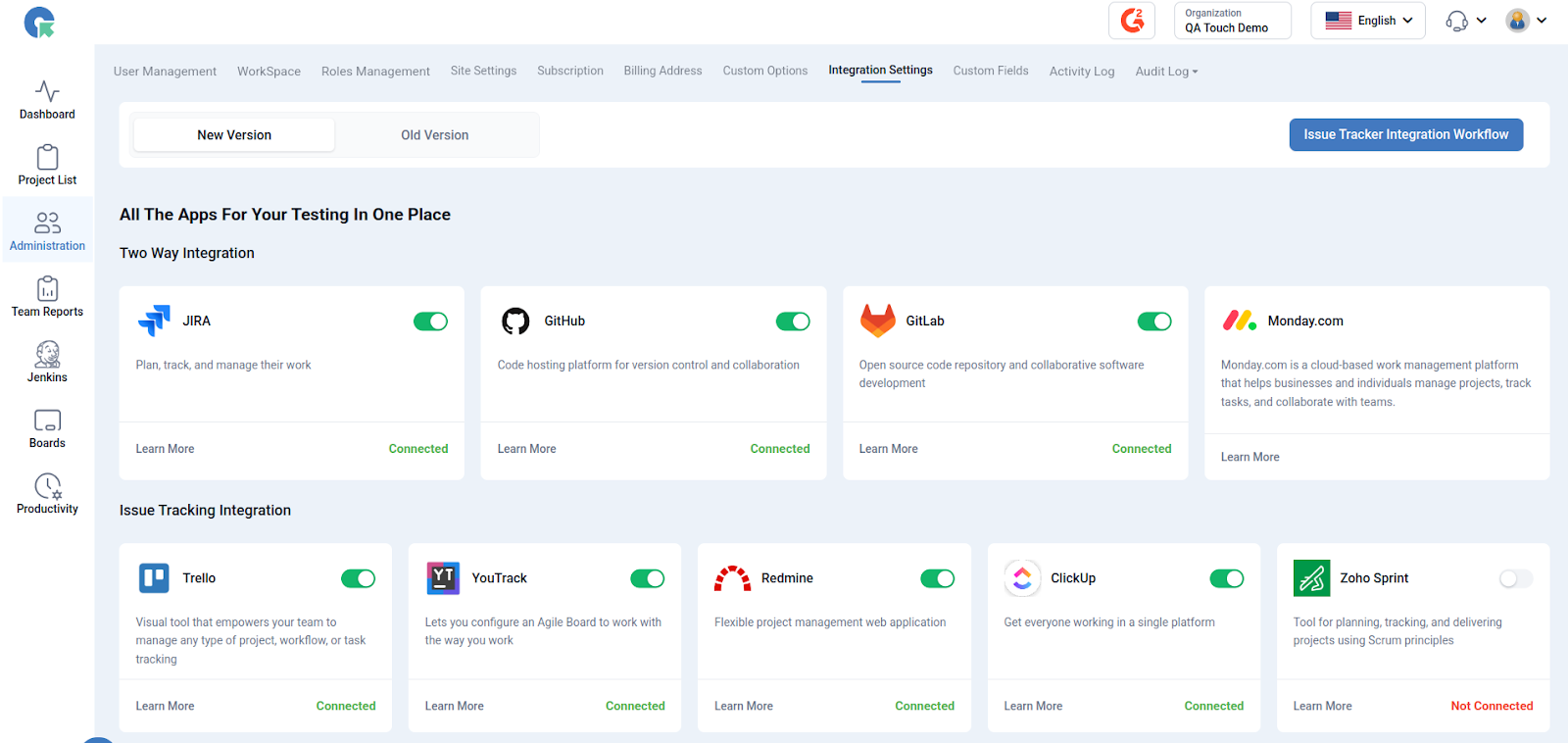
This settings configuration can be done by reaching out to the integration page. To reach the Integration page, go to Administration in the left Sidebar and click Integration Settings (Main Menu)
After logged in Administration -> Integration Settings -> Zoho Sprint
How to generate OAuth Access Token in Zoho-Sprint
Sign in and navigate to the Zoho API Console: https://api-console.zoho.in/.
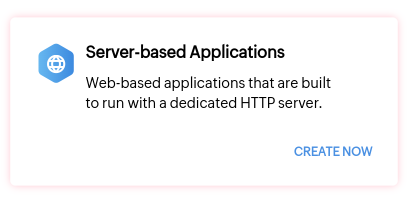
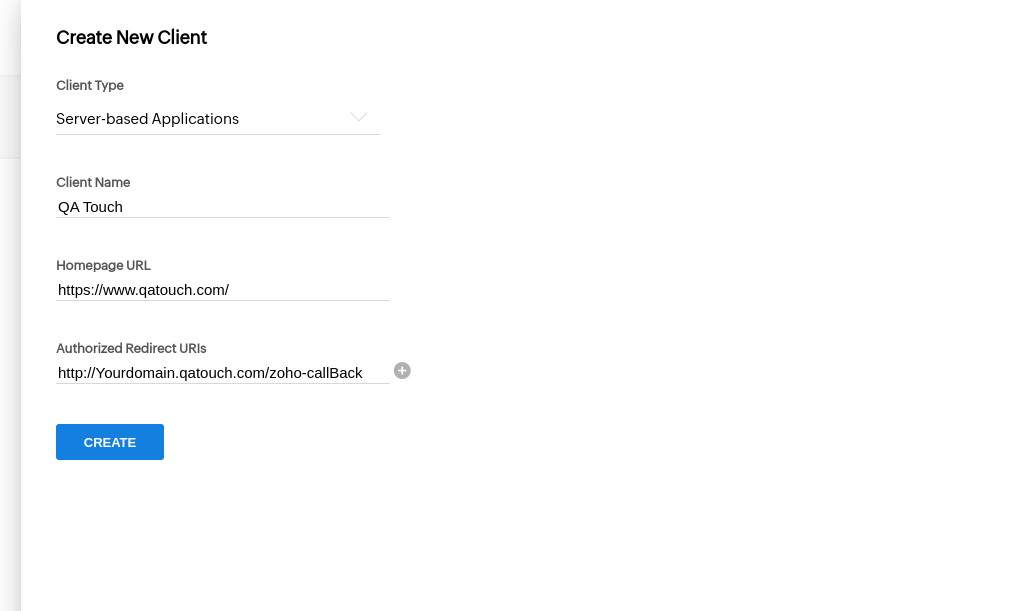
Add a new client: After signing in, click on Add Client. In the new pop-up, select Server-based Applications.
Fill in the client details:
Client Name: QA Touch Homepage URL: https://www.qatouch.com/
Add the Authorized Redirect URI: Paste the following URL in the Authorized Redirect URIs field: (For example: https://yourdomainname.qatouch.com/zoho-callBack)
Create the client: Click on Create. This will generate a Client ID and Client Secret.
Generate the OAuth code: After copying and pasting the Client ID and Client Secret into QA Touch, click on Generate OAuth Code. A new tab will open, asking for access permissions from Zoho Sprint.
Accept permissions and submit the access code:
- Accept the access permissions in the Zoho Sprint tab.
- Copy the Access Code generated by Zoho.
- Paste the Access Code into QA Touch and click Submit/Update.
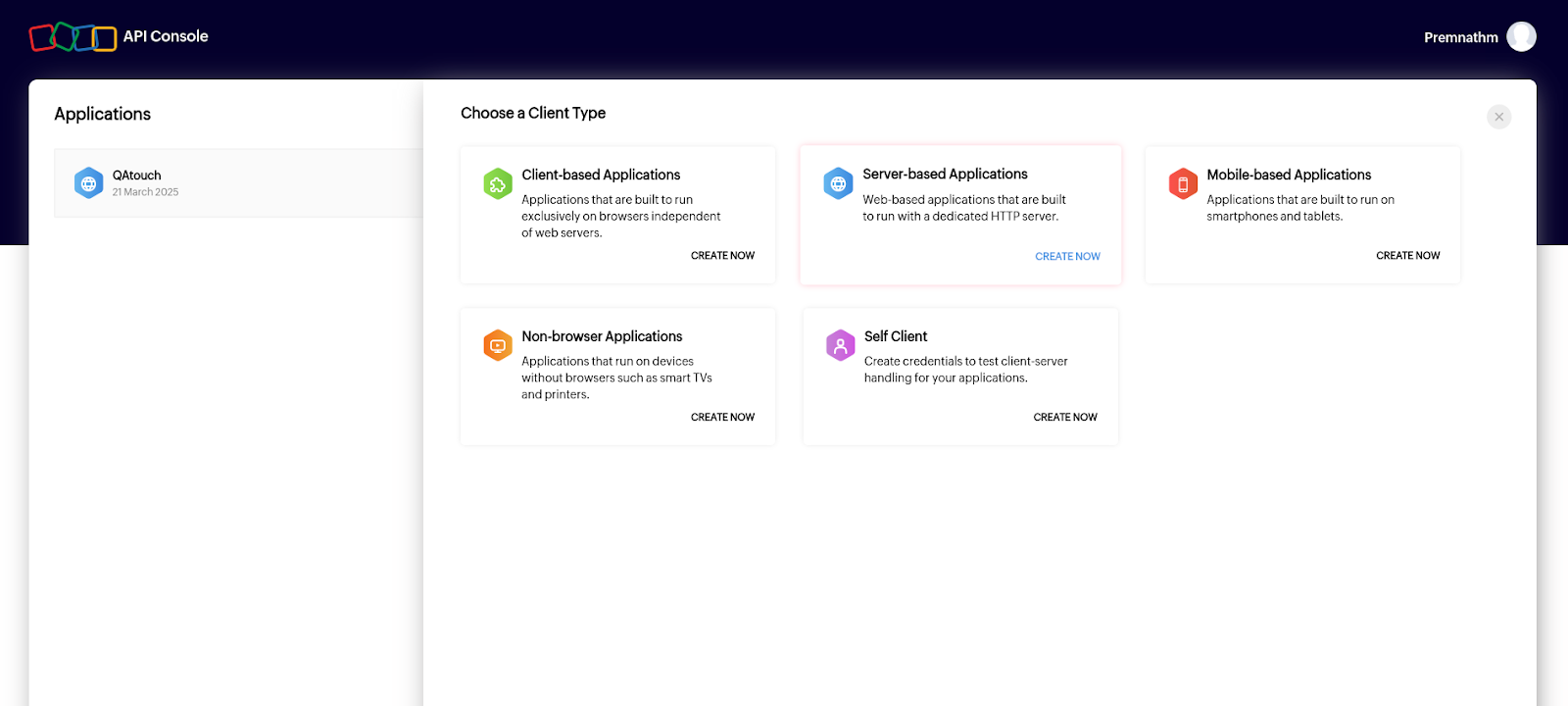
Application Created Successfully

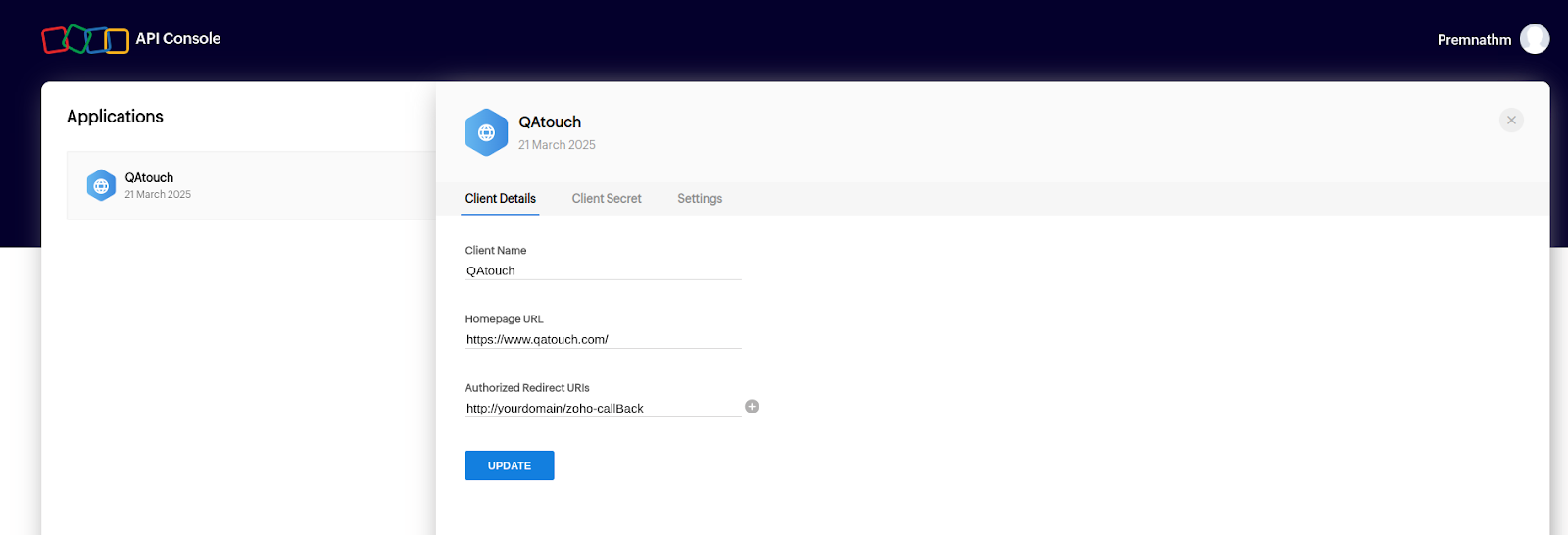
First Tab – Client Detail
Second Tab – Client Secret (Client ID and Client Secret) Information
Third Tab – Settings
Generate Client ID and Client Secret – Global Configuration – Successful
Return to the QA Touch screen, paste the (Client ID and Client Secret) Information from 2 tabs and click “Generate OAuth Code” button
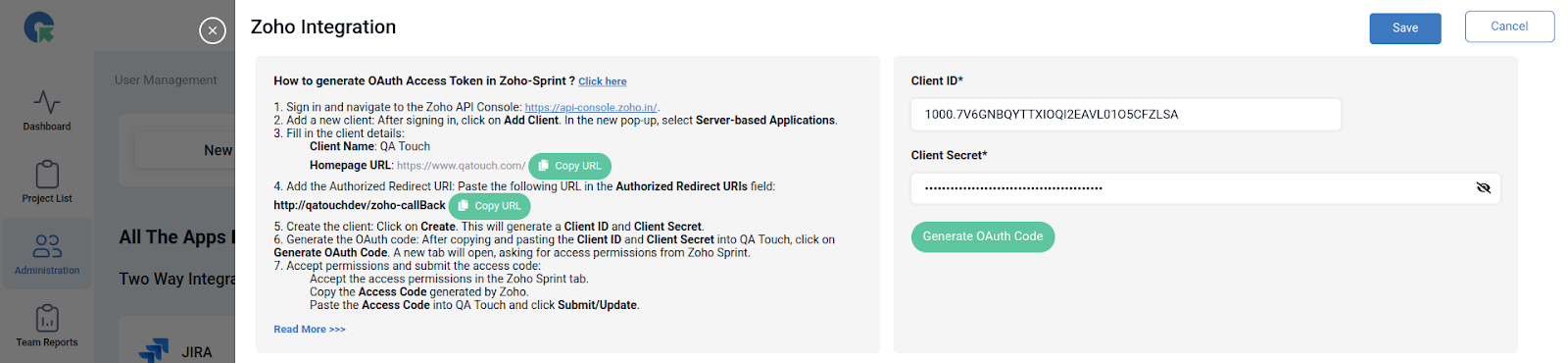
After Click “Generate OAuth Code” button
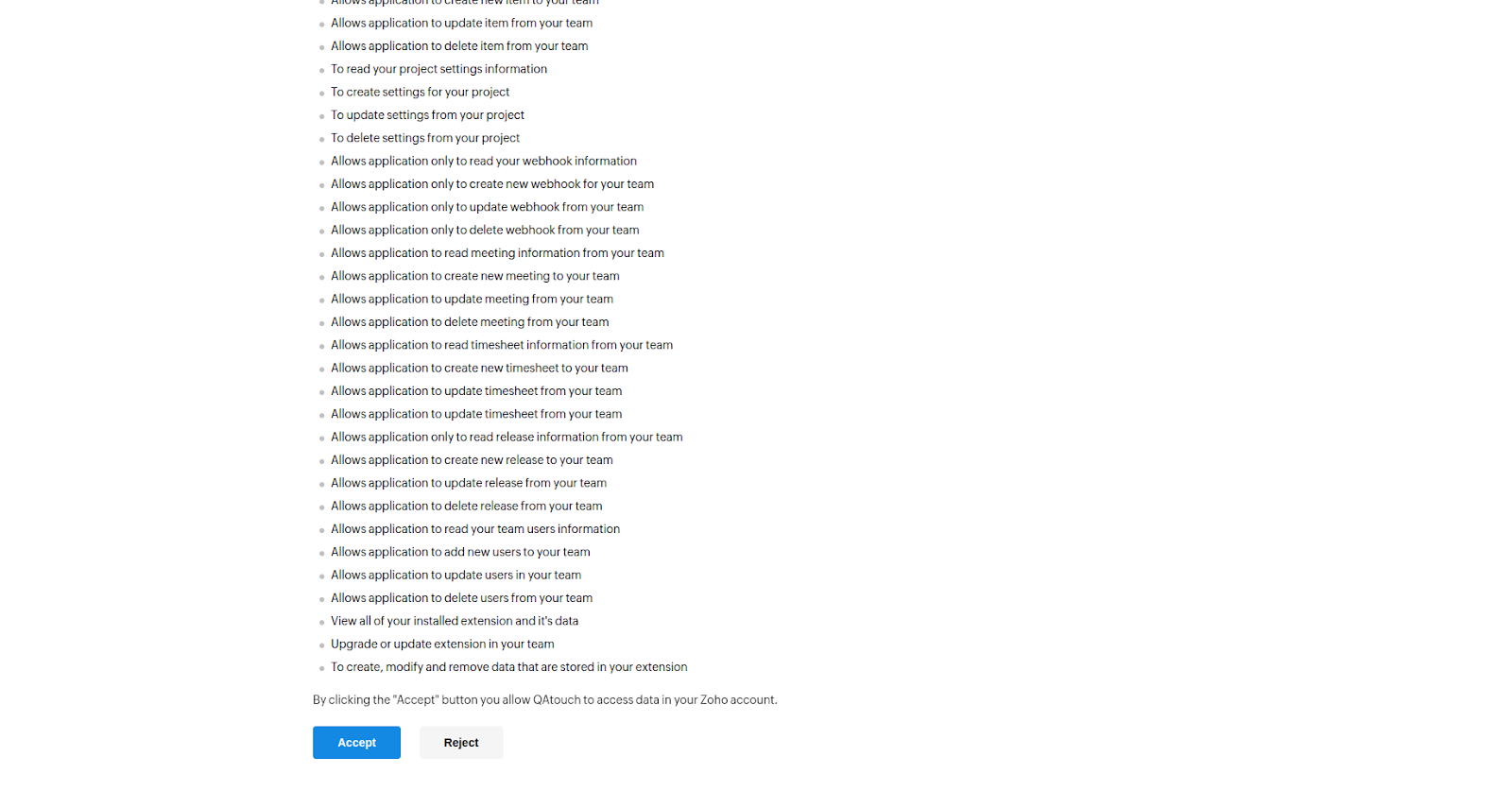
By clicking the “Accept” button you allow QAtouch to access data in your Zoho account.
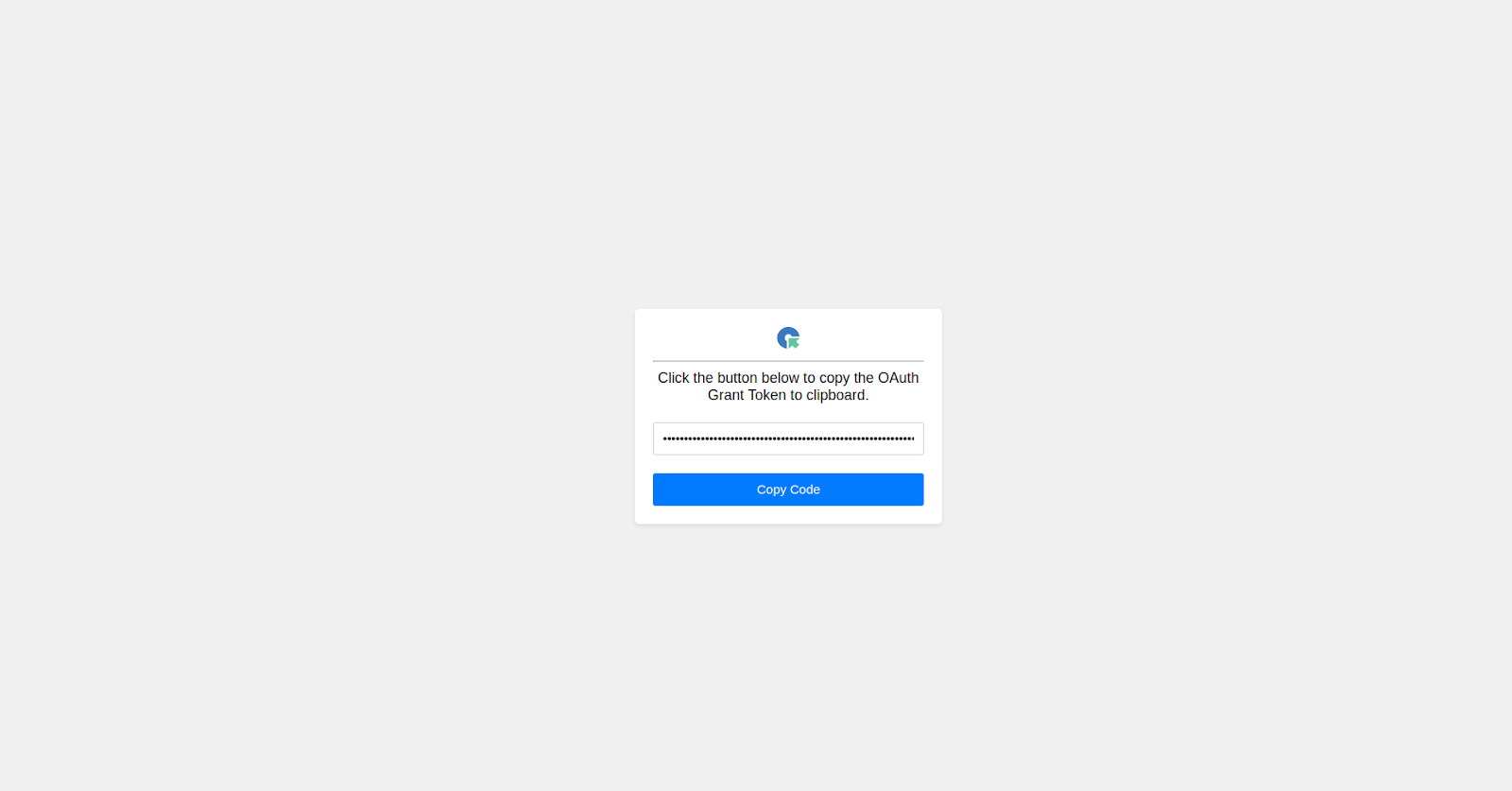
Accept permissions and submit the access code:
- Accept the access permissions in the Zoho Sprint tab.
- Copy the Access Code generated by Zoho.
- Paste the Access Code into QA Touch and click Submit/Update.
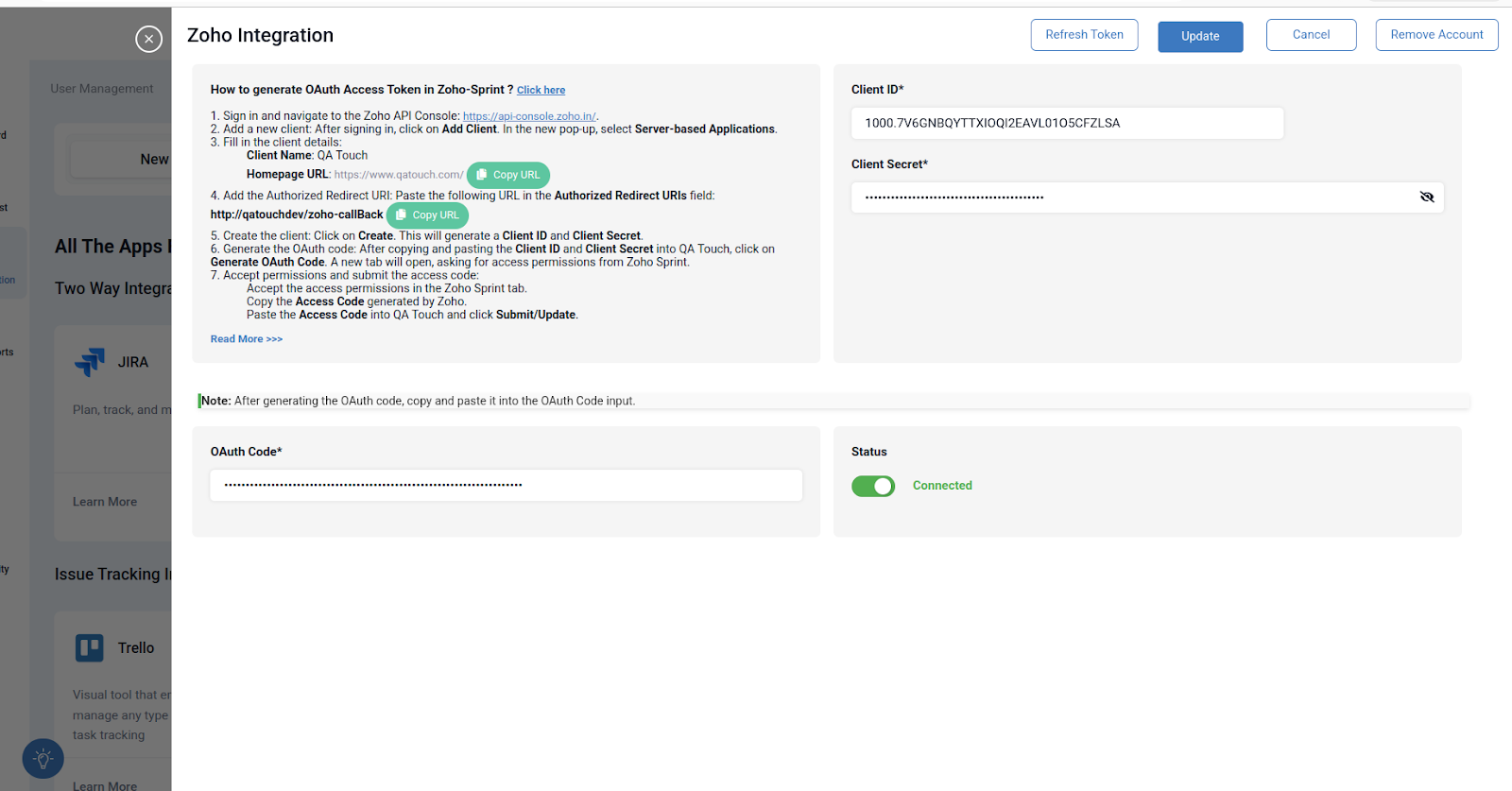
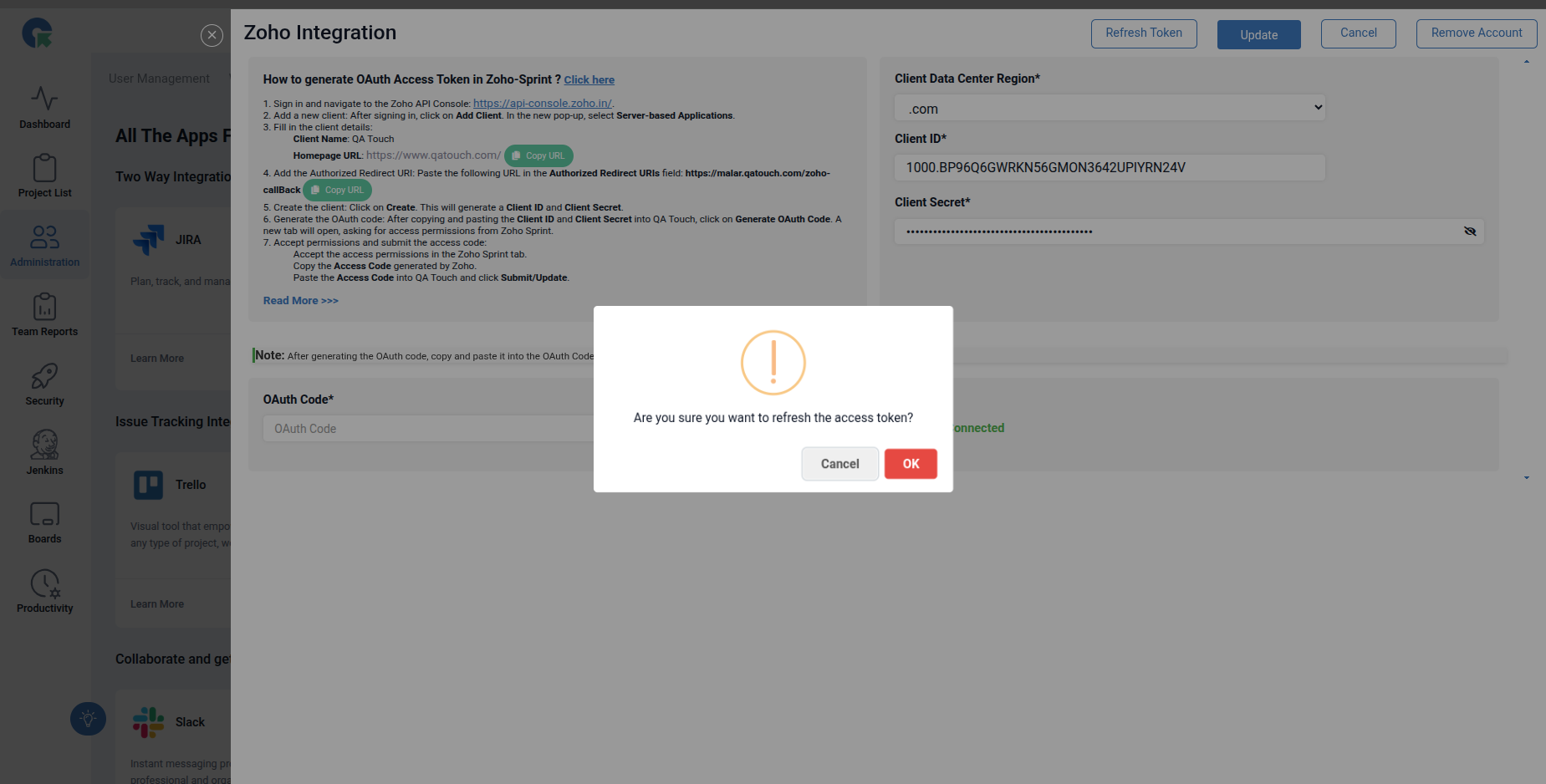
Refresh Zoho Sprint
The Zoho Sprint API access token expires every 60 minutes. Before performing any actions, please click Refresh Token to generate a new access token. Once the token is refreshed, all actions should work correctly without any issues.
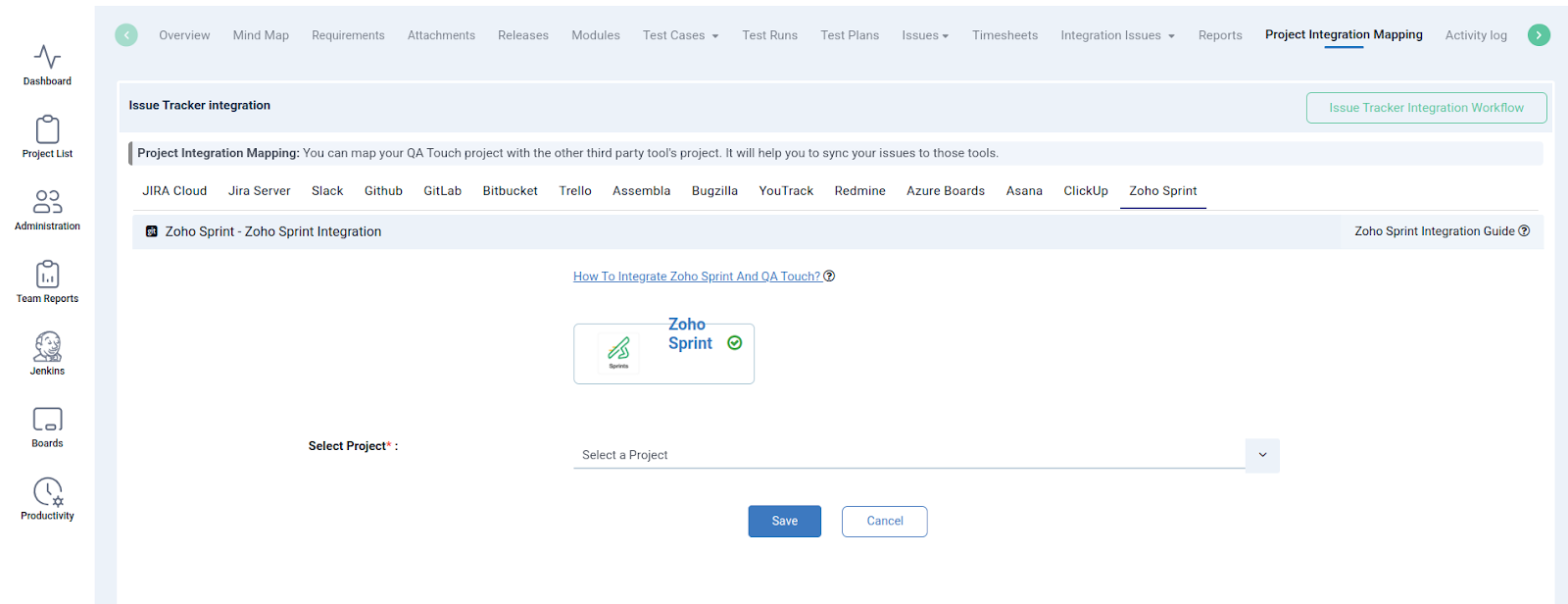
Mapping Zoho Sprint to Project
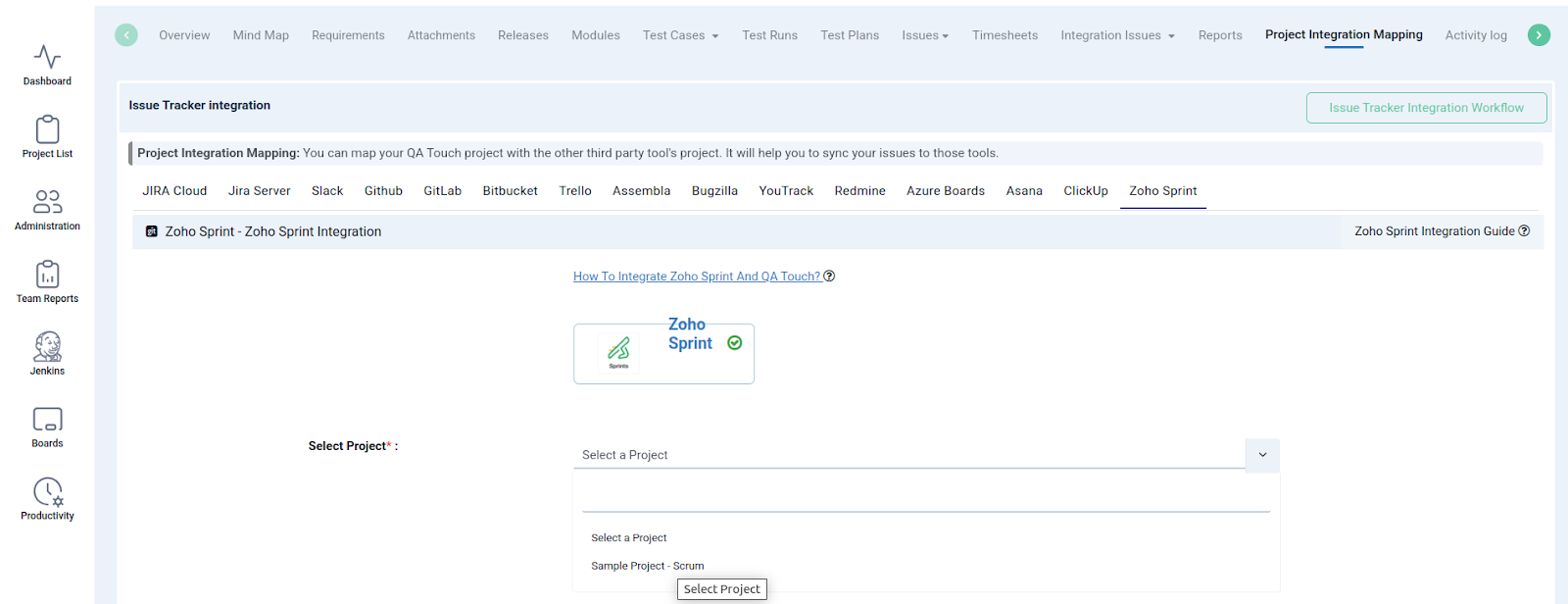
Map the respective repository to the QA touch Project with bugs which are added in the repository. Click on ZohoSprint Tab and Select Zoho project.
- Click on Projects → Project Integration Mapping.
- Select a ZohoSprint Workspace and click submit to Map
Have a look at the below screenshot for your reference.
Posting Issue in QA Touch
Go to any test run & result page, click the Add Issue button.
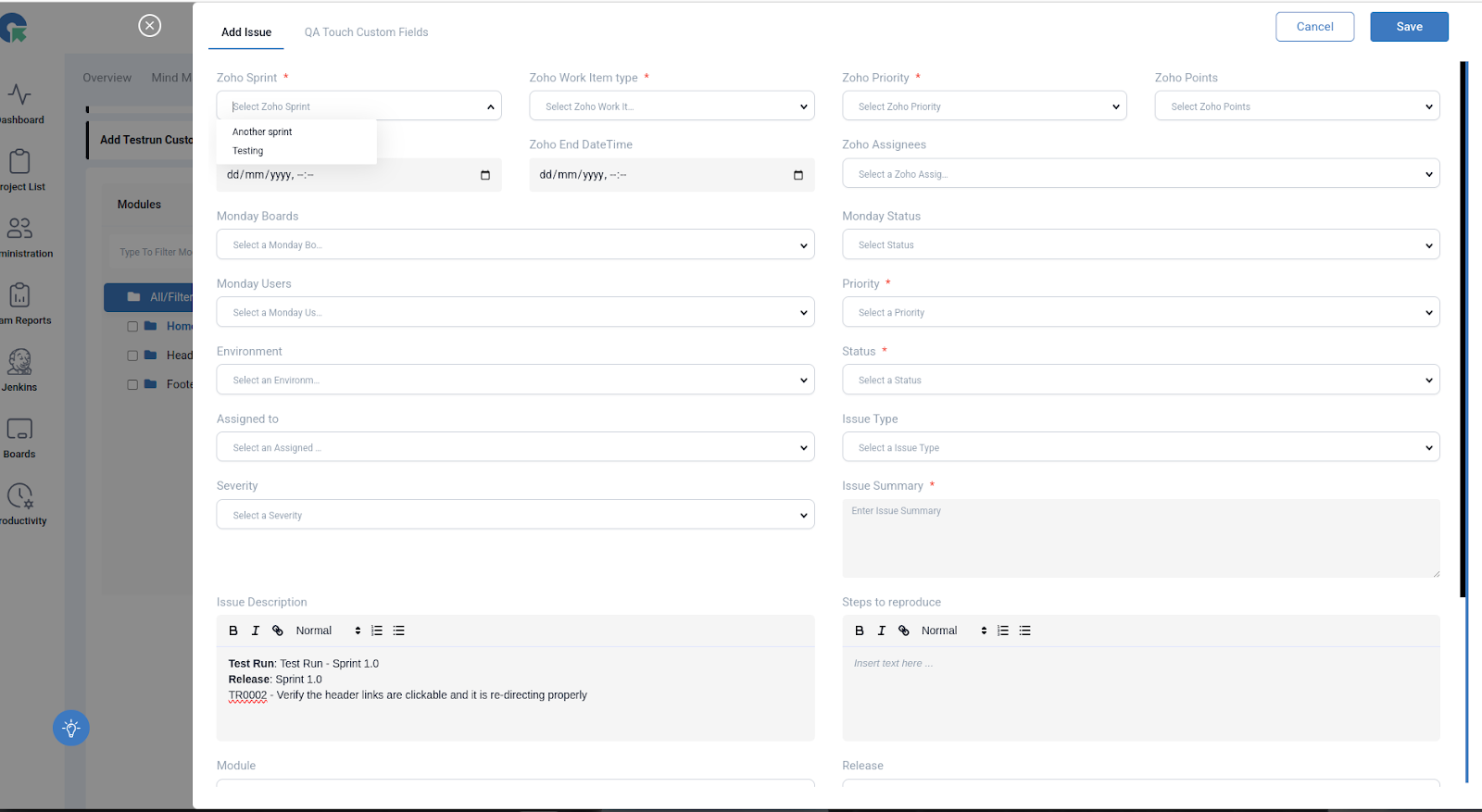


Click On Add Issue to a new Zoho Sprint and an QATouch Issue simultaneously
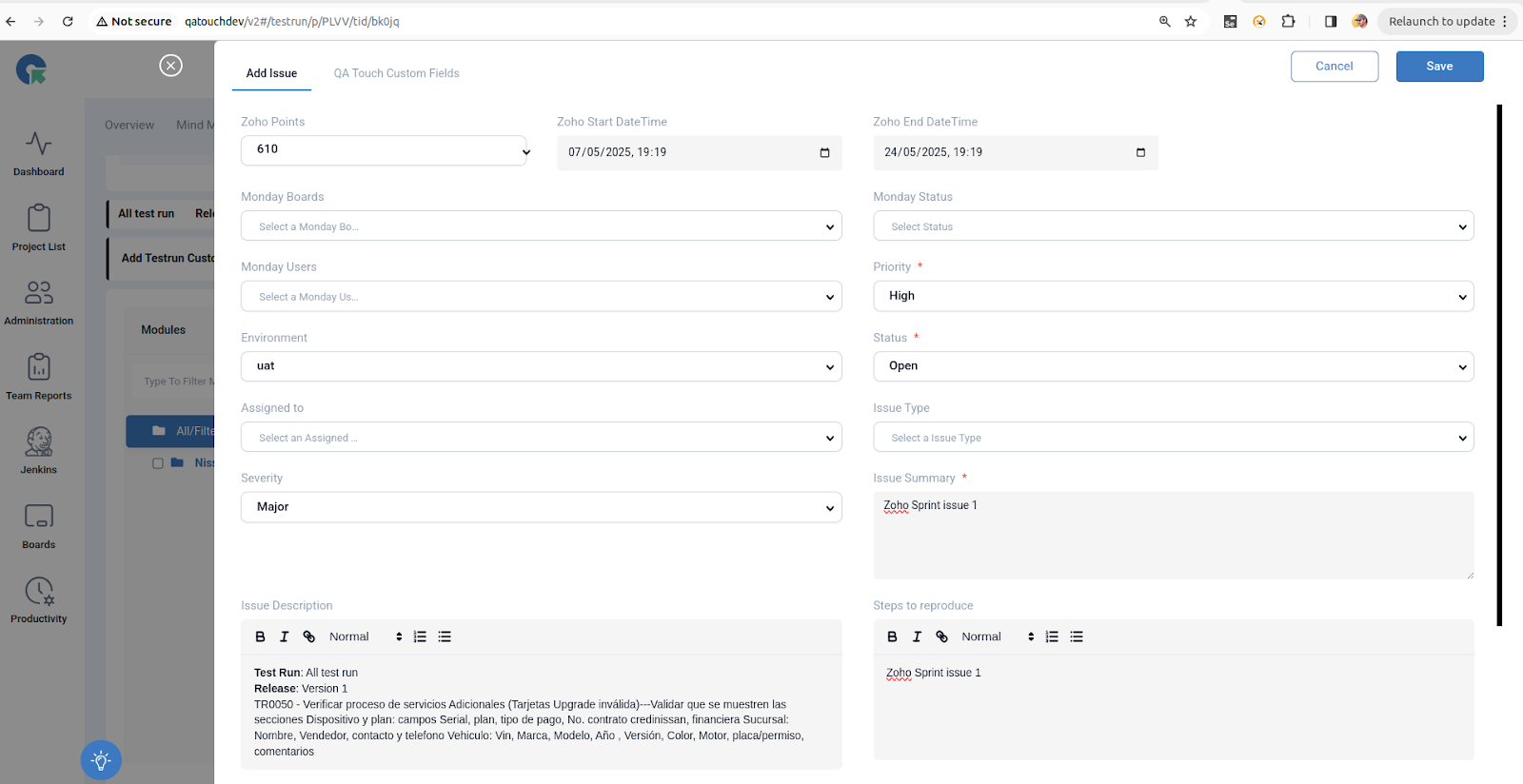
Zoho Fields
Zoho Sprint, Zoho work Item Type – Bug, Zoho Priority, Zoho Points, Zoho Start DateTime and Zoho End DateTime, Zoho Assignees are fields to create a task.
Snapshot of Messages Posted in ZohoSprint by QA Touch
A screengrab of the same is shared below on how messages are posted in ZohoSprint by QA Touch.
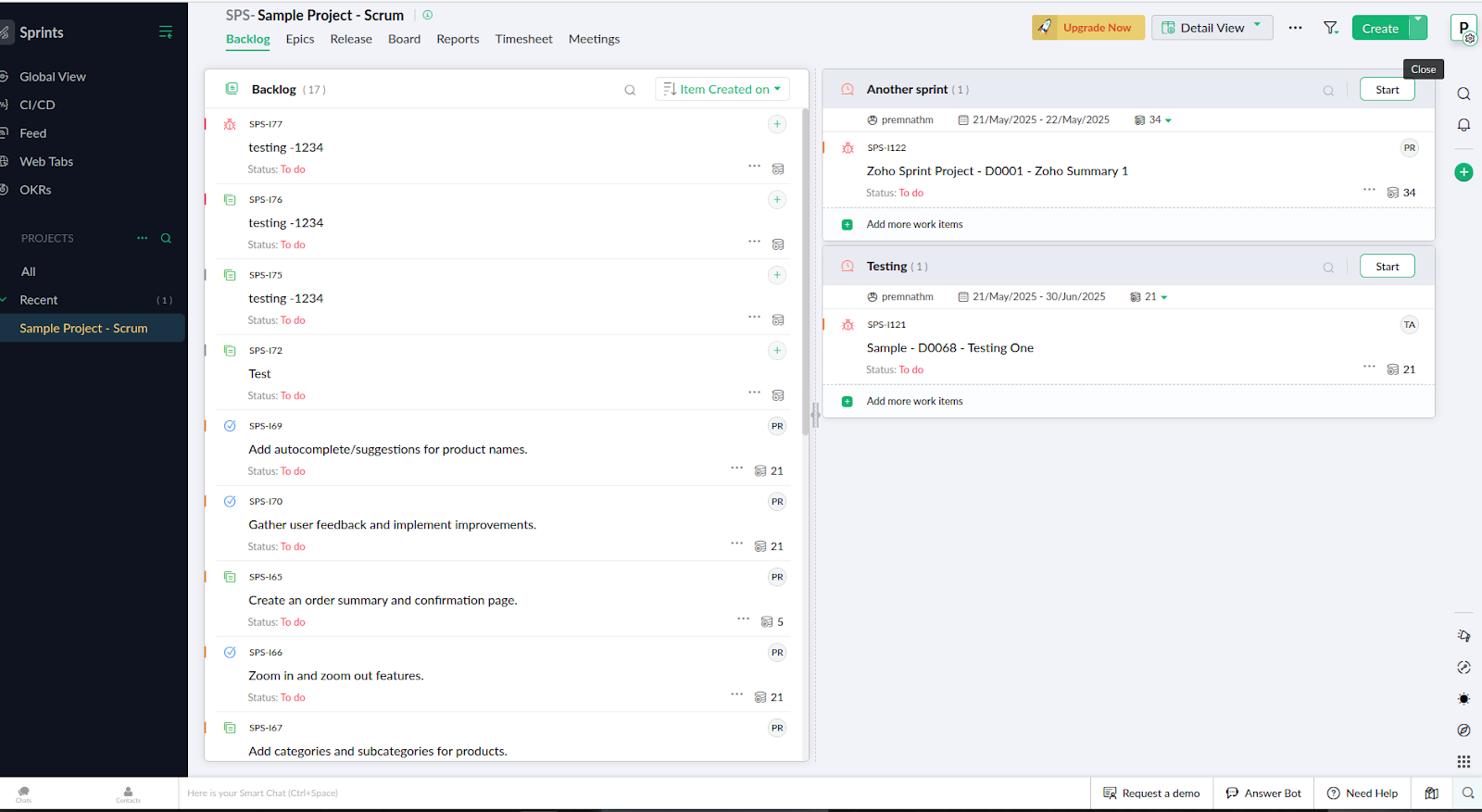
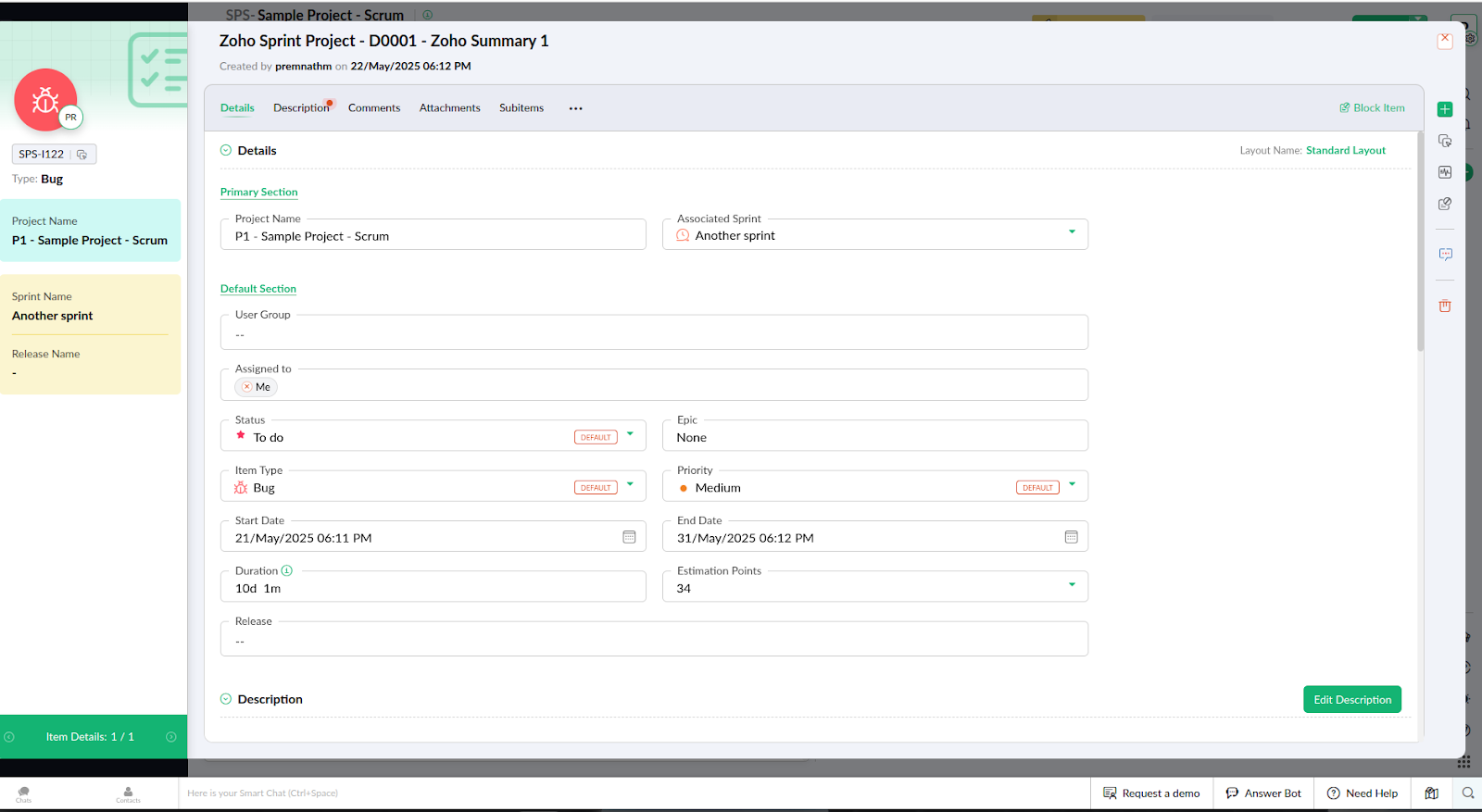
Task and Issue created successfully
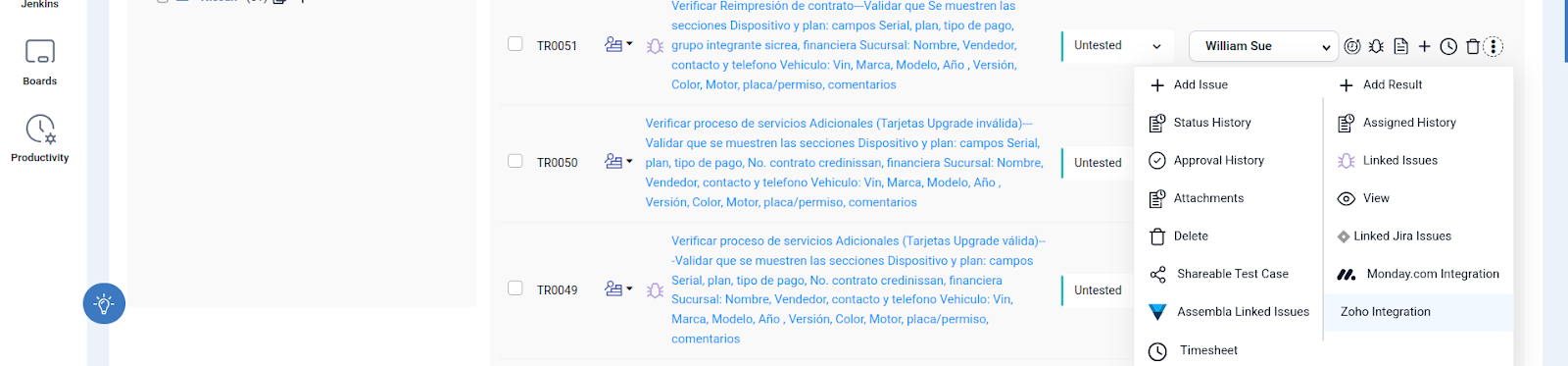
View Task from QA Touch (Test results)
Select a desired Test result & click on action Icon with ”⋮” and select Zoho Integration.
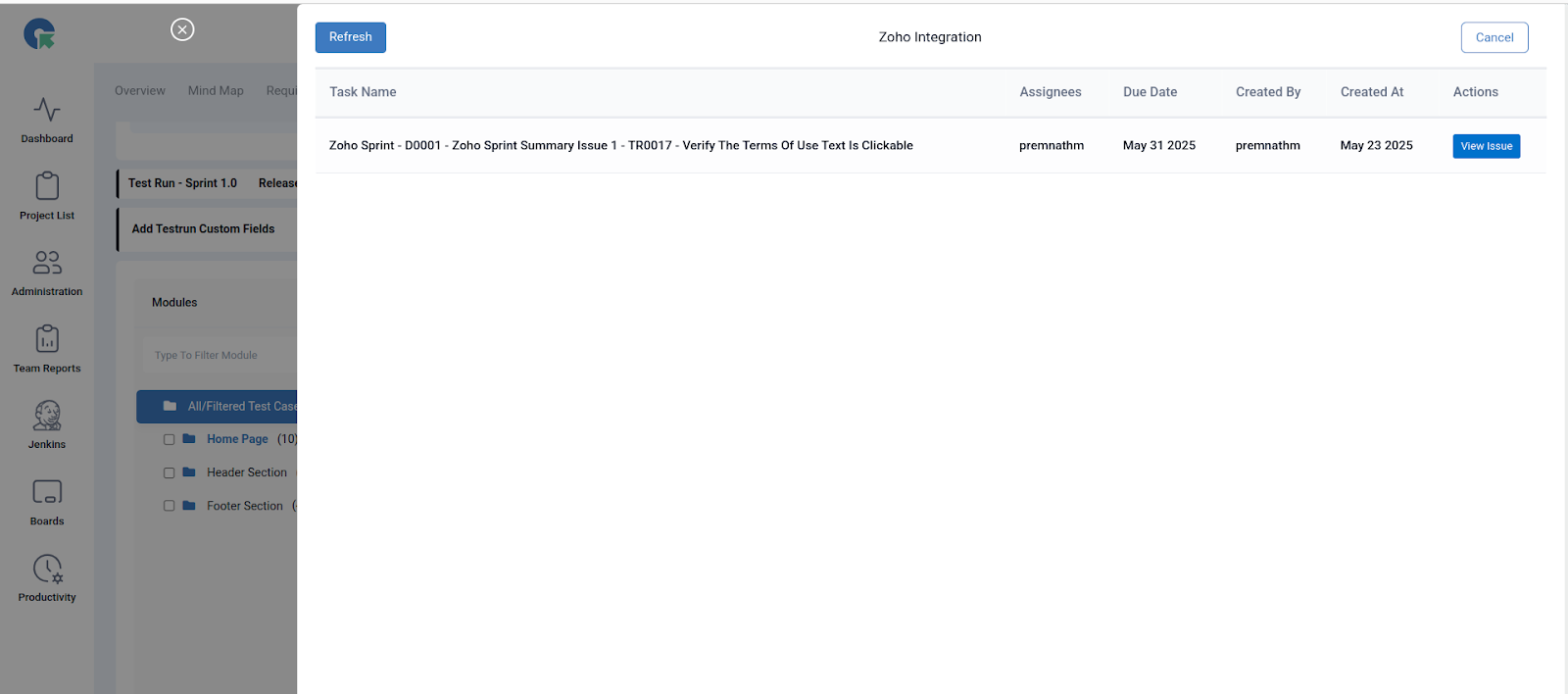
We hope this article helped you understand the process of how integration should be done between ZohoSprint Integration and QA Touch.
This integration is just the beginning of a lot more platforms with which we plan to collaborate in the near future to make testing accessible for all.
Register here and be the master of your application testing.