User Management – Delete / Revert User
Delete user (Deactivate)
- Go to User Management page
- Click on Delete icon near the user needs to be deactivated
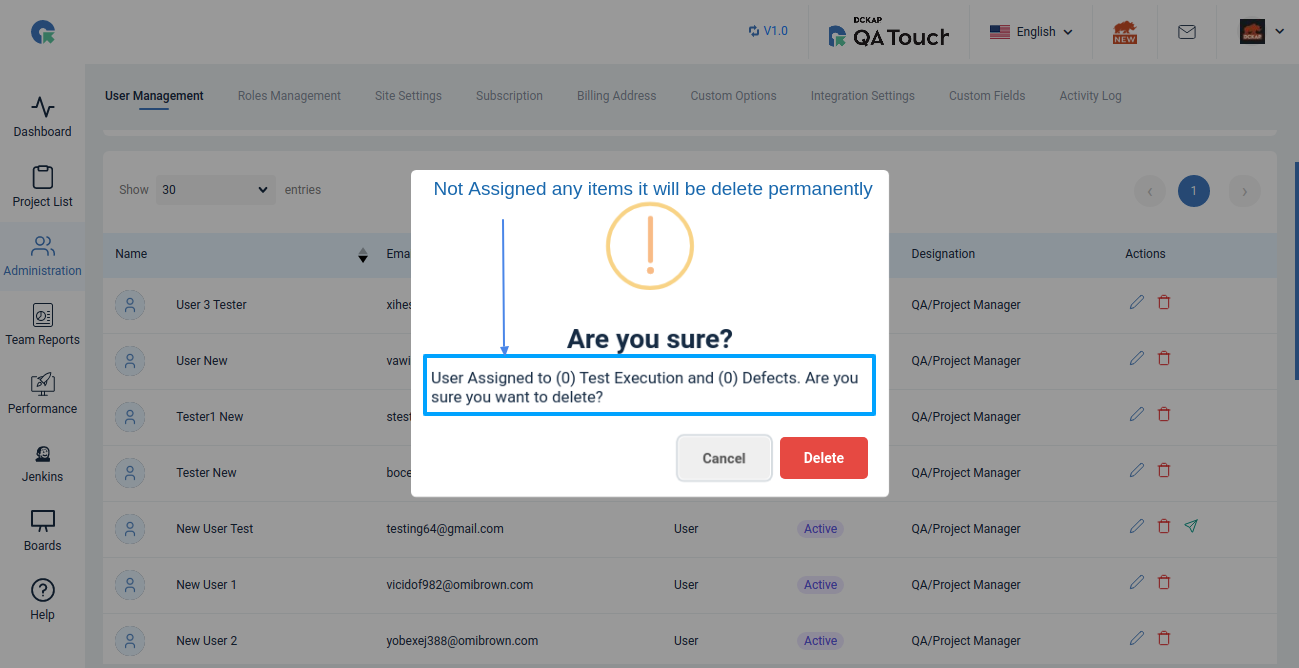
- Confirm delete in popup, Now the user will be De activated Not Assigned any items it will be delete permanently
Note: Users Assigned to (0) Test Execution and (0) Defects. Will be permanently deleted not deactivated.
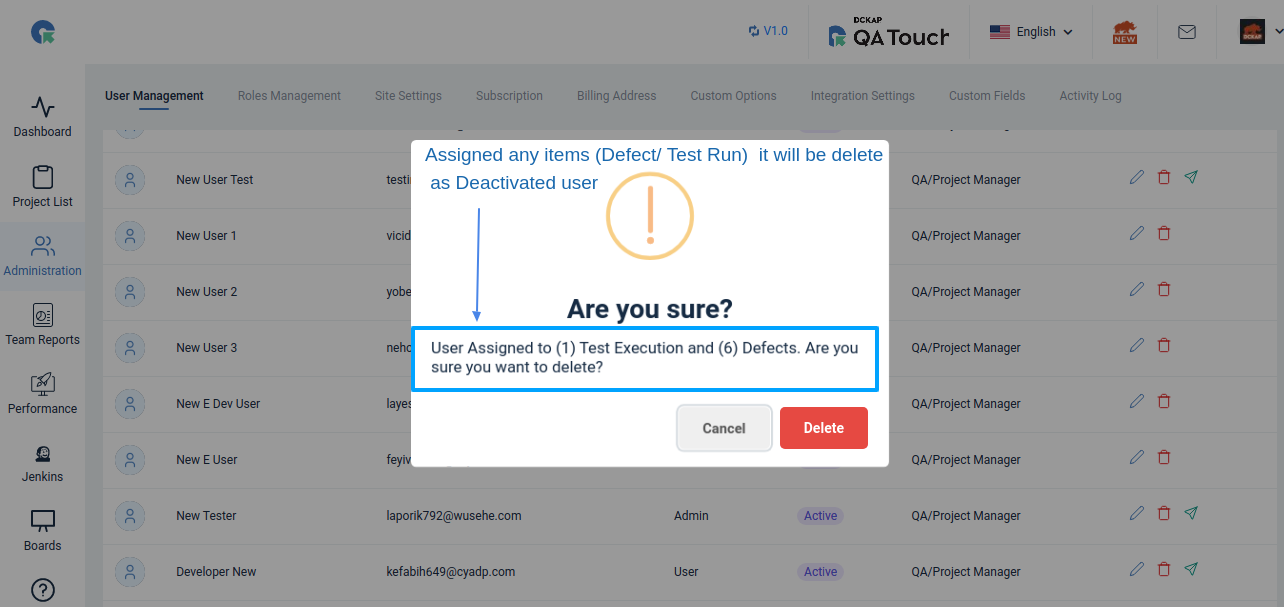
Assigned any items it will be delete Deactivated User
Note: Users Assigned to (0) Test Execution and (6) Defects. Will be permanently deleted not deactivated.
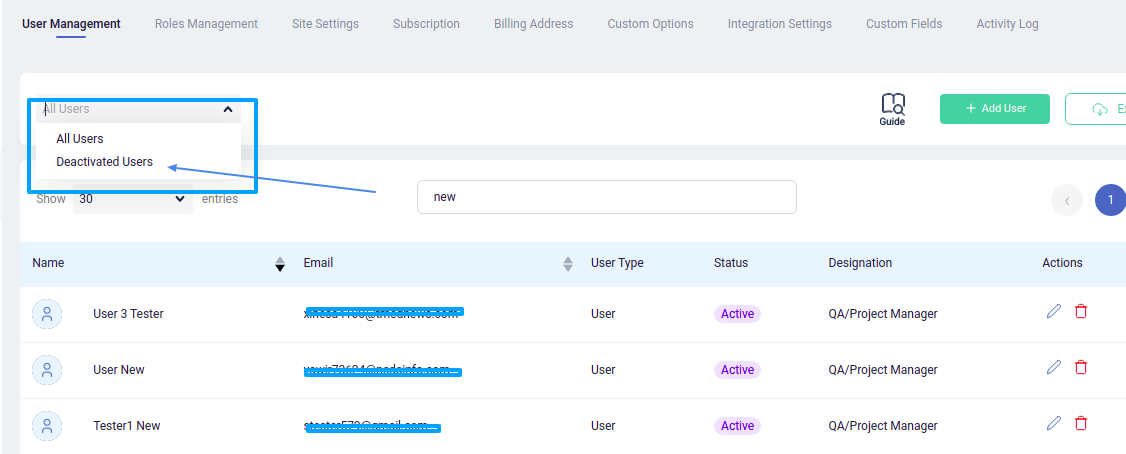
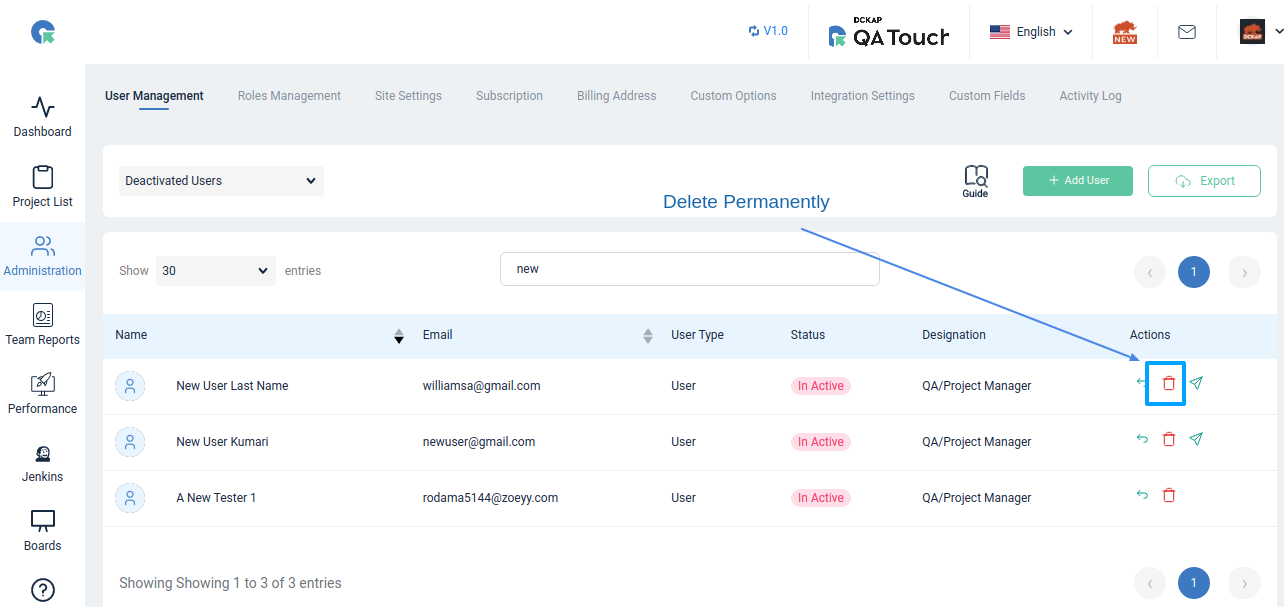
To Permanent Delete Deactivated User
- Go to User Management page
- Select Deactivated Users from the dropdown
- All Deactivated users will be listed here
- To delete permanently click on delete icon
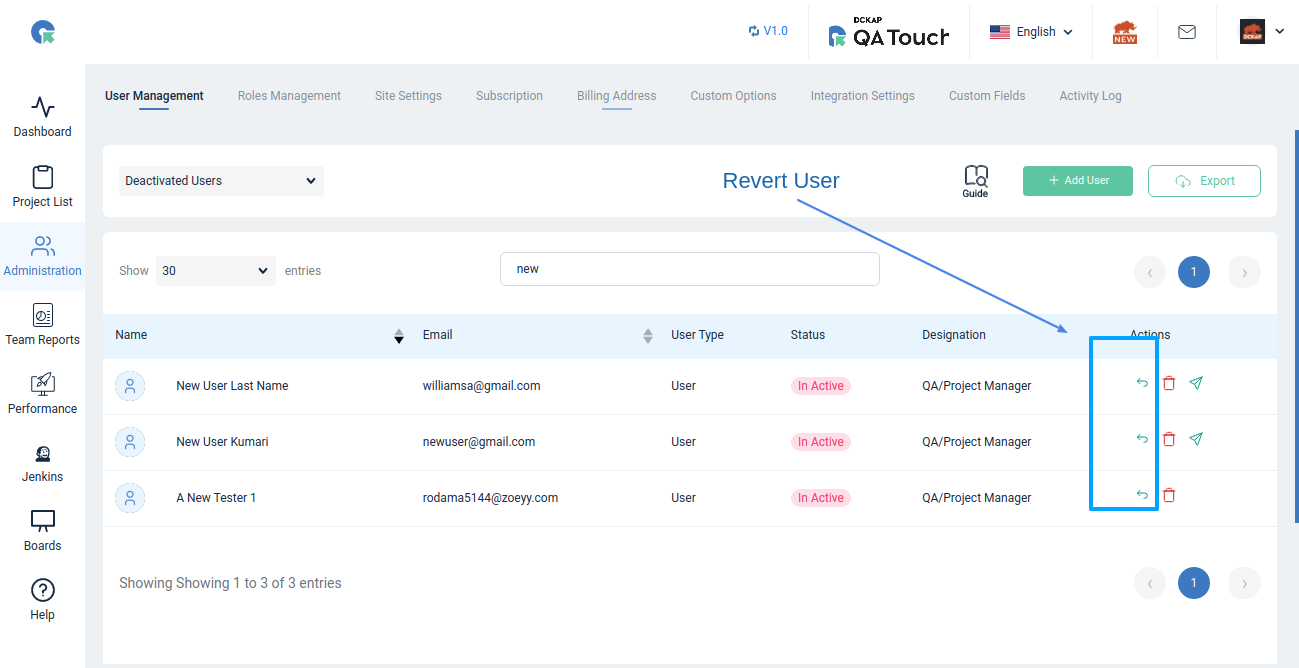
To Revert / Activate a Deactivated User
- Go to User Management page
- Select Deactivated Users from the dropdown
- All Deactivated users will be listed here
- Click on revert back icon and confirm