Bugzilla Integration Guide
In this article
QA Touch is a cloud-based test management tool providing end-to-end solutions for agile get flexibility, visibility, and better software. Lightweight intergration with issue trackers, including JIRA, JIRA Server, SLACK, GitHub, GitLab, Bitbucket, Trello, Assembla. We are pleased to announce our community that QA Touch is now integrated with Bugzilla.

Bugzilla is a bug or issue-tracking system. Bug-tracking systems allow individual or groups of developers effectively to keep track of outstanding problems with their product. Bugzilla quickly became a favorite of the open-source crowd (with its genesis in the open-source browser project, Mozilla)
QA Touch offers seamless intergration with Bugzilla presenting the best way to keep all the bugs posted in the Bugzilla.
How to Generate Bugzilla API Key?
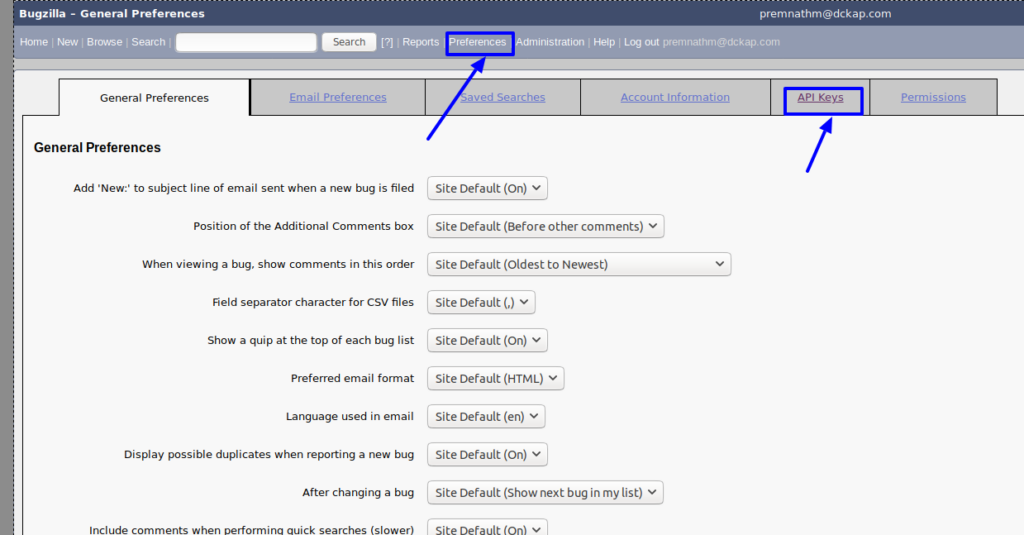
- Click the “Preferences” menu.
- Click the “API Keys” tab.
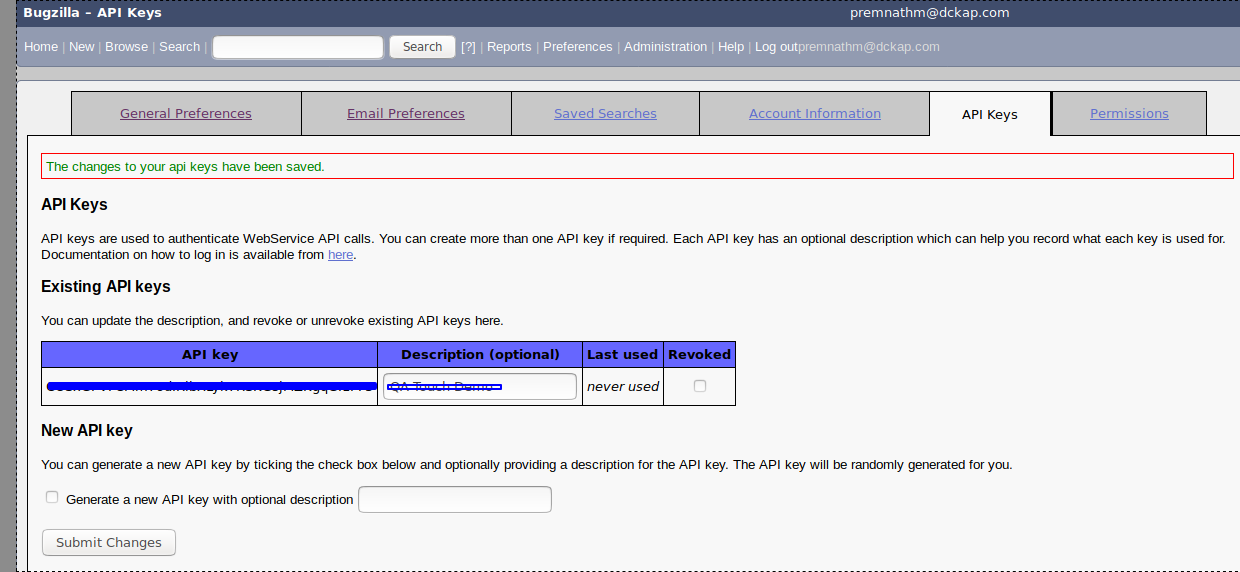
- Generate a new API key with an optional description
- Enter the description, click the radio button and submit. An API key is generated
The below snapshots shows the steps to access the avatar.
Bugzilla Global Configuration
Here’s the step-by-step guide one should be following for a successful and seamless Bugzilla Integration with QA Touch:
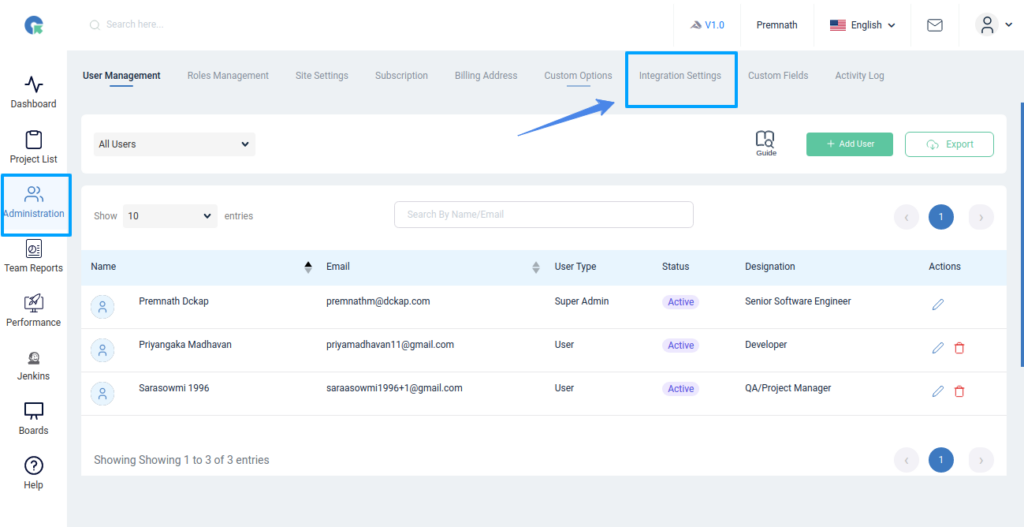
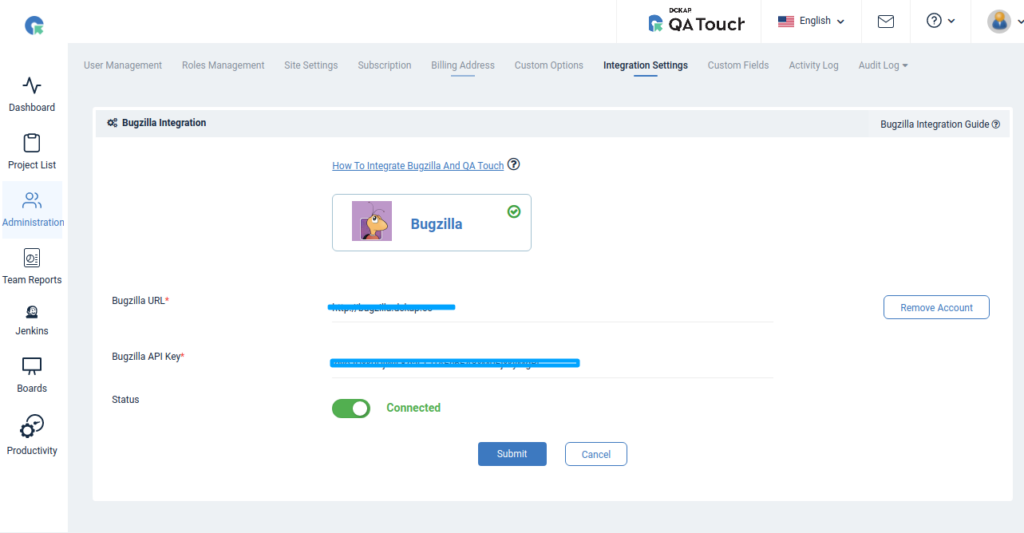
Administration → Integration Settings Navigation
- Login to QA Touch as an Administrator.
- Click the Administration → Integration Settings.
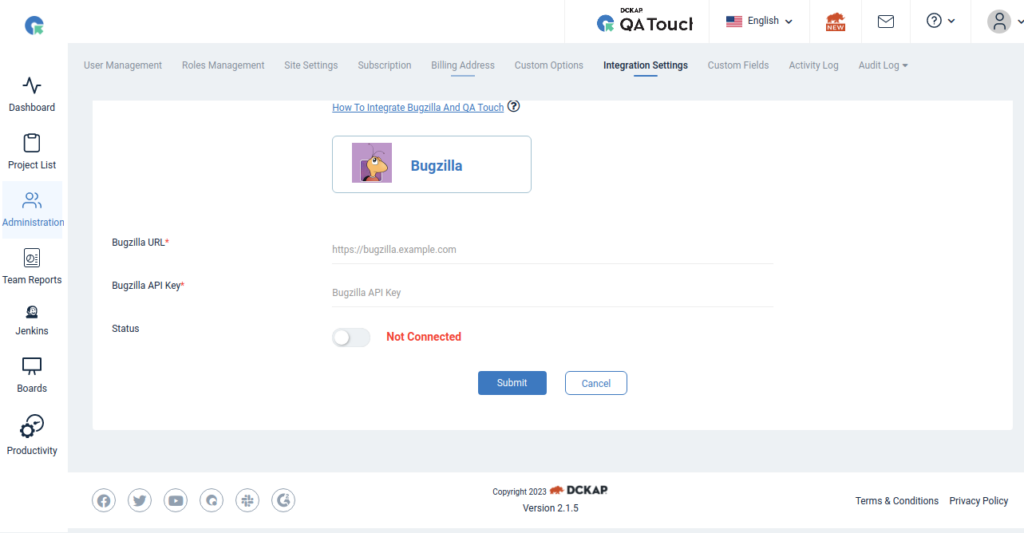
- Go to the Bugzilla tab.
- Enter the Bugzilla Username, Password, URL and API Key
- Click Submit.
- After a successful configuration, the status becomes connected as shown in the below snapshot.

Administration → Integration Settings Navigation
Mapping Bugzilla Project to QA Touch Project
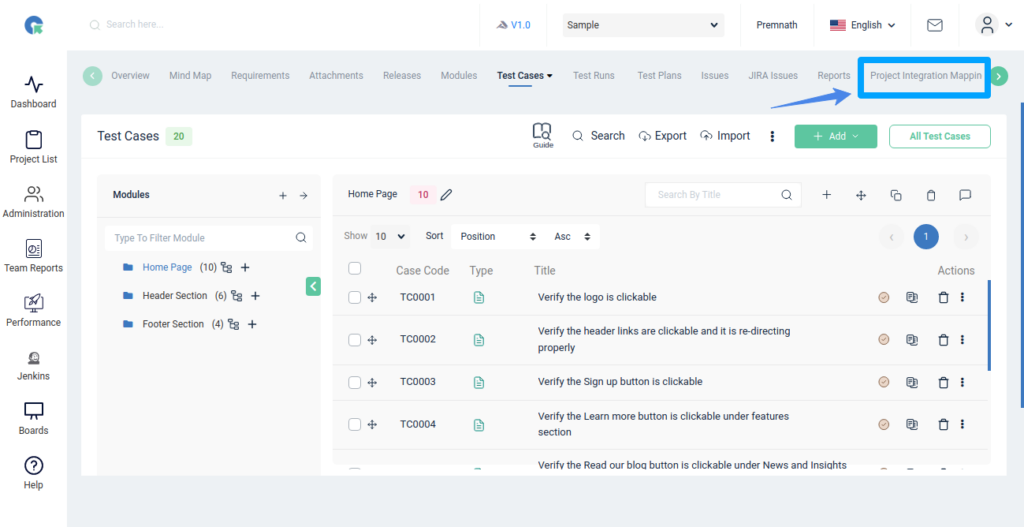
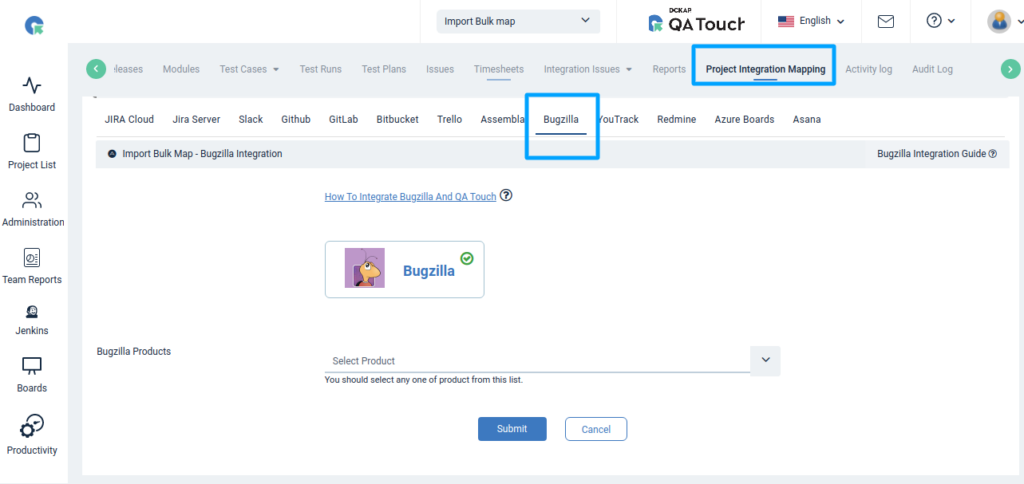
Map the respective project to the QA Touch Project with bugs.
- Click on Projects → Project Mapping.
- Select a Bugzilla project from the list and click submit to Map. Have a look at the below screenshot for your reference.
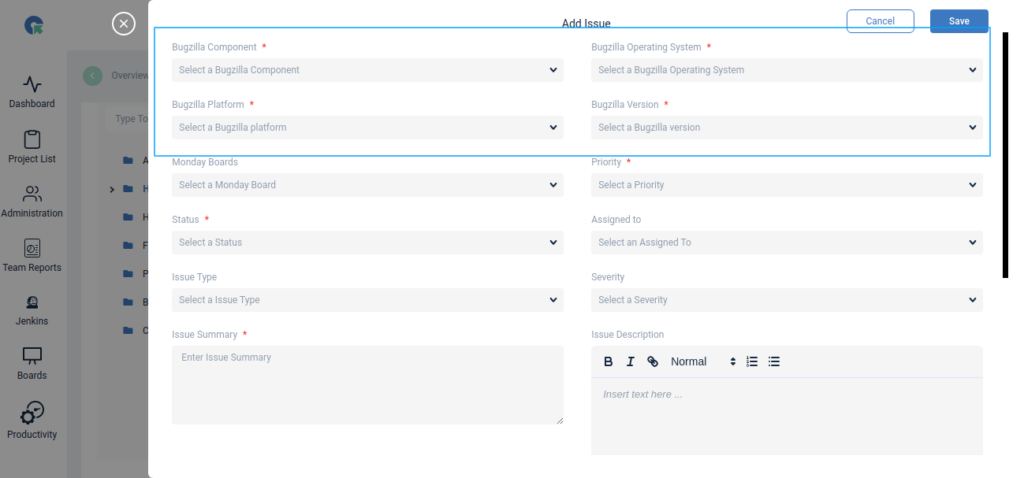
Add Issue Form – Bugzilla Fields
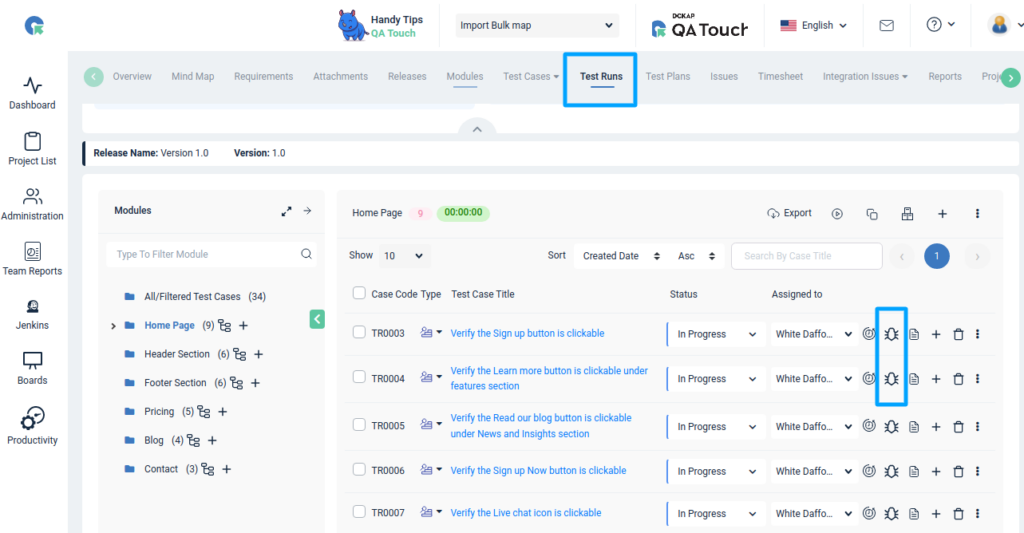
Add Issue
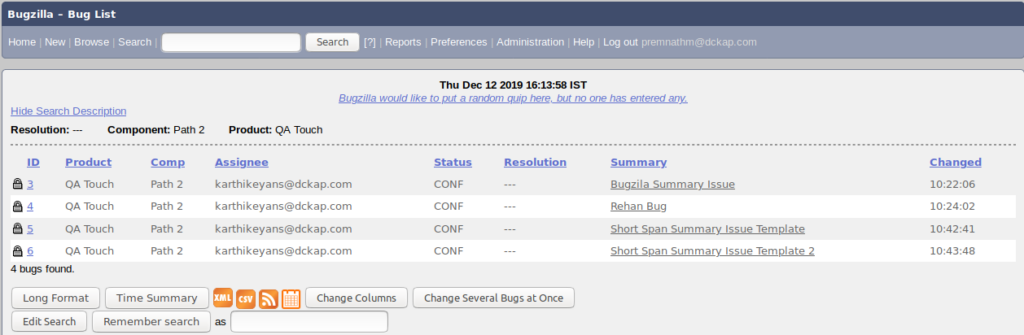
Snapshot of Messages Posted in Bugzilla by QA Touch
Any bugs posted in QA Touch will automatically appear in Bugzilla after completing the above steps.
We hope this blog helped you to understand the process better of how intergration should be done between QA Touch with Bugzilla.
Register here and be the master of your application testing. Get a chance to use Bugzilla and many more that we offer.