Test Case Management – Copy / Move Test Cases
In QA Touch, the Copy functionality is designed to enhance efficiency by allowing users to duplicate test cases and modules within or across projects. This feature streamlines the test management process, ensuring consistency and saving time.
Sometimes you need to copy a single test case ,particular module or overall test cases in the project.
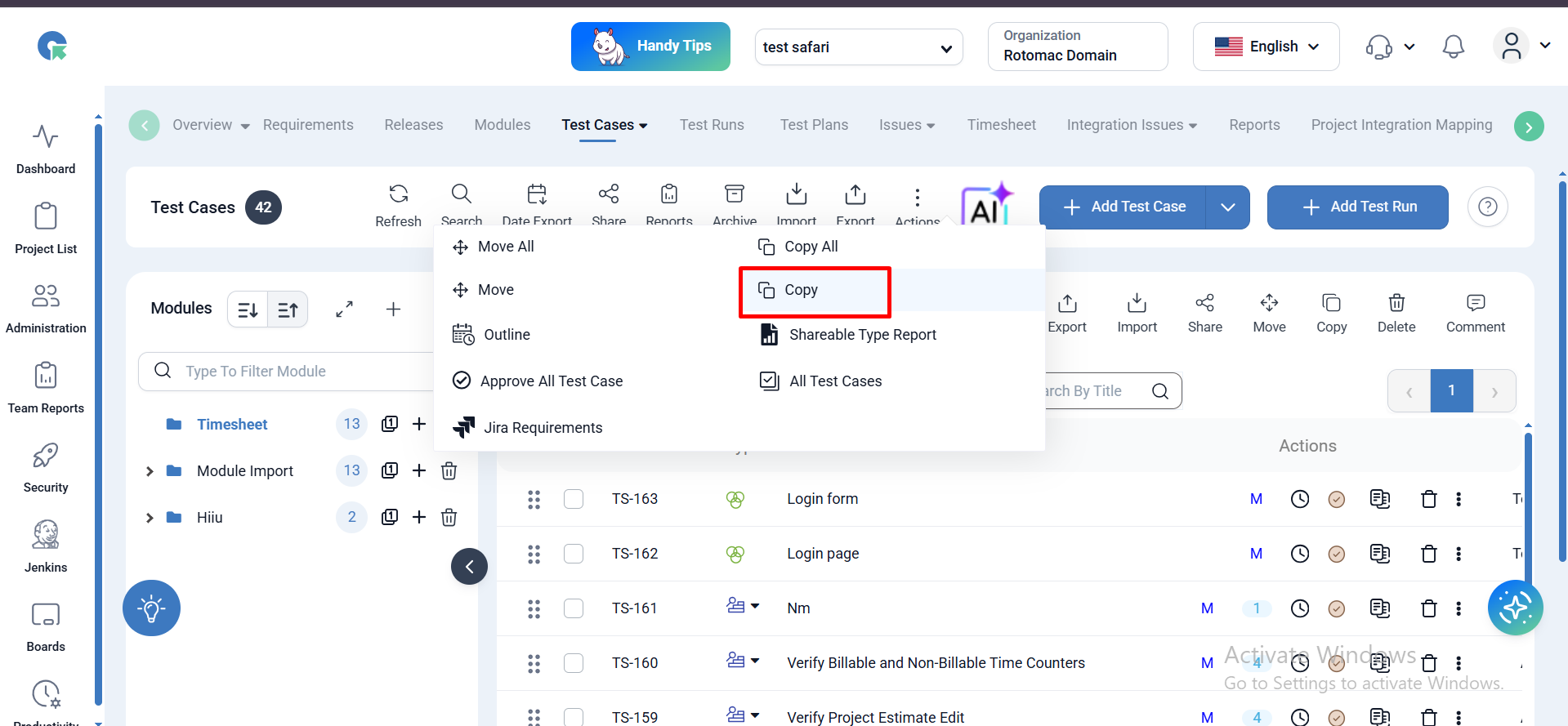
1. Copy a single test case other project
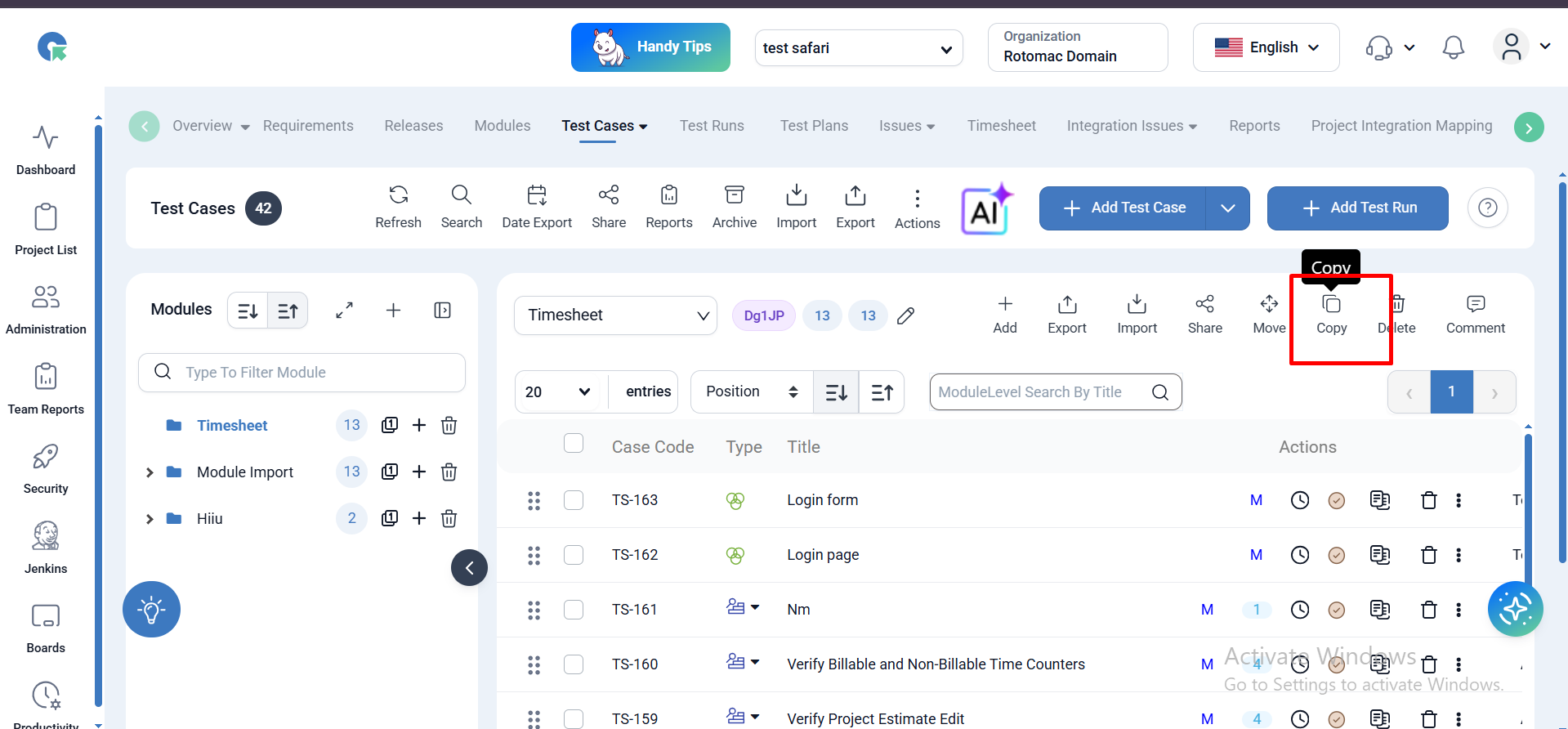
- Goto test case page click on Action button and choose copy functionality
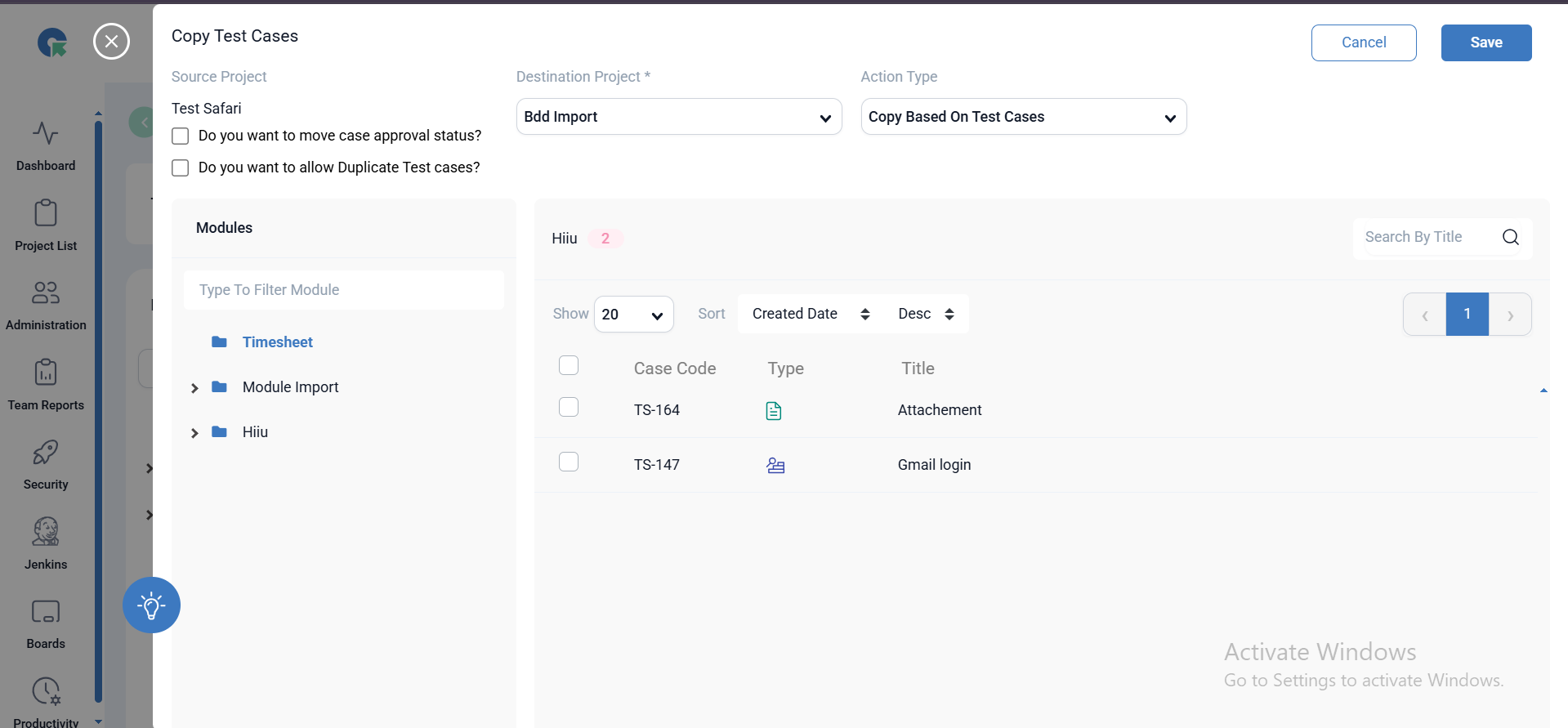
- To copy single or multiple test cases use Copy based on test case option
- Select the required test case and save click save
- The test cases will be copied successfully
2. Copy Test case based on Module:
- Goto test case page click on Action button and choose copy functionality
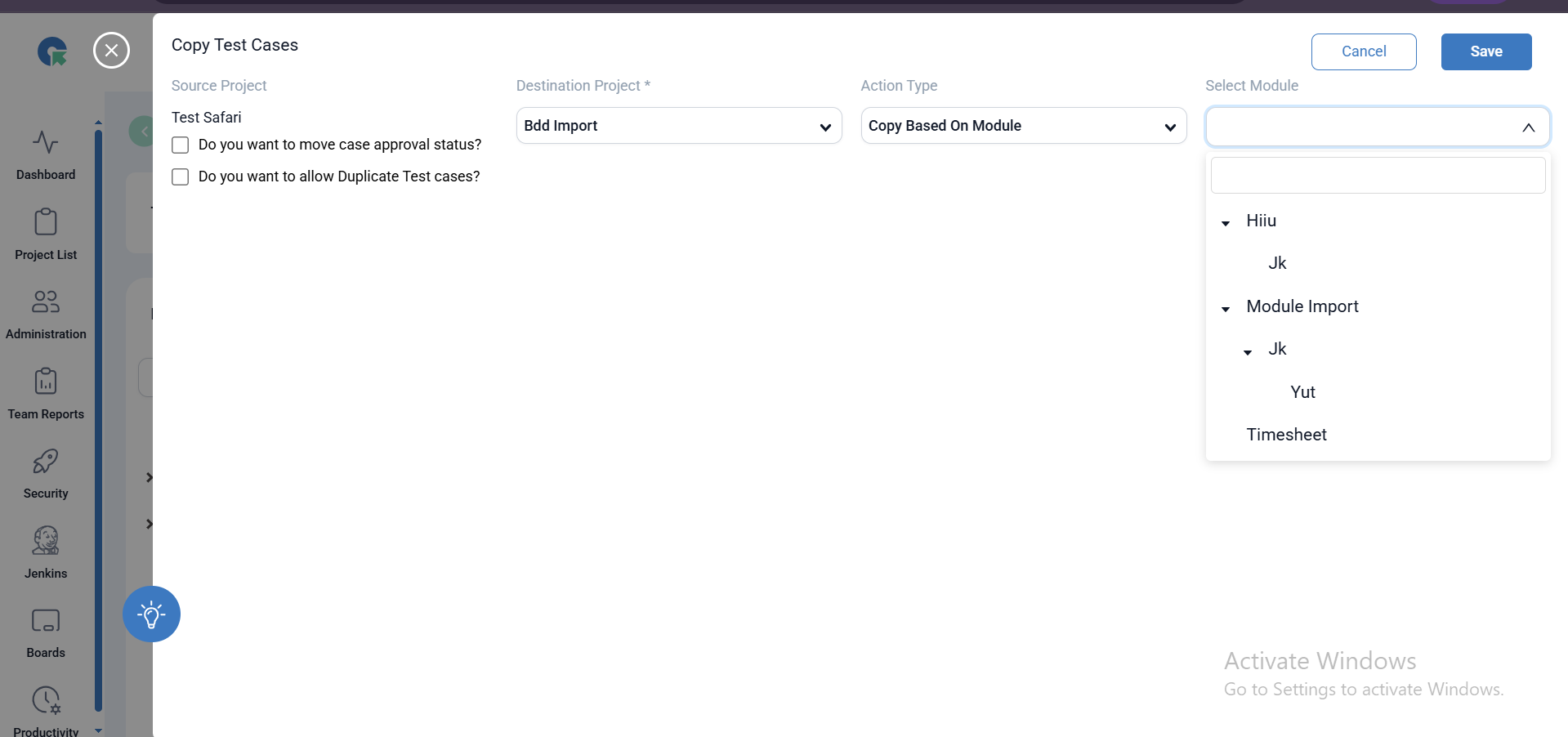
- To copy a module test cases use Copy based on Module option
- Select the required module and save click save
- The test cases will be copied successfully
3. Copy Test cases to Existing module:
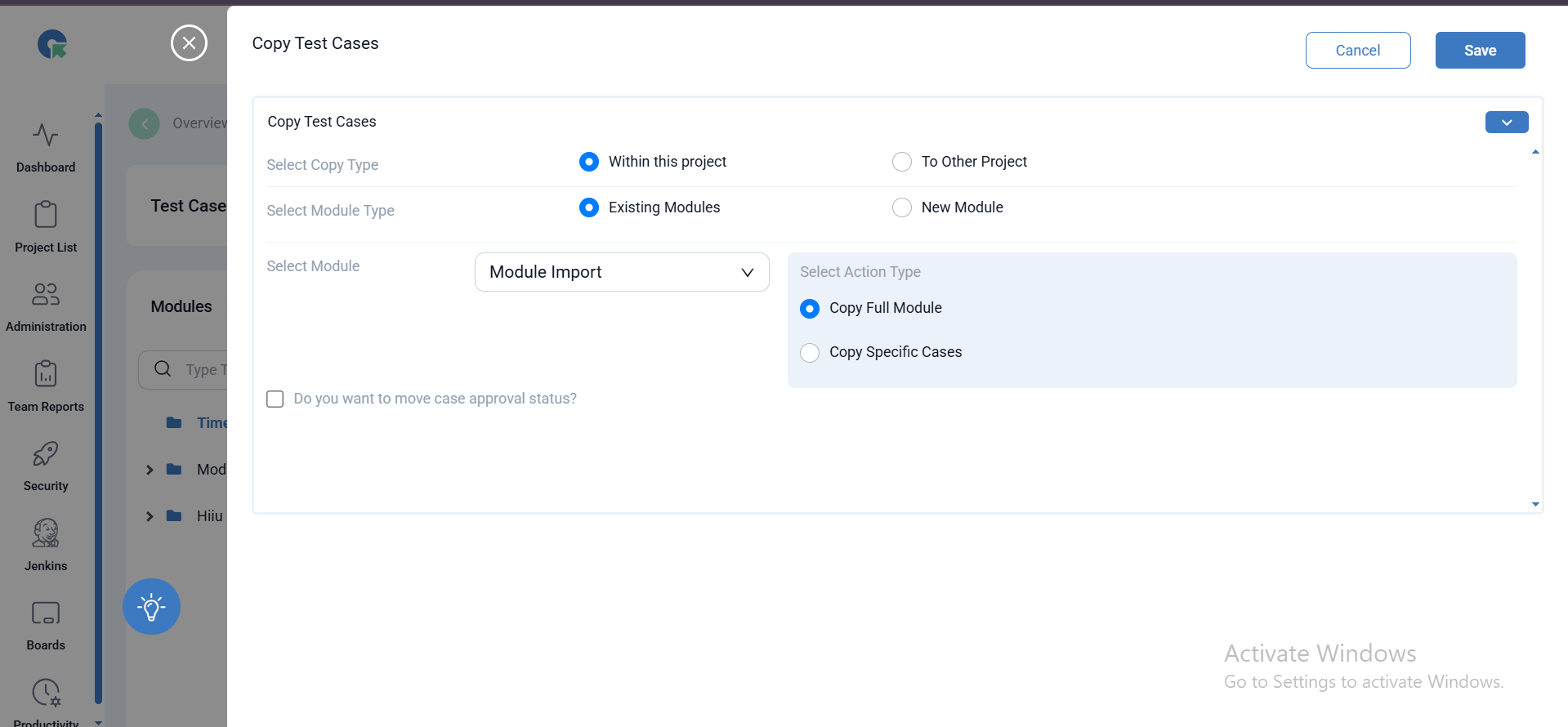
- To copy the test cases to already existing module ,Go to test case page
- Select copy ,and select Existing module option
- Select the module in the dropdown
- Select the action type as Copy full module or copy specific test case
- Click on save the test cases will be copied successfully
4. Copy Test cases to New Module:
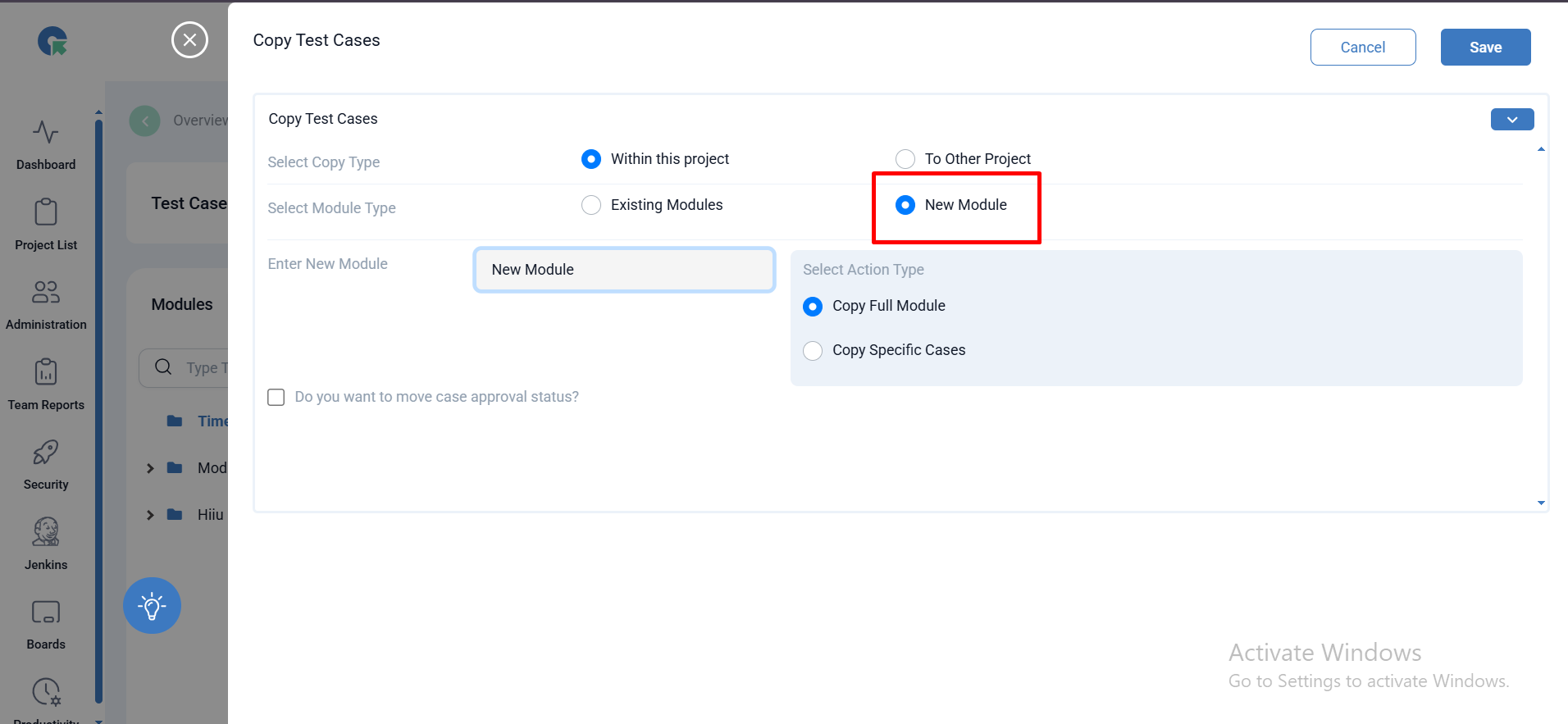
To copy the test case to new module ,follow below steps:
- To copy the test cases to already New module ,Go to test case page
- Select copy ,and select New module option
- Enter the module name
- Select the action type as Copy full module or copy specific test case
- Click on save the test cases will be copied successfully
Copy Test Cases To Other project:
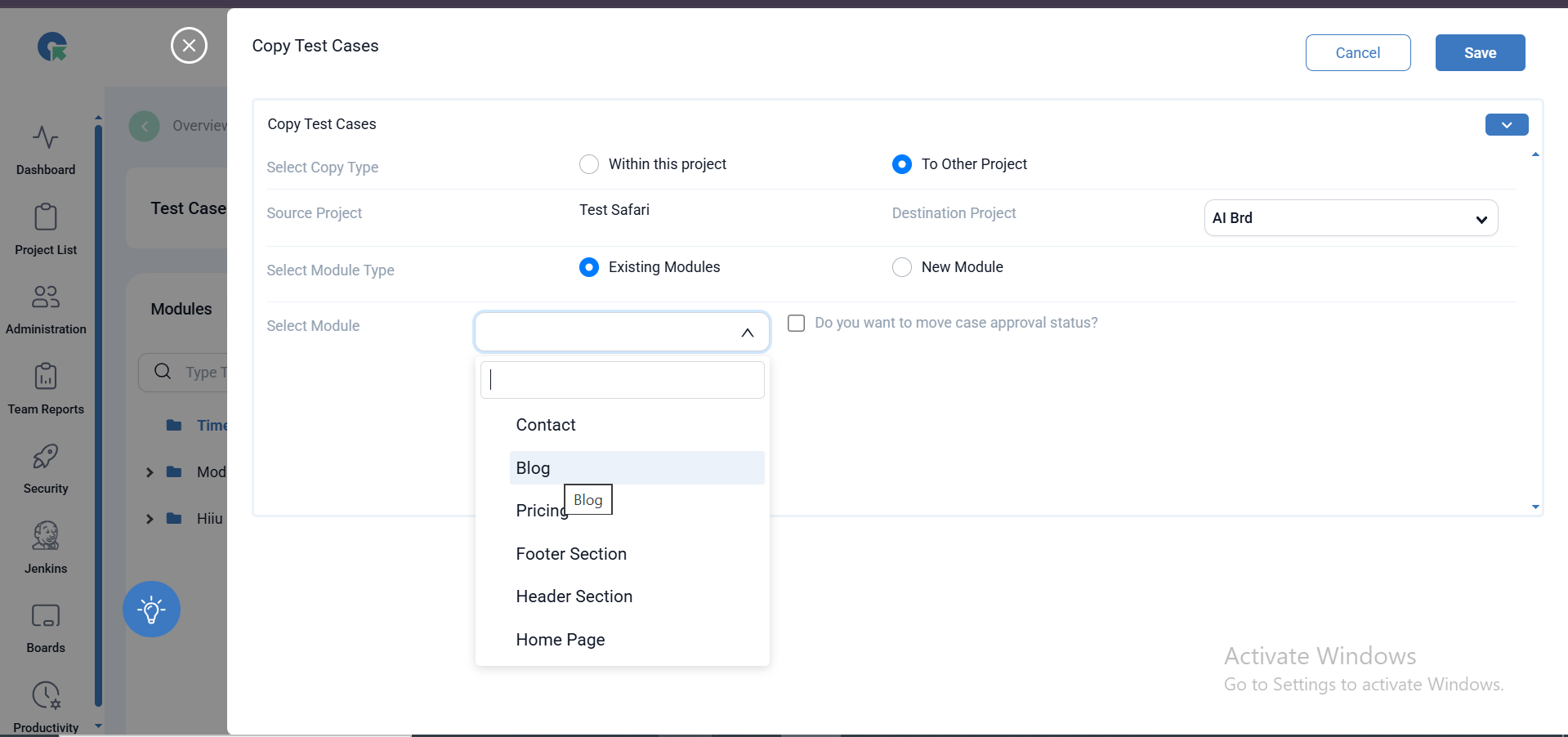
- To copy Test case to other projects, select the Other project option
- Select the destination project
- Select the module and action Type as specific test cases or all test cases
- Click on save ,test cases will be copied successfully.
Copy All Module:
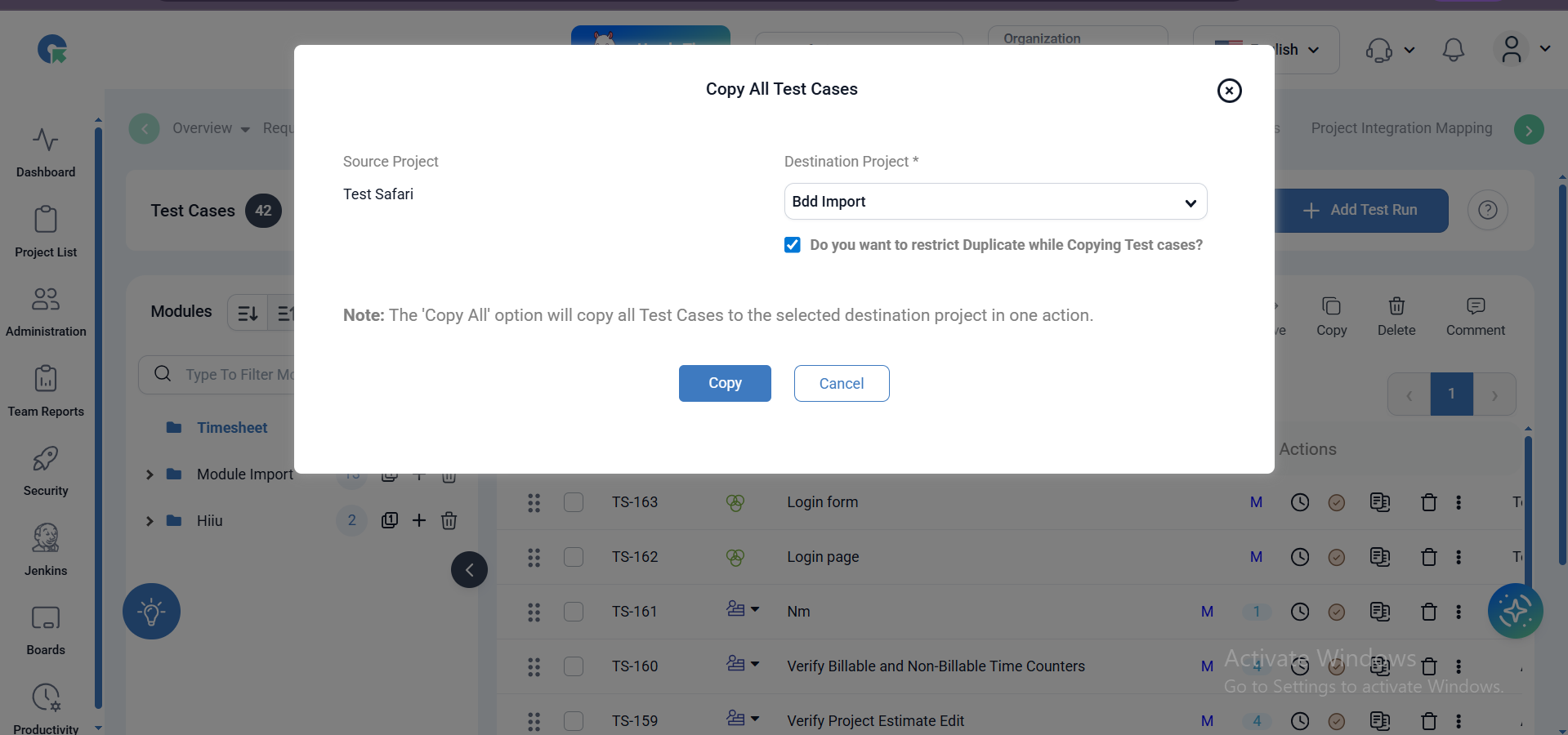
QA Touch has the option to Queue the process of copy of Test cases. copying more than 300 Test cases will run the queue in the background without affecting your regular work and takes lesser time and bandwidth to copy the data.
All test cases from the source project will be copied in a single action to the destination project
- Goto Test case page click on action menu
- Choose Copy All option
- Select the destination project
- By selecting the check box Do you want to restrict Duplicate while Copying Test cases? Will restrict the test cases getting duplicated
- Click on copy.