AI Prompt to Generate Test Cases
Generate Multi Test Cases using AI Prompt
This feature in QA Touch enables teams to:
Enter a simple prompt (like “Login module” or “Shopping cart edge cases”). Choose the number of test cases to generate (e.g., 5, 10, 15). Free user can select 5 limit Instantly receive structured, detailed test cases with clear steps and validations. Save them directly into your QA Touch project.
How It Works (Step-by-Step)
- Login to QA Touch
- Go to the Test Cases section in QA Touch.
- Click Generate Multi Test Cases using AI Prompt.
- Choose between two modes: Exploratory Session: AI suggests exploratory scenarios for rapid coverage. Test Case (Steps): AI generates structured step-by-step test cases.
- Enter your feature/module prompt in natural language. Example: “Shopping cart: Test add, update, remove, checkout, validation, discounts, and edge cases carefully.”
- Set the Test Case Limit (e.g., 5,10,20).
- Click Generate within seconds based on limit, QA Touch will create detailed test cases.
- Review, refine, and save them directly into your project.
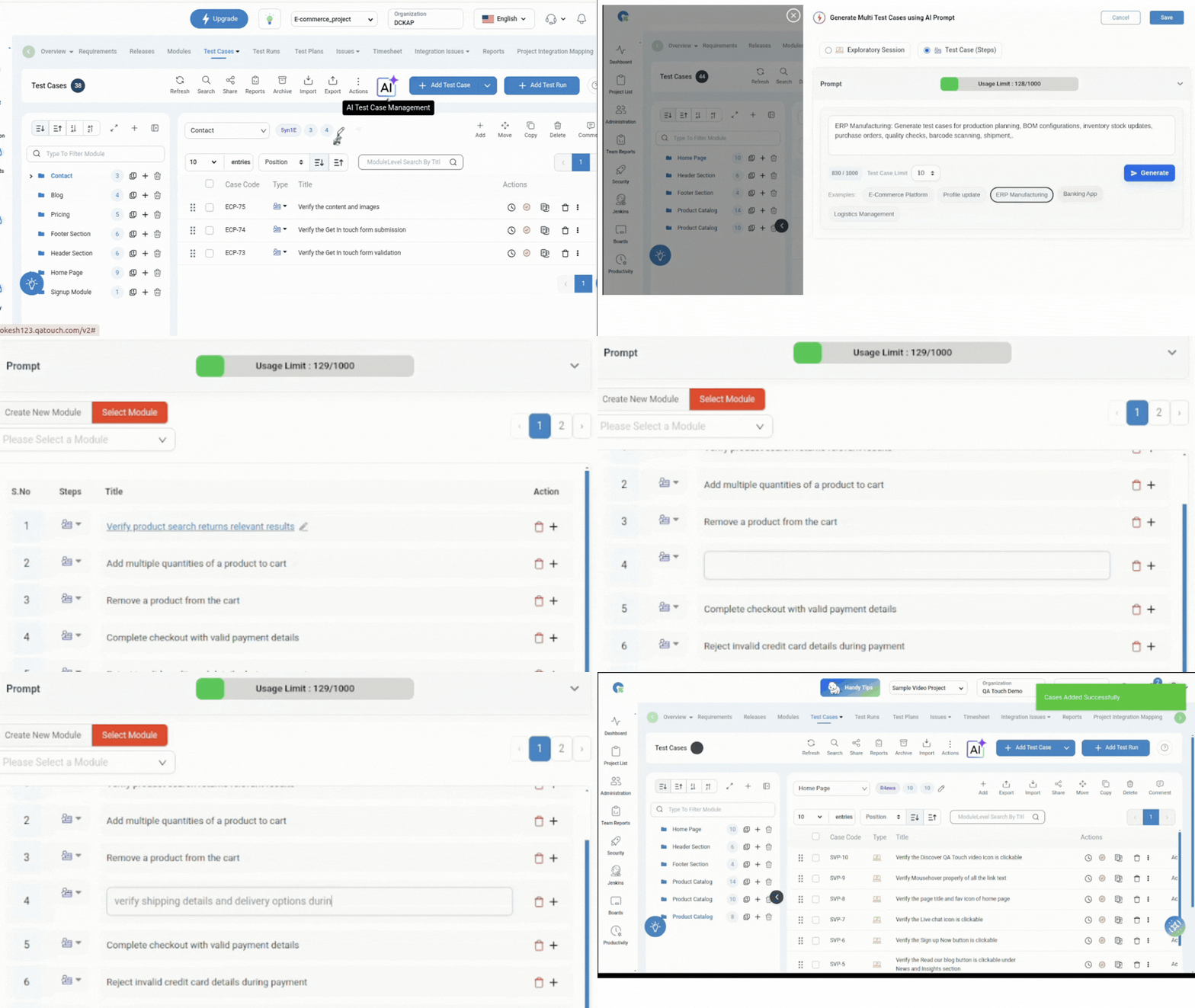
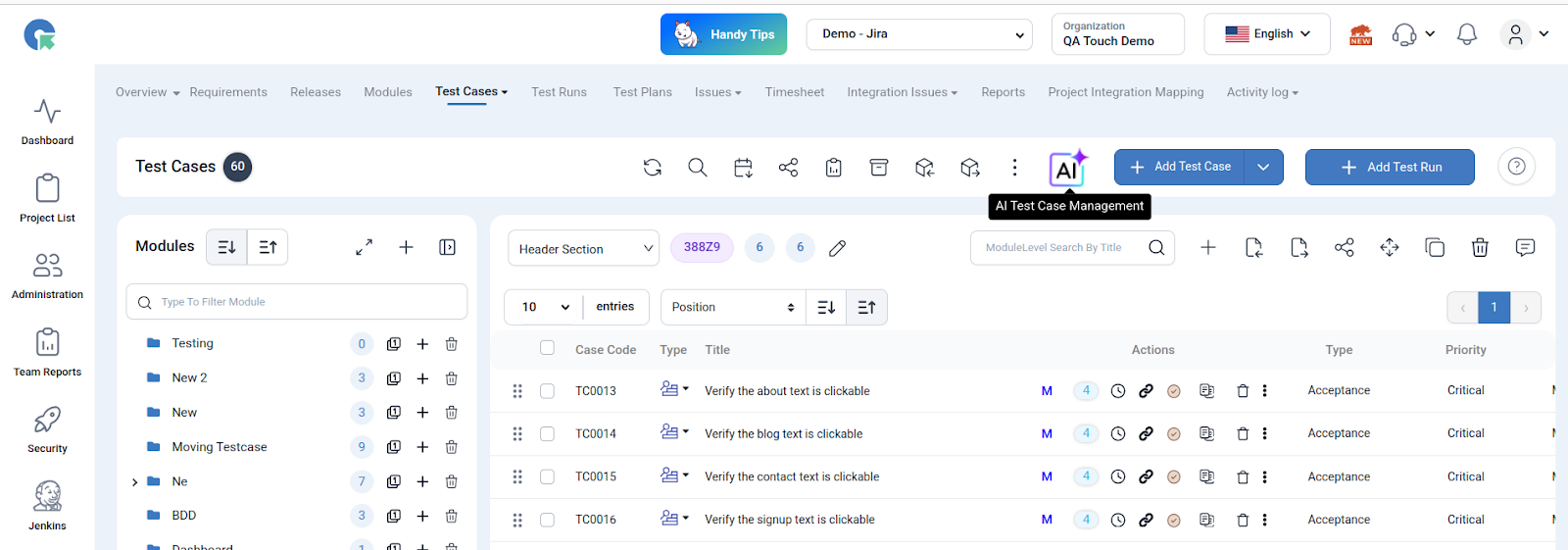
AI Feature
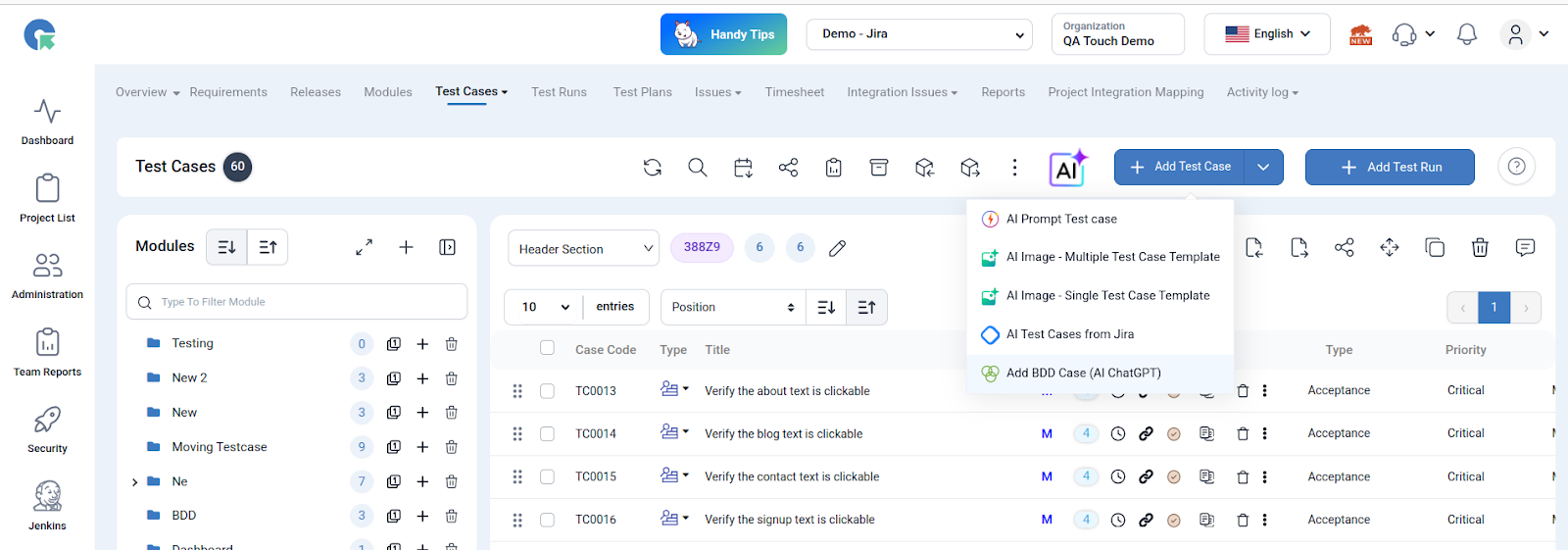
AI Prompt Test Case
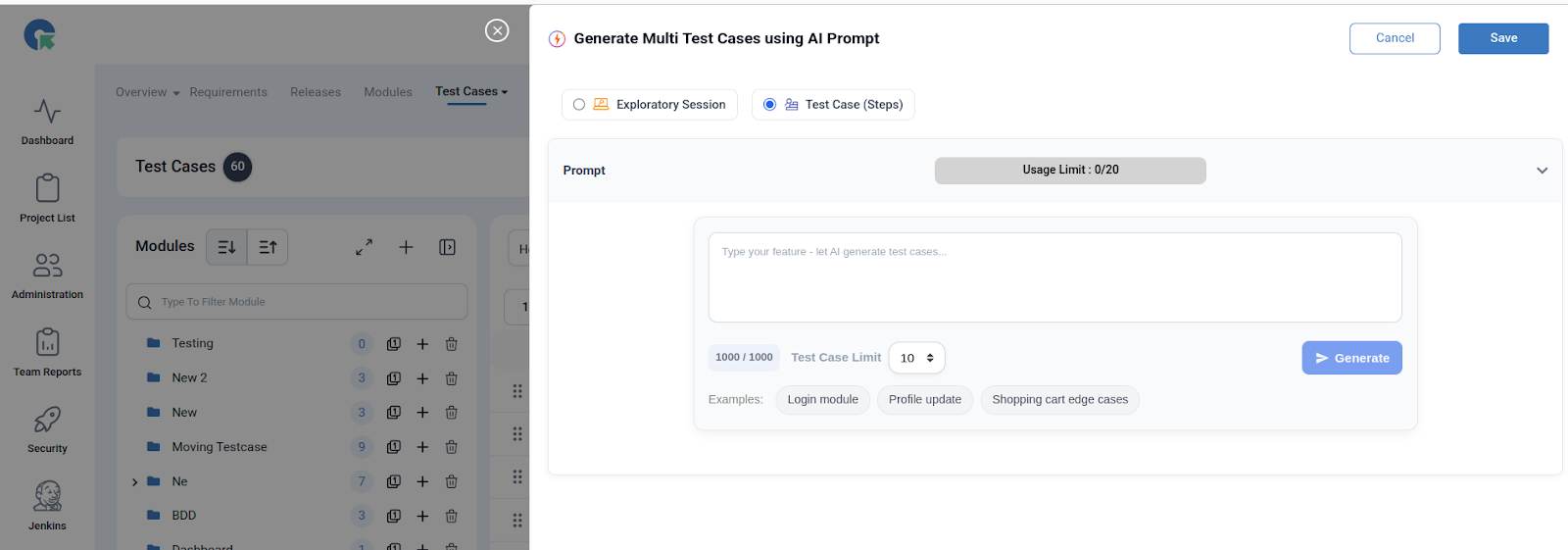
Shopping Cart Prompt
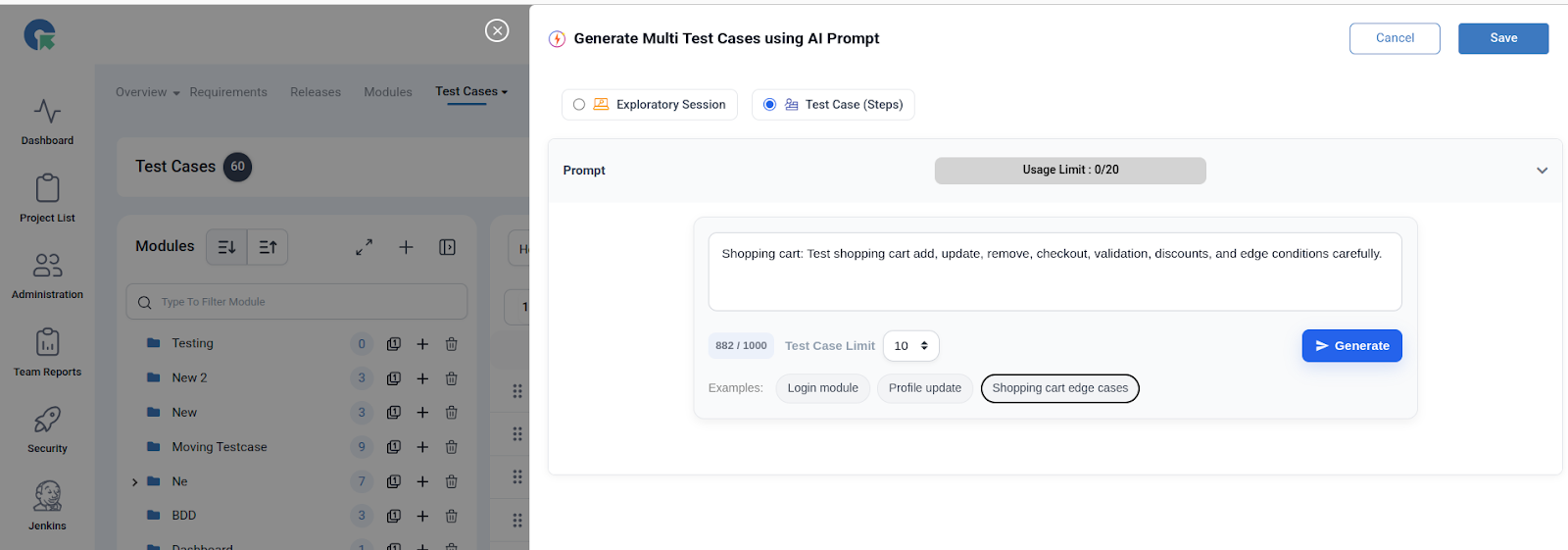
Test Case Limit (e.g., 5, 10, 20) Generate
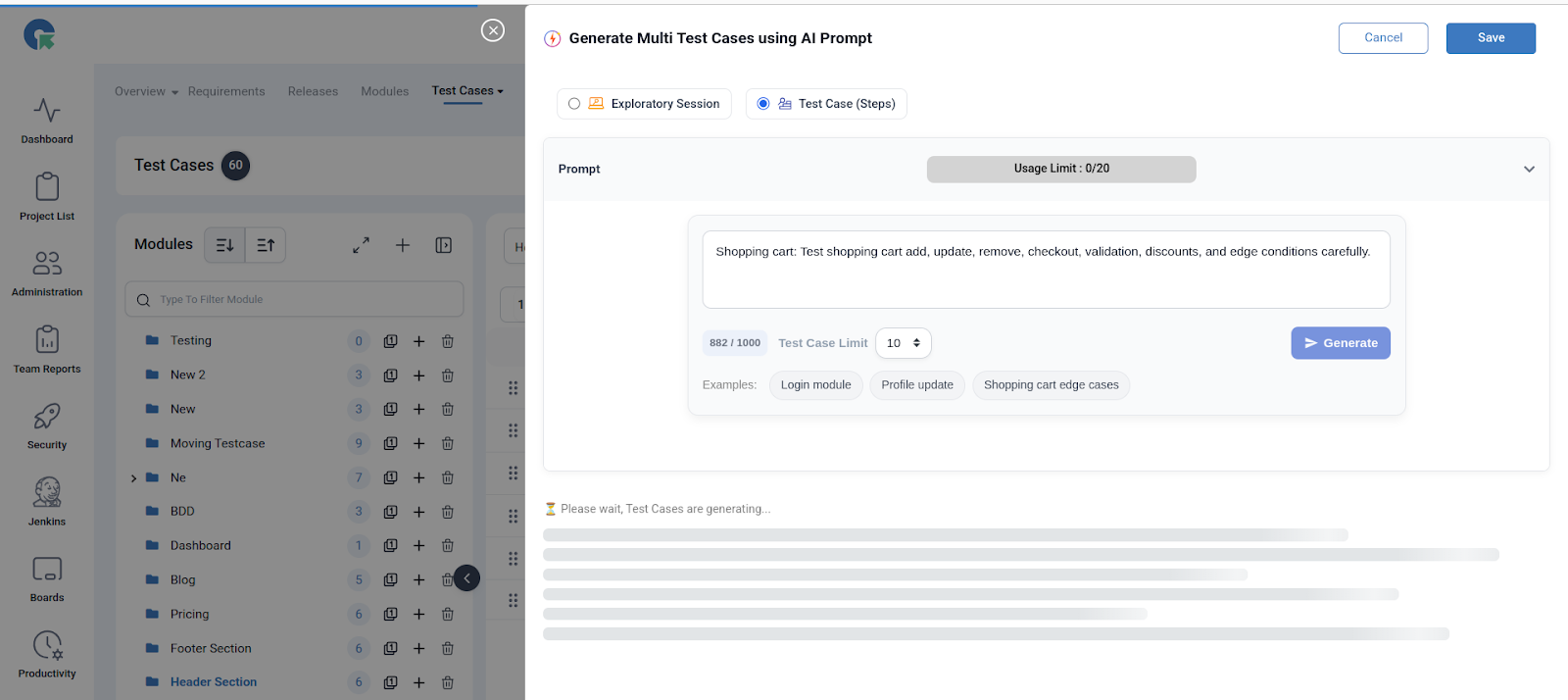
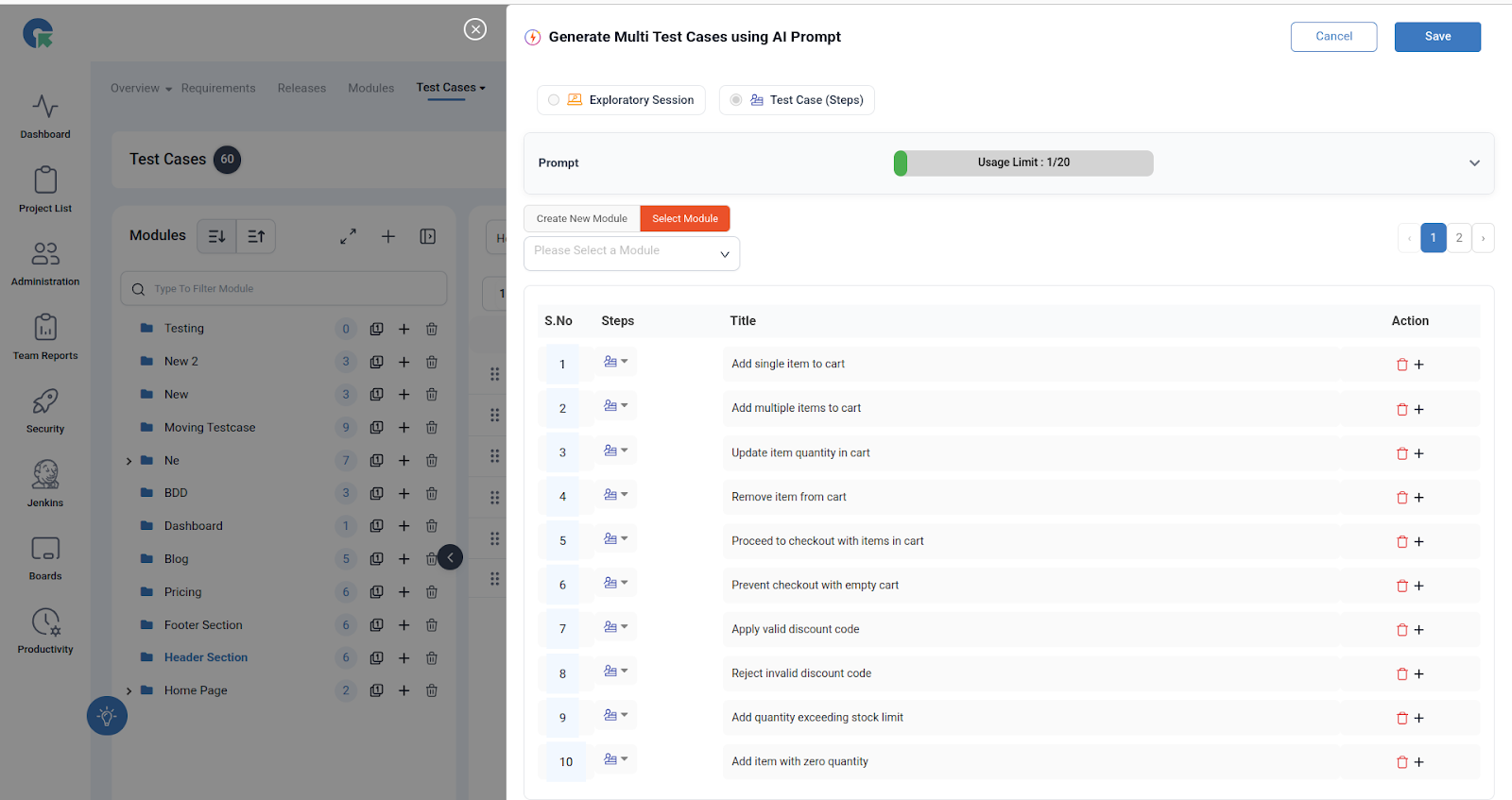
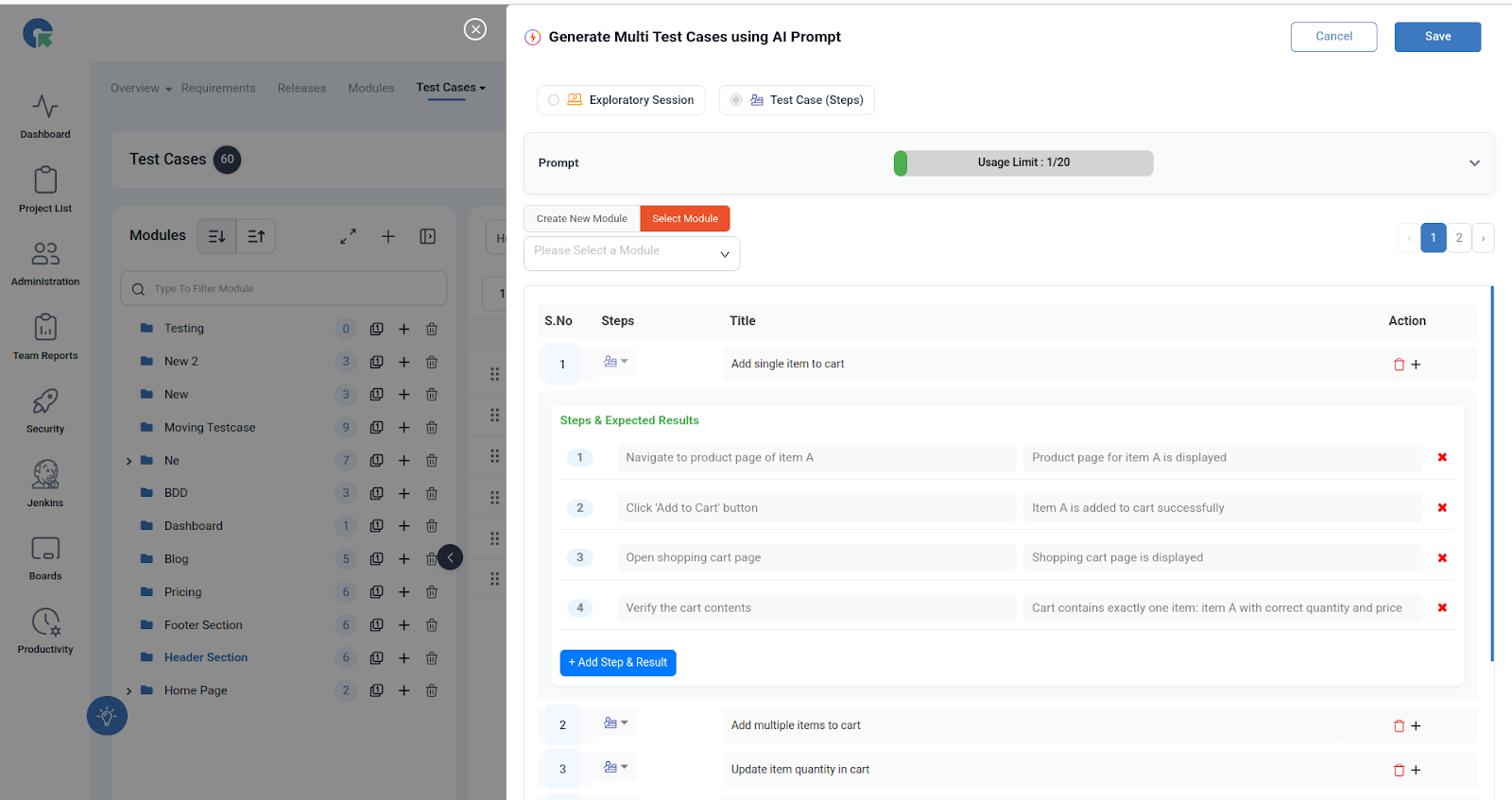
Final Step : Click Save button
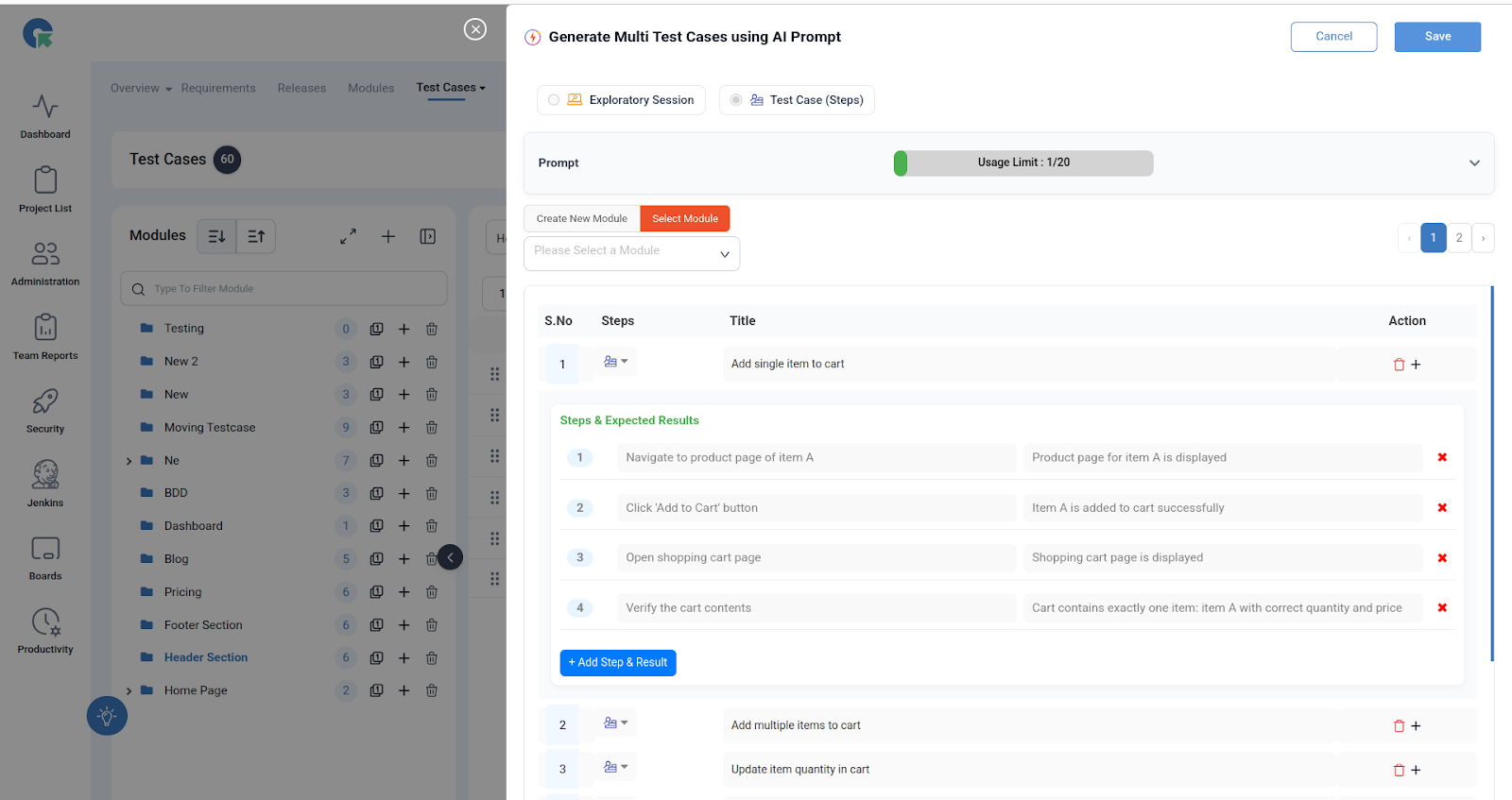
Example Action : Login Module
Prompt:
“Login module: Test valid login, invalid login, password reset, session handling, and security checks.”
AI-Generated Test Cases Might Include:
- Valid login with correct username and password.
- Invalid login with incorrect password.
- Login with unregistered email.
- Password reset with valid email.
- Password reset with invalid email.
- Session timeout handling.
- Multiple failed login attempts leading to account lock.
- Login with special characters in username.
- Successful login with “Remember Me” checked.
- Logout functionality after login.