QA Touch vs Spreadsheet
| Capability / Features |  |  |
|---|---|---|
| Test Case Management & Reusability |  |  |
| Review Management | | |
| AI Helper | | |
| Test Execution | | |
| Defect Tracking & Traceability (Req → Test → Defect) | | |
| Reusability of Test Cases | | |
| Automation Integration | | |
| Role Management | | |
| Log Activity & Audit Logs | | |
| Test Case Version History | | |
| API Availability | | |
| Email Notification | | |
| Jira / Azure Boards - 3rd Party Integration Tool | | |
| Time Management | | |
| Workspace / Teams | | |
| Custom Fields / Custom Option / Reports | | |
| Single Sign-On | | |
| AI Chatbot | | |
AI Test Cases Management Tool
Why QA Teams May Select QA Touch
- UI and Ease of Use: Acclaimed for its user-friendly interface, intuitive structure, and simplicity, which lowers the learning curve.
- Better Organisation: It provides more adaptable ways to arrange tests than TestRail's possibly restrictive folder-first method.
- Robust Integrations: Reduces manual labour and streamlines workflows by integrating well with a variety of tools, such as Jira.
- Built-in Features: To lessen reliance on third-party plugins, the tool may include features like Requirement Management.
- Multiple Project Configurations: We can configure multiple JIRA Projects.
Why Prefer QA Touch
AI Test Case Management

Prompt to Test Case:
Turn a short requirement into a clear and detailed test case.
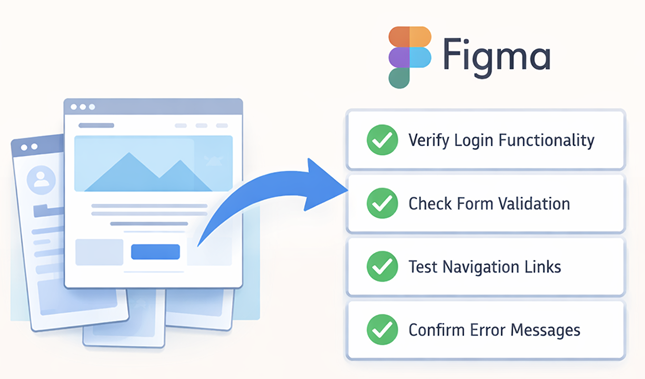
Figma Mockup To Generate Test Case:
Generate a full test suite straight from a Figma design or image.
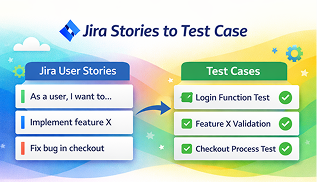
JIRA Stories To Generate Test Case:
Create coverage automatically from your existing JIRA stories.
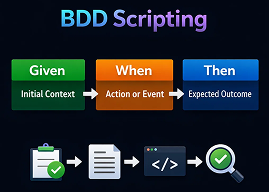
BDD Scripting:
Let the AI produce well-structured test case descriptions and BDD scripts instantly.
BRD to Test Case:
Generate test cases directly from BRD documents.

Agile Board
The Agile Board provides a visual workspace to plan, track, and manage testing tasks with ease. It helps teams collaborate effectively, monitor progress in real time, and stay aligned throughout the testing lifecycle.

In-Built Timesheet
QA Touch includes a built-in timesheet feature to track work hours accurately and effortlessly. Create, customize, and share timesheets to improve time management, productivity tracking, and reporting across teams.

Built-in Bug Tracking
QA Touch offers seamless built-in defect tracking by linking bugs directly to failed test cases. Log, track, and manage defects effortlessly from reporting to closure using a centralized bug tracking module that ensures complete visibility and faster resolution.

Intuitive Dashboards
Get a clear, real-time overview of your testing progress with intuitive dashboards. Access project-specific insights into test cases, test runs, defects, and user activity logs—all consolidated in one place for smarter decision-making.

Reports & Actionable Insights
QA Touch delivers rich, actionable reports that provide deep visibility into test coverage, execution status, defect history, and team performance. Identify risks early, track quality trends, and continuously improve your testing outcomes.

Cost-Effective & Scalable
QA Touch offers flexible and affordable pricing plans designed for startups, growing teams, and enterprises. With a generous free trial and feature-rich paid plans, you get maximum value without compromising on quality or functionality.